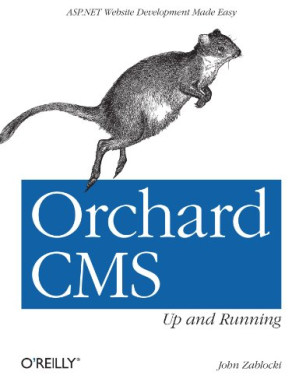
upload/duxiu_main2/【星空藏书馆】/【星空藏书馆】等多个文件/Kindle电子书库(012)/综合书籍(007)/综合1(011)/书1/yanhu831/Verycd Share/O'Reilly/2012/2012-6/[Orchard.CMS:Up.and.Running(2012.5)].John.Zablocki.文字版.pdf
Orchard CMS: up and running : [ASP.NET website development made easy 🔍
John Zablocki
O'Reilly Media, Incorporated, 1. ed, Beijing, 2012
英语 [en] · PDF · 9.3MB · 2012 · 📘 非小说类图书 · 🚀/lgli/lgrs/nexusstc/upload/zlib · Save
描述
Use your C# skills to build your next website with Orchard, the popular content management system based on ASP.NET MVC. With step-by-step guidance, you’ll learn your way around the Orchard environment by constructing a complete, real-world site throughout the course of this book. You’ll create, manage, and display dynamic content with out-of-the-box functionality, and then build themes, modules, and widgets to customize the site.
Author John Zablocki gets you started by showing you how to obtain and compile the Orchard source code, so you can more efficiently customize and manage the sites you create.
Create or extend Orchard content types to manage dynamic content Use alternate templates to change the way Orchard displays content Design a theme to define your website’s look and feel Build custom modules when the Orchard Gallery doesn’t have extensions you need Create reusable content pieces by creating widgets Explore options for adding multi-language support to a site Learn hosting options for your Orchard sites, including the cloud Package your custom themes and modules to share in Orchard Gallery
Author John Zablocki gets you started by showing you how to obtain and compile the Orchard source code, so you can more efficiently customize and manage the sites you create.
Create or extend Orchard content types to manage dynamic content Use alternate templates to change the way Orchard displays content Design a theme to define your website’s look and feel Build custom modules when the Orchard Gallery doesn’t have extensions you need Create reusable content pieces by creating widgets Explore options for adding multi-language support to a site Learn hosting options for your Orchard sites, including the cloud Package your custom themes and modules to share in Orchard Gallery
备用文件名
upload/newsarch_ebooks_2025_10/2019/04/11/144932021X_Orchard.pdf
备用文件名
nexusstc/Orchard CMS: Up and Running: ASP.NET Website Development Made Easy/efbc71f964975cfc5bc23ab584176917.pdf
备用文件名
lgli/Orchard.CMS.Up.and.Running.pdf
备用文件名
lgrsnf/Orchard.CMS.Up.and.Running.pdf
备用文件名
zlib/Computers/John Zablocki/Orchard CMS: Up and Running_1311276.pdf
备选作者
Zablocki, John
备用出版商
O'Reilly & Associates
备用版本
United States, United States of America
备用版本
O'Reilly Media, Sebastopol, CA, 2012
备用版本
Sebastopol, Calif, California, 2012
备用版本
1, FR, 2012
元数据中的注释
0
元数据中的注释
lg869189
元数据中的注释
producers:
Antenna House PDF Output Library 2.6.0 (Linux)
Antenna House PDF Output Library 2.6.0 (Linux)
元数据中的注释
{"isbns":["144932021X","9781449320218"],"last_page":132,"publisher":"O'Reilly Media"}
元数据中的注释
MiU
备用描述
Table of Contents 7
Preface 11
About the Orchard Project 12
Why Another .NET CMS? 12
Audience 13
Contents of This Book 13
Companion Material 14
Conventions Used in This Book 14
Using Code Examples 14
Safari® Books Online 15
How to Contact Us 15
Acknowledgments 16
Chapter 1. Getting Started with Orchard 17
Prerequisites 17
Development Environment 17
Obtaining the Orchard Solution 18
Packaged Releases 18
Using Source Control 18
The Contents of the Solution 20
Setting Up the Website 20
Configuring Orchard for the First Time 20
The Orchard Dashboard 23
Creating Content 23
Adding Widgets 26
Orchard Modules 28
Orchard Security 29
Summary 30
Chapter 2. Creating and Managing Content 31
Bio Items 31
Content Types 32
Content Parts 32
Content Fields 34
Projections and Queries 36
Filters 37
Sort Criteria 37
Layouts 37
Event Items 38
Content Types and Fields Continued 38
Projections and Queries Continued 40
Daisy’s Blog 41
The Blog Module 42
About Page 43
Contact Page 44
Home Page 46
Zones and Layers 47
Gallery 48
Summary 50
Chapter 3. Displaying Content 51
Customizing Biography Content 51
Content Templates 52
Alternate Templates 53
Customizing Events 57
Placement Files 57
Field Templates 58
Shape Tracing 59
Finding alternate templates 60
Finding shape properties 62
Summary 63
Chapter 4. Creating Themes 65
The Orchard Command-Line Interface 65
Getting Help 65
Code Generation Tools 66
Code Generating a Theme 67
The Structure of a Theme 68
Default Content Templates 69
Working with Views 70
Layouts 71
Zones and Layers 72
Alternate Templates 73
Theme Inheritance 73
Basic Styling 76
Styling Projections 77
Shape Wrapping 78
Theme Metadata 79
Theme Previews 79
Theme Credits 79
Summary 80
Chapter 5. Creating Modules 81
The Places Field 81
Getting Places Data 82
Module Code Generation 82
The Places Field Project 83
Places Field Model 83
Drivers 85
Field Templates 88
Settings 91
Controllers 93
Module Metadata 96
Using the Places Field 96
Creating Content with the Places Field 96
Displaying the Places Field 99
Summary 100
Chapter 6. Creating Widgets 101
Content Parts 101
The JW Player Widget 101
Creating the Module 102
JW Player Model 103
Database Migrations 104
Handlers and Drivers 106
Placement 107
Enabling Our Module 108
A Second Migration 108
The Widget Views 109
Adding the Widget to a Zone 111
Widget Metadata 112
Summary 114
Chapter 7. Localization 115
Orchard Site Localization 115
Admin Localization 115
PO Files 117
Content Item Localization 118
Summary 120
Chapter 8. Maintaining Orchard Sites 121
Packaging Themes and Modules 121
Deploying Orchard Sites 123
Shared Hosting 123
Dedicated Hosting 124
Cloud Hosting 124
Multi-Tenancy 124
Modules and Performance 124
Workflow 125
Upgrading 125
Summary 126
Chapter 9. Conclusion 127
Table of Contents 7
Preface 11
About the Orchard Project 12
Why Another .NET CMS? 12
Audience 13
Contents of This Book 13
Companion Material 14
Conventions Used in This Book 14
Using Code Examples 14
Safari庐 Books Online 15
How to Contact Us 15
Acknowledgments 16
Chapter聽1.聽Getting Started with Orchard 17
Prerequisites 17
Development Environment 17
Obtaining the Orchard Solution 18
Packaged Releases 18
Using Source Control 18
The Contents of the Solution 20
Setting Up the Website 20
Configuring Orchard for the First Time 20
The Orchard Dashboard 23
Creating Content 23
Adding Widgets 26
Orchard Modules 28
Orchard Security 29
Summary 30
Chapter聽2.聽Creating and Managing Content 31
Bio Items 31
Content Types 32
Content Parts 32
Content Fields 34
Projections and Queries 36
Filters 37
Sort Criteria 37
Layouts 37
Event Items 38
Content Types and Fields Continued 38
Projections and Queries Continued 40
Daisy鈥檚 Blog 41
The Blog Module 42
About Page 43
Contact Page 44
Home Page 46
Zones and Layers 47
Gallery 48
Summary 50
Chapter聽3.聽Displaying Content 51
Customizing Biography Content 51
Content Templates 52
Alternate Templates 53
Customizing Events 57
Placement Files 57
Field Templates 58
Shape Tracing 59
Finding alternate templates 60
Finding shape properties 62
Summary 63
Chapter聽4.聽Creating Themes 65
The Orchard Command-Line Interface 65
Getting Help 65
Code Generation Tools 66
Code Generating a Theme 67
The Structure of a Theme 68
Default Content Templates 69
Working with Views 70
Layouts 71
Zones and Layers 72
Alternate Templates 73
Theme Inheritance 73
Basic Styling 76
Styling Projections 77
Shape Wrapping 78
Theme Metadata 79
Theme Previews 79
Theme Credits 79
Summary 80
Chapter聽5.聽Creating Modules 81
The Places Field 81
Getting Places Data 82
Module Code Generation 82
The Places Field Project 83
Places Field Model 83
Drivers 85
Field Templates 88
Settings 91
Controllers 93
Module Metadata 96
Using the Places Field 96
Creating Content with the Places Field 96
Displaying the Places Field 99
Summary 100
Chapter聽6.聽Creating Widgets 101
Content Parts 101
The JW Player Widget 101
Creating the Module 102
JW Player Model 103
Database Migrations 104
Handlers and Drivers 106
Placement 107
Enabling Our Module 108
A Second Migration 108
The Widget Views 109
Adding the Widget to a Zone 111
Widget Metadata 112
Summary 114
Chapter聽7.聽Localization 115
Orchard Site Localization 115
Admin Localization 115
PO Files 117
Content Item Localization 118
Summary 120
Chapter聽8.聽Maintaining Orchard Sites 121
Packaging Themes and Modules 121
Deploying Orchard Sites 123
Shared Hosting 123
Dedicated Hosting 124
Cloud Hosting 124
Multi-Tenancy 124
Modules and Performance 124
Workflow 125
Upgrading 125
Summary 126
Chapter聽9.聽Conclusion 127 (as-gbk-encoding)
Preface 11
About the Orchard Project 12
Why Another .NET CMS? 12
Audience 13
Contents of This Book 13
Companion Material 14
Conventions Used in This Book 14
Using Code Examples 14
Safari® Books Online 15
How to Contact Us 15
Acknowledgments 16
Chapter 1. Getting Started with Orchard 17
Prerequisites 17
Development Environment 17
Obtaining the Orchard Solution 18
Packaged Releases 18
Using Source Control 18
The Contents of the Solution 20
Setting Up the Website 20
Configuring Orchard for the First Time 20
The Orchard Dashboard 23
Creating Content 23
Adding Widgets 26
Orchard Modules 28
Orchard Security 29
Summary 30
Chapter 2. Creating and Managing Content 31
Bio Items 31
Content Types 32
Content Parts 32
Content Fields 34
Projections and Queries 36
Filters 37
Sort Criteria 37
Layouts 37
Event Items 38
Content Types and Fields Continued 38
Projections and Queries Continued 40
Daisy’s Blog 41
The Blog Module 42
About Page 43
Contact Page 44
Home Page 46
Zones and Layers 47
Gallery 48
Summary 50
Chapter 3. Displaying Content 51
Customizing Biography Content 51
Content Templates 52
Alternate Templates 53
Customizing Events 57
Placement Files 57
Field Templates 58
Shape Tracing 59
Finding alternate templates 60
Finding shape properties 62
Summary 63
Chapter 4. Creating Themes 65
The Orchard Command-Line Interface 65
Getting Help 65
Code Generation Tools 66
Code Generating a Theme 67
The Structure of a Theme 68
Default Content Templates 69
Working with Views 70
Layouts 71
Zones and Layers 72
Alternate Templates 73
Theme Inheritance 73
Basic Styling 76
Styling Projections 77
Shape Wrapping 78
Theme Metadata 79
Theme Previews 79
Theme Credits 79
Summary 80
Chapter 5. Creating Modules 81
The Places Field 81
Getting Places Data 82
Module Code Generation 82
The Places Field Project 83
Places Field Model 83
Drivers 85
Field Templates 88
Settings 91
Controllers 93
Module Metadata 96
Using the Places Field 96
Creating Content with the Places Field 96
Displaying the Places Field 99
Summary 100
Chapter 6. Creating Widgets 101
Content Parts 101
The JW Player Widget 101
Creating the Module 102
JW Player Model 103
Database Migrations 104
Handlers and Drivers 106
Placement 107
Enabling Our Module 108
A Second Migration 108
The Widget Views 109
Adding the Widget to a Zone 111
Widget Metadata 112
Summary 114
Chapter 7. Localization 115
Orchard Site Localization 115
Admin Localization 115
PO Files 117
Content Item Localization 118
Summary 120
Chapter 8. Maintaining Orchard Sites 121
Packaging Themes and Modules 121
Deploying Orchard Sites 123
Shared Hosting 123
Dedicated Hosting 124
Cloud Hosting 124
Multi-Tenancy 124
Modules and Performance 124
Workflow 125
Upgrading 125
Summary 126
Chapter 9. Conclusion 127
Table of Contents 7
Preface 11
About the Orchard Project 12
Why Another .NET CMS? 12
Audience 13
Contents of This Book 13
Companion Material 14
Conventions Used in This Book 14
Using Code Examples 14
Safari庐 Books Online 15
How to Contact Us 15
Acknowledgments 16
Chapter聽1.聽Getting Started with Orchard 17
Prerequisites 17
Development Environment 17
Obtaining the Orchard Solution 18
Packaged Releases 18
Using Source Control 18
The Contents of the Solution 20
Setting Up the Website 20
Configuring Orchard for the First Time 20
The Orchard Dashboard 23
Creating Content 23
Adding Widgets 26
Orchard Modules 28
Orchard Security 29
Summary 30
Chapter聽2.聽Creating and Managing Content 31
Bio Items 31
Content Types 32
Content Parts 32
Content Fields 34
Projections and Queries 36
Filters 37
Sort Criteria 37
Layouts 37
Event Items 38
Content Types and Fields Continued 38
Projections and Queries Continued 40
Daisy鈥檚 Blog 41
The Blog Module 42
About Page 43
Contact Page 44
Home Page 46
Zones and Layers 47
Gallery 48
Summary 50
Chapter聽3.聽Displaying Content 51
Customizing Biography Content 51
Content Templates 52
Alternate Templates 53
Customizing Events 57
Placement Files 57
Field Templates 58
Shape Tracing 59
Finding alternate templates 60
Finding shape properties 62
Summary 63
Chapter聽4.聽Creating Themes 65
The Orchard Command-Line Interface 65
Getting Help 65
Code Generation Tools 66
Code Generating a Theme 67
The Structure of a Theme 68
Default Content Templates 69
Working with Views 70
Layouts 71
Zones and Layers 72
Alternate Templates 73
Theme Inheritance 73
Basic Styling 76
Styling Projections 77
Shape Wrapping 78
Theme Metadata 79
Theme Previews 79
Theme Credits 79
Summary 80
Chapter聽5.聽Creating Modules 81
The Places Field 81
Getting Places Data 82
Module Code Generation 82
The Places Field Project 83
Places Field Model 83
Drivers 85
Field Templates 88
Settings 91
Controllers 93
Module Metadata 96
Using the Places Field 96
Creating Content with the Places Field 96
Displaying the Places Field 99
Summary 100
Chapter聽6.聽Creating Widgets 101
Content Parts 101
The JW Player Widget 101
Creating the Module 102
JW Player Model 103
Database Migrations 104
Handlers and Drivers 106
Placement 107
Enabling Our Module 108
A Second Migration 108
The Widget Views 109
Adding the Widget to a Zone 111
Widget Metadata 112
Summary 114
Chapter聽7.聽Localization 115
Orchard Site Localization 115
Admin Localization 115
PO Files 117
Content Item Localization 118
Summary 120
Chapter聽8.聽Maintaining Orchard Sites 121
Packaging Themes and Modules 121
Deploying Orchard Sites 123
Shared Hosting 123
Dedicated Hosting 124
Cloud Hosting 124
Multi-Tenancy 124
Modules and Performance 124
Workflow 125
Upgrading 125
Summary 126
Chapter聽9.聽Conclusion 127 (as-gbk-encoding)
备用描述
Use your C# skills to build your next website with Orchard, the popular content management system based on ASP.NET MVC. With step-by-step guidance, you’ll learn your way around the Orchard environment by constructing a complete, real-world site throughout the course of this book. You’ll create, manage, and display dynamic content with out-of-the-box functionality, and then build themes, modules, and widgets to customize the site.Author John Zablocki gets you started by showing you how to obtain and compile the Orchard source code, so you can more efficiently customize and manage the sites you create.Create or extend Orchard content types to manage dynamic contentUse alternate templates to change the way Orchard displays contentDesign a theme to define your website’s look and feelBuild custom modules when the Orchard Gallery doesn’t have extensions you needCreate reusable content pieces by creating widgetsExplore options for adding multi-language support to a siteLearn hosting options for your Orchard sites, including the cloudPackage your custom themes and modules to share in Orchard Gallery
备用描述
The Orchard Project has already attracted the attention of many .NET professionals with close to a million downloads from their own site and others like CodePlex and Microsoft's own WebMatrix web site. So what is Orchard? It is an open-source, .NET based framework for building content heavy web sites.
开源日期
2012-11-28
🚀 快速下载
成为会员以支持书籍、论文等的长期保存。为了感谢您对我们的支持,您将获得高速下载权益。❤️
如果您在本月捐款,您将获得双倍的快速下载次数。
🐢 低速下载
由可信的合作方提供。 更多信息请参见常见问题解答。 (可能需要验证浏览器——无限次下载!)
- 低速服务器(合作方提供) #1 (稍快但需要排队)
- 低速服务器(合作方提供) #2 (稍快但需要排队)
- 低速服务器(合作方提供) #3 (稍快但需要排队)
- 低速服务器(合作方提供) #4 (稍快但需要排队)
- 低速服务器(合作方提供) #5 (无需排队,但可能非常慢)
- 低速服务器(合作方提供) #6 (无需排队,但可能非常慢)
- 低速服务器(合作方提供) #7 (无需排队,但可能非常慢)
- 低速服务器(合作方提供) #8 (无需排队,但可能非常慢)
- 低速服务器(合作方提供) #9 (无需排队,但可能非常慢)
- 下载后: 在我们的查看器中打开
所有选项下载的文件都相同,应该可以安全使用。即使这样,从互联网下载文件时始终要小心。例如,确保您的设备更新及时。
外部下载
-
对于大文件,我们建议使用下载管理器以防止中断。
推荐的下载管理器:JDownloader -
您将需要一个电子书或 PDF 阅读器来打开文件,具体取决于文件格式。
推荐的电子书阅读器:Anna的档案在线查看器、ReadEra和Calibre -
使用在线工具进行格式转换。
推荐的转换工具:CloudConvert和PrintFriendly -
您可以将 PDF 和 EPUB 文件发送到您的 Kindle 或 Kobo 电子阅读器。
推荐的工具:亚马逊的“发送到 Kindle”和djazz 的“发送到 Kobo/Kindle” -
支持作者和图书馆
✍️ 如果您喜欢这个并且能够负担得起,请考虑购买原版,或直接支持作者。
📚 如果您当地的图书馆有这本书,请考虑在那里免费借阅。
下面的文字仅以英文继续。
总下载量:
“文件的MD5”是根据文件内容计算出的哈希值,并且基于该内容具有相当的唯一性。我们这里索引的所有影子图书馆都主要使用MD5来标识文件。
一个文件可能会出现在多个影子图书馆中。有关我们编译的各种数据集的信息,请参见数据集页面。
有关此文件的详细信息,请查看其JSON 文件。 Live/debug JSON version. Live/debug page.