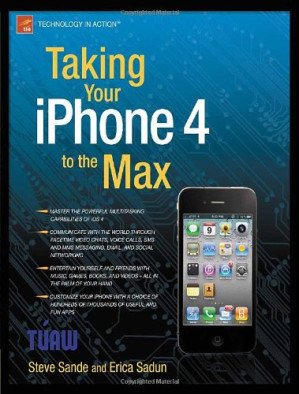
Taking Your iPhone 4 to the Max (Technology in Action) 🔍
Erica Sadun, Steve Sande
Apress : Distributed to the Book trade worldwide by Springer Science+Business Media, Technology in action, 2nd ed, Berkeley, CA, 2010
英语 [en] · PDF · 9.8MB · 2010 · 📘 非小说类图书 · 🚀/lgli/lgrs/nexusstc/scihub/zlib · Save
描述
Unleash your iPhone and take it to the limit using powerful tips and techniques from tech consultant Steve Sande and gadget hacker Erica Sadun. Fast and fun to read, Taking Your iPhone 4 to the Max shows you how to get the most out of Apple's new iPhone 4. You'll find all the best undocumented tricks as well as the most efficient and enjoyable introduction to the iPhone available. Starting with an introduction to iPhone basics, you'll quickly move on to discover the iPhone's hidden potential, like how to connect to a TV, use Voice Control, have video chats with FaceTime, and call friends overseas with low-cost VoIP. From the unified email inbox and surfing the Web with Mobile Safari, exploring the world of social networking, using the multitasking capabilities of iOS 4, taking and editing photos, shopping for apps, media, and books, or just managing phone calls -- you'll find it all in this book. You'll even learn tips on where to get the best iPhone accessories. Get ready to take iPhone 4 to the max!
What you’ll learn Master the powerful multitasking capabilities of iOS 4 Communicate with the world through FaceTime video chats, voice calls, SMS and MMS messaging, email, and social networking Entertain yourself and friends with music, games, books, and videos -- all in the palm of your hand Customize your iPhone with your choice of hundreds of thousands of useful and fun apps Who this book is for Whether you use your iPhone for video chats with friends and relatives, playing games, keeping up with work, or capturing special moments in photos or video, we wrote this book with you in mind.
Table of Contents Selecting, Buying, and Activating Your iPhone Interacting with Your New iPhone Placing Calls with iPhone iPhone Messaging and Social Networking iPhone E-mail Syncing Your iPhone with iTunes It’s Also an iPod iPhone Photos and Video Browsing with Safari The Shopping Mall in Your iPhone Google Maps and Other Apps
What you’ll learn Master the powerful multitasking capabilities of iOS 4 Communicate with the world through FaceTime video chats, voice calls, SMS and MMS messaging, email, and social networking Entertain yourself and friends with music, games, books, and videos -- all in the palm of your hand Customize your iPhone with your choice of hundreds of thousands of useful and fun apps Who this book is for Whether you use your iPhone for video chats with friends and relatives, playing games, keeping up with work, or capturing special moments in photos or video, we wrote this book with you in mind.
Table of Contents Selecting, Buying, and Activating Your iPhone Interacting with Your New iPhone Placing Calls with iPhone iPhone Messaging and Social Networking iPhone E-mail Syncing Your iPhone with iTunes It’s Also an iPod iPhone Photos and Video Browsing with Safari The Shopping Mall in Your iPhone Google Maps and Other Apps
备用文件名
lgli/9781430232551.Apress..Taking.your.iPhone.to.the.Max.2010.RETAiL.eBOOkrebOOkrebookagswga.pdf
备用文件名
lgrsnf/9781430232551.Apress..Taking.your.iPhone.to.the.Max.2010.RETAiL.eBOOkrebOOkrebookagswga.pdf
备用文件名
scihub/10.1007/978-1-4302-3256-8.pdf
备用文件名
zlib/Engineering/Erica Sadun, Steve Sande/Taking Your iPhone 4 to the Max_770023.pdf
备选作者
Sadun, Erica, Sande, Steve
备选作者
Steve Sande; Erica Sadun
备选作者
Steven Sande
备用出版商
Apress : Imprint : Apress
备用版本
Technology in action series, New York, ©2010
备用版本
United States, United States of America
备用版本
Springer Nature, New York, 2010
备用版本
2nd ed., FR, 2010
备用版本
Oct 01, 2010
元数据中的注释
lg344440
元数据中的注释
{"edition":"2","isbns":["1430232552","1430232560","9781430232551","9781430232568"],"last_page":312,"publisher":"Apress"}
备用描述
<p>Unleash your iPhone and take it to the limit using powerful tips and techniques from tech consultant <b>Steve Sande</b> and gadget hacker <b>Erica Sadun</b>. Fast and fun to read, <b>Taking Your iPhone 4 to the Max</b> shows you how to get the most out of Apple's iPhone 4.</p>
<p>You'll find all the best undocumented tricks as well as the most efficient and enjoyable introduction to the iPhone available. Starting with an introduction to iPhone basics, you'll quickly move on to discover the iPhone's hidden potential, like how to connect to a TV, use Voice Control, have video chats with FaceTime, and call friends overseas with low-cost VoIP.</p>
<p>From the unified email inbox and surfing the Web with Mobile Safari, exploring the world of social networking, using the multitasking capabilities of iOS 4, taking and editing photos, shopping for apps, media, and books, or just managing phone callsPQZ-21723you'll find it all in this book. You'll even learn tips on where to get the best iPhone accessories. Get ready to take iPhone 4 to the max!</p>
<p class="null1">What you’ll learn</p>
<ul>
<li>Master the powerful multitasking capabilities of iOS 4</li>
<li>Communicate with the world through FaceTime video chats, voice calls, SMS and MMS messaging, email, and social networking</li>
<li>Entertain yourself and friends with music, games, books, and videos—all in the palm of your hand</li>
<li>Customize your iPhone withyour choice of hundreds of thousands of useful and fun apps</li>
</ul>
<b>Who this book is for</b>
<p>Whether you use your iPhone for video chats with friends and relatives, playing games, keeping up with work, or capturing special moments in photos or video, we wrote this book with you in mind.</p>
<p class="null1">Table of Contents</p>
<ol>
<li>Selecting, Buying, and Activating Your iPhone</li>
<li>Interacting with Your New iPhone</li>
<li>Placing Calls with iPhone</li>
<li>iPhone Messaging and Social Networking</li>
<li>iPhone E-mail</li>
<li>Syncing Your iPhone with iTunes</li>
<li>It’s Also an iPod</li>
<li>iPhone Photos and Video</li>
<li>Browsing with Safari</li>
<li>The Shopping Mall in Your iPhone</li>
<li>Google Maps and Other Apps</li>
</ol>
<p>You'll find all the best undocumented tricks as well as the most efficient and enjoyable introduction to the iPhone available. Starting with an introduction to iPhone basics, you'll quickly move on to discover the iPhone's hidden potential, like how to connect to a TV, use Voice Control, have video chats with FaceTime, and call friends overseas with low-cost VoIP.</p>
<p>From the unified email inbox and surfing the Web with Mobile Safari, exploring the world of social networking, using the multitasking capabilities of iOS 4, taking and editing photos, shopping for apps, media, and books, or just managing phone callsPQZ-21723you'll find it all in this book. You'll even learn tips on where to get the best iPhone accessories. Get ready to take iPhone 4 to the max!</p>
<p class="null1">What you’ll learn</p>
<ul>
<li>Master the powerful multitasking capabilities of iOS 4</li>
<li>Communicate with the world through FaceTime video chats, voice calls, SMS and MMS messaging, email, and social networking</li>
<li>Entertain yourself and friends with music, games, books, and videos—all in the palm of your hand</li>
<li>Customize your iPhone withyour choice of hundreds of thousands of useful and fun apps</li>
</ul>
<b>Who this book is for</b>
<p>Whether you use your iPhone for video chats with friends and relatives, playing games, keeping up with work, or capturing special moments in photos or video, we wrote this book with you in mind.</p>
<p class="null1">Table of Contents</p>
<ol>
<li>Selecting, Buying, and Activating Your iPhone</li>
<li>Interacting with Your New iPhone</li>
<li>Placing Calls with iPhone</li>
<li>iPhone Messaging and Social Networking</li>
<li>iPhone E-mail</li>
<li>Syncing Your iPhone with iTunes</li>
<li>It’s Also an iPod</li>
<li>iPhone Photos and Video</li>
<li>Browsing with Safari</li>
<li>The Shopping Mall in Your iPhone</li>
<li>Google Maps and Other Apps</li>
</ol>
备用描述
Unleash your iPhone and take it to the limit using powerful tips and techniques from tech consultant **Steve Sande** and gadget hacker **Erica Sadun**. Fast and fun to read, __Taking Your iPhone 4 to the Max__ shows you how to get the most out of Apple's iPhone 4. You'll find all the best undocumented tricks as well as the most efficient and enjoyable introduction to the iPhone available. Starting with an introduction to iPhone basics, you'll quickly move on to discover the iPhone's hidden potential, like how to connect to a TV, use Voice Control, have video chats with FaceTime, and call friends overseas with low-cost VoIP. From the unified email inbox and surfing the Web with Mobile Safari, exploring the world of social networking, using the multitasking capabilities of iOS 4, taking and editing photos, shopping for apps, media, and books, or just managing phone callsPQZ-21723you'll find it all in this book. You'll even learn tips on where to get the best iPhone accessories. Get ready to take iPhone 4 to the max!
What you’ll learn* Master the powerful multitasking capabilities of iOS 4
* Communicate with the world through FaceTime video chats, voice calls, SMS and MMS messaging, email, and social networking
* Entertain yourself and friends with music, games, books, and videos—all in the palm of your hand
* Customize your iPhone with your choice of hundreds of thousands of useful and fun apps
Who this book is for Whether you use your iPhone for video chats with friends and relatives, playing games, keeping up with work, or capturing special moments in photos or video, we wrote this book with you in mind.
Table of Contents1. Selecting, Buying, and Activating Your iPhone
2. Interacting with Your New iPhone
3. Placing Calls with iPhone
4. iPhone Messaging and Social Networking
5. iPhone E-mail
6. Syncing Your iPhone with iTunes
7. It’s Also an iPod
8. iPhone Photos and Video
9. Browsing with Safari
10. The Shopping Mall in Your iPhone
11. Google Maps and Other Apps
What you’ll learn* Master the powerful multitasking capabilities of iOS 4
* Communicate with the world through FaceTime video chats, voice calls, SMS and MMS messaging, email, and social networking
* Entertain yourself and friends with music, games, books, and videos—all in the palm of your hand
* Customize your iPhone with your choice of hundreds of thousands of useful and fun apps
Who this book is for Whether you use your iPhone for video chats with friends and relatives, playing games, keeping up with work, or capturing special moments in photos or video, we wrote this book with you in mind.
Table of Contents1. Selecting, Buying, and Activating Your iPhone
2. Interacting with Your New iPhone
3. Placing Calls with iPhone
4. iPhone Messaging and Social Networking
5. iPhone E-mail
6. Syncing Your iPhone with iTunes
7. It’s Also an iPod
8. iPhone Photos and Video
9. Browsing with Safari
10. The Shopping Mall in Your iPhone
11. Google Maps and Other Apps
备用描述
Before the iPhone, every smartphone on the market had a little screen, a tiny thumb keyboard, and a user interface that confused even the experts. Then, in June of 2007, everything changed. In the three years since the introduction of the first iPhone, we’ve seen a tremendous change in the way that people work with smartphones and computing devices in general. Most smartphones have emulated the touch screen and gesture-based user interface of the iPhone in an attempt to cash in on the success of the device. It’s estimated that Apple has sold more than 100 million iOS devices (which includes the iPhone, the iPod touch, and the iPad), making the platform a roaring success. But the iPhone has continued to evolve in those three years. In 2008, the iPhone 3G was released, linking the iPhone to a much faster data network and providing true geolocation through the addition of a built-in Global Positioning System receiver. In that same year, developers were given the tools with which to create new applications to run on the device, and the App Store opened to rave reviews. Suddenly, purchasing games, utilities, and other apps became as easy as browsing an electronic store and pushing a Buy button.
备用描述
Unleash your iPhone and take it to the limit using powerful tips and techniques from tech consultant Steve Sande and gadget hacker Erica Sadun. Fast and fun to read, Taking Your iPhone 4 to the Max shows you how to get the most out of Apple's iPhone 4. You'll find all the best undocumented tricks as well as the most efficient and enjoyable introduction to the iPhone available. Starting with an introduction to iPhone basics, you'll quickly move on to discover the iPhone's hidden potential, like how to connect to a TV, use Voice Control, have video chats with FaceTime, and call friends overseas with low-cost VoIP. From the unified email inbox and surfing the Web with Mobile Safari, exploring the world of social networking, using the multitasking capabilities of iOS 4, taking and editing photos, shopping for apps, media, and books, or just managing phone callsPQZ-21723you'll find it all in this book. You'll even learn tips on where to get the best iPhone accessories. Get ready to take iPhone 4 to the max!
Erscheinungsdatum: 01.10.2010
Erscheinungsdatum: 01.10.2010
开源日期
2011-01-26
🚀 快速下载
成为会员以支持书籍、论文等的长期保存。为了感谢您对我们的支持,您将获得高速下载权益。❤️
如果您在本月捐款,您将获得双倍的快速下载次数。
🐢 低速下载
由可信的合作方提供。 更多信息请参见常见问题解答。 (可能需要验证浏览器——无限次下载!)
- 低速服务器(合作方提供) #1 (稍快但需要排队)
- 低速服务器(合作方提供) #2 (稍快但需要排队)
- 低速服务器(合作方提供) #3 (稍快但需要排队)
- 低速服务器(合作方提供) #4 (稍快但需要排队)
- 低速服务器(合作方提供) #5 (无需排队,但可能非常慢)
- 低速服务器(合作方提供) #6 (无需排队,但可能非常慢)
- 低速服务器(合作方提供) #7 (无需排队,但可能非常慢)
- 低速服务器(合作方提供) #8 (无需排队,但可能非常慢)
- 低速服务器(合作方提供) #9 (无需排队,但可能非常慢)
- 下载后: 在我们的查看器中打开
所有选项下载的文件都相同,应该可以安全使用。即使这样,从互联网下载文件时始终要小心。例如,确保您的设备更新及时。
外部下载
-
对于大文件,我们建议使用下载管理器以防止中断。
推荐的下载管理器:JDownloader -
您将需要一个电子书或 PDF 阅读器来打开文件,具体取决于文件格式。
推荐的电子书阅读器:Anna的档案在线查看器、ReadEra和Calibre -
使用在线工具进行格式转换。
推荐的转换工具:CloudConvert和PrintFriendly -
您可以将 PDF 和 EPUB 文件发送到您的 Kindle 或 Kobo 电子阅读器。
推荐的工具:亚马逊的“发送到 Kindle”和djazz 的“发送到 Kobo/Kindle” -
支持作者和图书馆
✍️ 如果您喜欢这个并且能够负担得起,请考虑购买原版,或直接支持作者。
📚 如果您当地的图书馆有这本书,请考虑在那里免费借阅。
下面的文字仅以英文继续。
总下载量:
“文件的MD5”是根据文件内容计算出的哈希值,并且基于该内容具有相当的唯一性。我们这里索引的所有影子图书馆都主要使用MD5来标识文件。
一个文件可能会出现在多个影子图书馆中。有关我们编译的各种数据集的信息,请参见数据集页面。
有关此文件的详细信息,请查看其JSON 文件。 Live/debug JSON version. Live/debug page.