upload/newsarch_ebooks/2021/09/23/extracted__Python for the TI-84 by John Clark Craig.zip/Python for the TI-84.epub
Python for the TI-84: Powerful Python programs and games for the TI-84 Plus CE Graphing Calculator (Practical and Fun Python Programming for Calculators Book 2) 🔍
Romain Goyet, John Craig
Independently published, First edition, Place of publication not identified, 2018
英语 [en] · EPUB · 5.5MB · 2018 · 📘 非小说类图书 · 🚀/lgli/lgrs/nexusstc/upload/zlib · Save
描述
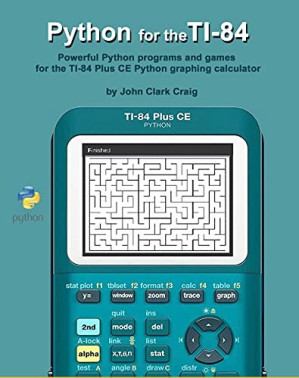
Python for the TI-84 - Powerful Python programs and games for the TI-84 Plus CE Python graphing calculator contains program examples from multiple subject areas to help students and professionals alike learn how to use Python programs on their TI-84 calculator. Several fine people at Texas Instruments helped make this book project possible. In general, it is good that Texas Instruments has come to understand the power and leverage of Python in their calculators built for today's students and tomorrow's technical innovators.
Any TI-84 calculator is a very powerful learning tool, but with the addition of Python in your TI-84 Plus CE Python calculator, its mind-expanding capabilities are truly awesome!
The goal of this book is to put the power of Python at your fingertips with real, working programs. There are a lot of short, but VERY useful programs that you can use "right out of the box", and in putting them to use, you'll learn a lot about Python by actually using Python.
Python, the world's most popular programming language, is an ideal language for handheld calculators. The syntax is concise, easy to read, and easy to understand, even for beginners. The language is non-proprietary, so it runs everywhere, even on desktop and laptop computers with only minor modifications from what you'll find in this book, and even then only in a very few cases.
Python handles number crunching well, and with its lists, strings, and other data structures, it powerfully handles a very wide variety of programming tasks. Perhaps the biggest advantage of learning Python via your programmable calculator is that this knowledge will be applicable and useful no matter what computers or systems you might work with in the future. Learn it once and you'll have a new life skill of great value.
An excellent way to leverage Python in your calculator is to define functions in a "program" file. When you run the program, nothing visibly happens. The function definitions are effectively added to your calculator's toolbox, for your use while working in the shell. Here's is an example of the contents of a short program that defines a function named add().
def add(x,y):
return x+y
After you run this in the shell you can type something like "add(3,4)" to get 7, or to add any two numbers or variables together. More complicated functions can add some powerful new capabilities to your computation toolbox!
Many of the programs in Python for the TI-84 were created as sets of function definitions to keep the programs very short and easier to enter.
Take a look at the vectors program near the end of chapter 6 for a good example of how to add helpful instructions, while just defining functions for later use in the shell.
The standard way to create standalone programs in most programming languages is to prompt the user for data, and then to process it in a meaningful way to create output for the user. Python for the TI-84 has several programs where you are asked to type data in response to a prompt at run time, and then the calculations begin.
Take a look at the primes program, also in chapter 6, for an example where the program asks you to enter the starting point to look for primes, and the number of those primes to find.
There are a few other useful I/O tricks presented in several of the programs in this book. Discover for yourself how much fun it can be to program your own MAZE or to calculate the MOON phase on any given date in history.
Put the power of Python in your TI-84 plus CE calculator. You'll be amazed at the power you unleash!
Any TI-84 calculator is a very powerful learning tool, but with the addition of Python in your TI-84 Plus CE Python calculator, its mind-expanding capabilities are truly awesome!
The goal of this book is to put the power of Python at your fingertips with real, working programs. There are a lot of short, but VERY useful programs that you can use "right out of the box", and in putting them to use, you'll learn a lot about Python by actually using Python.
Python, the world's most popular programming language, is an ideal language for handheld calculators. The syntax is concise, easy to read, and easy to understand, even for beginners. The language is non-proprietary, so it runs everywhere, even on desktop and laptop computers with only minor modifications from what you'll find in this book, and even then only in a very few cases.
Python handles number crunching well, and with its lists, strings, and other data structures, it powerfully handles a very wide variety of programming tasks. Perhaps the biggest advantage of learning Python via your programmable calculator is that this knowledge will be applicable and useful no matter what computers or systems you might work with in the future. Learn it once and you'll have a new life skill of great value.
An excellent way to leverage Python in your calculator is to define functions in a "program" file. When you run the program, nothing visibly happens. The function definitions are effectively added to your calculator's toolbox, for your use while working in the shell. Here's is an example of the contents of a short program that defines a function named add().
def add(x,y):
return x+y
After you run this in the shell you can type something like "add(3,4)" to get 7, or to add any two numbers or variables together. More complicated functions can add some powerful new capabilities to your computation toolbox!
Many of the programs in Python for the TI-84 were created as sets of function definitions to keep the programs very short and easier to enter.
Take a look at the vectors program near the end of chapter 6 for a good example of how to add helpful instructions, while just defining functions for later use in the shell.
The standard way to create standalone programs in most programming languages is to prompt the user for data, and then to process it in a meaningful way to create output for the user. Python for the TI-84 has several programs where you are asked to type data in response to a prompt at run time, and then the calculations begin.
Take a look at the primes program, also in chapter 6, for an example where the program asks you to enter the starting point to look for primes, and the number of those primes to find.
There are a few other useful I/O tricks presented in several of the programs in this book. Discover for yourself how much fun it can be to program your own MAZE or to calculate the MOON phase on any given date in history.
Put the power of Python in your TI-84 plus CE calculator. You'll be amazed at the power you unleash!
备用文件名
nexusstc/Python for the TI-84: Powerful Python programs and games for the TI-84 Plus CE Graphing Calculator (Practical and Fun Python Programming for Calculators Book 2)/dc60dce9ea0dc024d99624cceab374b9.epub
备用文件名
lgli/Python for the TI-84.epub
备用文件名
lgrsnf/Python for the TI-84.epub
备用文件名
zlib/no-category/John Craig/Python for the TI-84: Powerful Python programs and games for the TI-84 Plus CE Graphing Calculator (Practical and Fun Python Programming for Calculators Book 2)_25391558.epub
备选标题
Python for the TI-Nspire: Powerful Python Programs and Games for the TI-Nspire CX II Technology Calculator
备选标题
Python for NumWorks: Powerful Python Programs and Games for the NumWorks Handheld Calculator
备选标题
Python for 3D Printing: Using Python to enhance the power of OpenSCAD for 3D modeling
备选标题
Powerful Python Programs and Games for the TI-Nspire (tm) CX II Technology Calculator
备选标题
OpenSCAD Cookbook : OpenSCAD Recipes for learning 3D modeling
备选作者
Craig, John Clark
备选作者
John Clark Craig
备用出版商
Allocated, no current details
备用出版商
Books to Believe in
备用出版商
Editora Penalux
备用版本
United States, United States of America
备用版本
First edition, Parker, Col, 2018
备用版本
Brazil, Brazil
备用版本
Spain, Spain
备用版本
2018-11-24
备用版本
2019
备用版本
2020
备用版本
2021
元数据中的注释
Mobilism
元数据中的注释
{"isbns":["1696881943","1790273919","8463835775","8558337713","9781696881944","9781790273911","9788463835773","9788558337717","9798463835772","9798476394686","9798558337716"],"last_page":377}
开源日期
2023-07-10
🚀 快速下载
成为会员以支持书籍、论文等的长期保存。为了感谢您对我们的支持,您将获得高速下载权益。❤️
如果您在本月捐款,您将获得双倍的快速下载次数。
🐢 低速下载
由可信的合作方提供。 更多信息请参见常见问题解答。 (可能需要验证浏览器——无限次下载!)
- 低速服务器(合作方提供) #1 (稍快但需要排队)
- 低速服务器(合作方提供) #2 (稍快但需要排队)
- 低速服务器(合作方提供) #3 (稍快但需要排队)
- 低速服务器(合作方提供) #4 (稍快但需要排队)
- 低速服务器(合作方提供) #5 (无需排队,但可能非常慢)
- 低速服务器(合作方提供) #6 (无需排队,但可能非常慢)
- 低速服务器(合作方提供) #7 (无需排队,但可能非常慢)
- 低速服务器(合作方提供) #8 (无需排队,但可能非常慢)
- 低速服务器(合作方提供) #9 (无需排队,但可能非常慢)
- 下载后: 在我们的查看器中打开
所有选项下载的文件都相同,应该可以安全使用。即使这样,从互联网下载文件时始终要小心。例如,确保您的设备更新及时。
外部下载
-
对于大文件,我们建议使用下载管理器以防止中断。
推荐的下载管理器:JDownloader -
您将需要一个电子书或 PDF 阅读器来打开文件,具体取决于文件格式。
推荐的电子书阅读器:Anna的档案在线查看器、ReadEra和Calibre -
使用在线工具进行格式转换。
推荐的转换工具:CloudConvert和PrintFriendly -
您可以将 PDF 和 EPUB 文件发送到您的 Kindle 或 Kobo 电子阅读器。
推荐的工具:亚马逊的“发送到 Kindle”和djazz 的“发送到 Kobo/Kindle” -
支持作者和图书馆
✍️ 如果您喜欢这个并且能够负担得起,请考虑购买原版,或直接支持作者。
📚 如果您当地的图书馆有这本书,请考虑在那里免费借阅。
下面的文字仅以英文继续。
总下载量:
“文件的MD5”是根据文件内容计算出的哈希值,并且基于该内容具有相当的唯一性。我们这里索引的所有影子图书馆都主要使用MD5来标识文件。
一个文件可能会出现在多个影子图书馆中。有关我们编译的各种数据集的信息,请参见数据集页面。
有关此文件的详细信息,请查看其JSON 文件。 Live/debug JSON version. Live/debug page.