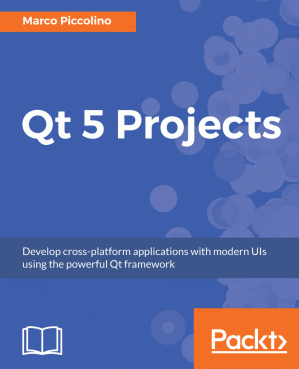
Qt 5 Projects : Develop Cross-platform Applications with Modern UIs Using the Powerful Qt Framework 🔍
Marco Aldo Piccolino Boniforti
Packt Publishing Limited, 1st edition, 2018
英语 [en] · PDF · 5.8MB · 2018 · 📘 非小说类图书 · 🚀/lgli/lgrs/nexusstc/upload/zlib · Save
描述
Design, build, and deploy powerful applications with amazing user interfaces on embedded, mobile, and desktop platforms Key Features Easily compile, run, and debug your applications from the powerful Qt Creator IDE Future-proof your applications with Qt Test and modern architecture principles Build multi-platform projects that target Android, iOS, Windows, macOS, Linux, and more Book Description Qt is a professional cross-platform application framework used across industries like automotive, medical, infotainment, wearables, and more. In this book you'll initially create a to-do style app by going via all stages for building a successful project. You'll learn basics of Qt's C++ and QML APIs, test-driven development with Qt Test, application architecture, and UIs with Qt Quick & Quick Controls 2. Next, you'll help two startups build their products. The first startup, Cute Comics, wants to help independent comic creators with a suite of apps that let them experiment with comic pages, image composition, comic dialogues, and scene descriptions. While developing these apps you'll deepen your knowledge of Qt Quick's layout systems, and see Qt 3D and Widgets in action. The second startup, Cute Measures, wants to create apps for industrial and agricultural sectors, to make sense of sensor data via a monitoring system. The apps should run seamlessly across devices and operating systems like Android, iOS, Windows, or Mac, and be cost-effective by integrating with existing web technologies. You take the role of lead developer and prototype the monitoring system. In doing so you'll get to know Qt's Bluetooth and HTTP APIs, as well as the Charts and Web Engine UI modules. These projects will help you gain a holistic view of the Qt framework. What you will learn Learn the basics of modern Qt application development Develop solid and maintainable applications with BDD, TDD, and Qt Test Master the latest UI technologies and know when to use them: Qt Quick, Controls 2, Qt 3D and Charts Build a desktop UI with Widgets and the Designer Translate your user interfaces with QTranslator and Linguist Get familiar with multimedia components to handle visual input and output Explore data manipulation and transfer: the model/view framework, JSON, Bluetooth, and network I/O Take advantage of existing web technologies and UI components with WebEngine Who this book is for This book is for developers who want to successfully build and maintain cross-platform applications with advanced UI and connectivity features. Basic knowledge of C++ is required.Marco Piccolino is a consultant, technical trainer and speaker developing Qt apps for businesses and consumers on a daily basis. He is the founder of the QtMob Slack chat, a community of Qt application developers with a focus on mobile, resource sharing and problem solving. Marco's main professional interests include application architecture, test-driven development, speech and language technologies, and everything Qt.
备用文件名
nexusstc/Qt 5 Projects/b0791e108e30e4ad4d5372995026ee09.pdf
备用文件名
lgli/Qt 5 Projects.pdf
备用文件名
lgrsnf/Qt 5 Projects.pdf
备用文件名
zlib/Computers/Programming/Marco Piccolino/Qt 5 Projects_3629940.pdf
备选作者
Piccolino, Marco
备用版本
United Kingdom and Ireland, United Kingdom
备用版本
Place of publication not identified, 2018
备用版本
Libreka GmbH, Birmingham, 2018
备用版本
2nd Revised edition, PT, 2018
备用版本
Feb 23, 2018
元数据中的注释
True PDF
元数据中的注释
0
元数据中的注释
lg2289143
元数据中的注释
producers:
mPDF 6.0
mPDF 6.0
元数据中的注释
{"edition":"1","isbns":["1788293886","9781788293884"],"last_page":360,"publisher":"Packt Publishing"}
备用描述
Design, build, and deploy powerful applications with amazing user interfaces on embedded, mobile, and desktop platforms About This Book Easily compile, run, and debug your applications from the powerful Qt Creator IDE Future-proof your applications with Qt Test and modern architecture principles Build multi-platform projects that target Android, iOS, Windows, macOS, Linux, and more Who This Book Is For This book is for developers who want to successfully build and maintain cross-platform applications with advanced UI and connectivity features. Basic knowledge of C++ is required. What You Will Learn Learn the basics of modern Qt application development Develop solid and maintainable applications with BDD, TDD, and Qt Test Master the latest UI technologies and know when to use them: Qt Quick, Controls 2, Qt 3D and Charts Build a desktop UI with Widgets and the Designer Translate your user interfaces with QTranslator and Linguist Get familiar with multimedia components to handle visual input and output Explore data manipulation and transfer: the model/view framework, JSON, Bluetooth, and network I/O Take advantage of existing web technologies and UI components with WebEngine In Detail Qt is a professional cross-platform application framework used across industries like automotive, medical, infotainment, wearables, and more. In this book you'll initially create a to-do style app by going via all stages for building a successful project. You'll learn basics of Qt's C++ and QML APIs, test-driven development with Qt Test, application architecture, and UIs with Qt Quick & Quick Controls 2. Next, you'll help two startups build their products. The first startup, Cute Comics, wants to help independent comic creators with a suite of apps that let them experiment with comic pages, image composition, comic dialogues, and scene descriptions. While developing these apps you'll deepen your knowledge of Qt Quick's layout systems, and see Qt 3D and Widgets in action. The second startup, Cute Measures, wants to create apps for industrial and agricultural sectors, to make sense of sensor data via a monitoring system. The apps should run seamlessly across devices and operating systems like Android, iOS, Windows, or Mac, and be cost-effective by integrating with existing web technologies. You take the role of lead developer and prototype the monitoring system. In doing so you'll get to know Qt's Bluetooth and HTTP APIs, as well as the Charts and Web Engine UI modul ..
备用描述
1: Writing Acceptance Tests and Building a Visual Prototype
Don't come to me with an idea, come to me with a plan
The problem — what's in my fridge?
Writing features and scenarios
Implementing scenarios as acceptance tests
Building a visual prototype
Taking it further
Summary
2: Defining a Solid and Testable App Core
Implementing the first usecase
Making the first usecase test pass
Adding a textual user interface
About unit testing
Summary
3: Wiring User Interaction and Delivering the Final App
Completing the app's core functionality
Connecting visual input/output and usecases
Deploying the app
Summary
4: Learning About Laying Out Components by Making a Page Layout Tool
A tool to prototype page layouts quickly
Initial setup
Adding a panel to the page
Removing a panel from the page
Taking a picture and loading it into a panel
Loading an existing picture into a panel
Summary
5: Creating a Scene Composer to Explore 3D Capabilities
Arranging 3D elements in a composition
Defining feature scenarios
Defining entities and their visual counterparts
Creating the client application
Going further
Summary
6: Building an Entity-Aware Text Editor for Writing Dialogue
Writing comic scripts efficiently
Defining use cases
Setting up the project
Prototyping the UI
Implementing the characters entity
Adding a character to the characters model
Inserting a character's name into the dialogue script
Auto-highlighting a character name
Saving the comic script
Exporting the comic script to PDF
Styling the UI
Summary
7: Sending Sensor Readings to a Device with a Non-UI App
Outline
Setting up the project
Publishing sensor readings
Defining the sensor entity
Implementing the Broadcaster entity
Adding the broadcaster Bluetooth channel
Gluing components into the CM Broadcast console app
Summary
8: Building a Mobile Dashboard to Display Real-Time Sensor Data
Overview
Project setup
Implementing the Bluetooth Receiver channel
Implementing the readings chart
Wiring the receiverChannel to the chart
Adding internationalization support
Summary
9: Running a Web Service and an HTML5 Dashboard
Overview
Creating a BroadcasterChannel based on HTTP
Making an HTTP ReceiverChannel implementation
Implementing an HTML5 UI
Summary
10: Additional and Upcoming Qt Features
Additional Qt features in 5.9 LTS
New and upcoming Qt features
Don't come to me with an idea, come to me with a plan
The problem — what's in my fridge?
Writing features and scenarios
Implementing scenarios as acceptance tests
Building a visual prototype
Taking it further
Summary
2: Defining a Solid and Testable App Core
Implementing the first usecase
Making the first usecase test pass
Adding a textual user interface
About unit testing
Summary
3: Wiring User Interaction and Delivering the Final App
Completing the app's core functionality
Connecting visual input/output and usecases
Deploying the app
Summary
4: Learning About Laying Out Components by Making a Page Layout Tool
A tool to prototype page layouts quickly
Initial setup
Adding a panel to the page
Removing a panel from the page
Taking a picture and loading it into a panel
Loading an existing picture into a panel
Summary
5: Creating a Scene Composer to Explore 3D Capabilities
Arranging 3D elements in a composition
Defining feature scenarios
Defining entities and their visual counterparts
Creating the client application
Going further
Summary
6: Building an Entity-Aware Text Editor for Writing Dialogue
Writing comic scripts efficiently
Defining use cases
Setting up the project
Prototyping the UI
Implementing the characters entity
Adding a character to the characters model
Inserting a character's name into the dialogue script
Auto-highlighting a character name
Saving the comic script
Exporting the comic script to PDF
Styling the UI
Summary
7: Sending Sensor Readings to a Device with a Non-UI App
Outline
Setting up the project
Publishing sensor readings
Defining the sensor entity
Implementing the Broadcaster entity
Adding the broadcaster Bluetooth channel
Gluing components into the CM Broadcast console app
Summary
8: Building a Mobile Dashboard to Display Real-Time Sensor Data
Overview
Project setup
Implementing the Bluetooth Receiver channel
Implementing the readings chart
Wiring the receiverChannel to the chart
Adding internationalization support
Summary
9: Running a Web Service and an HTML5 Dashboard
Overview
Creating a BroadcasterChannel based on HTTP
Making an HTTP ReceiverChannel implementation
Implementing an HTML5 UI
Summary
10: Additional and Upcoming Qt Features
Additional Qt features in 5.9 LTS
New and upcoming Qt features
备用描述
Qt is a cross-platform application development framework that is mainly used to build GUI applications. This book will teach you how to develop functional applications using Qt5 through multiple projects. The projects we have for you are not just meant to show you how powerful and easy it is to build complete applications and rich user ..
开源日期
2018-11-23
🚀 快速下载
成为会员以支持书籍、论文等的长期保存。为了感谢您对我们的支持,您将获得高速下载权益。❤️
如果您在本月捐款,您将获得双倍的快速下载次数。
🐢 低速下载
由可信的合作方提供。 更多信息请参见常见问题解答。 (可能需要验证浏览器——无限次下载!)
- 低速服务器(合作方提供) #1 (稍快但需要排队)
- 低速服务器(合作方提供) #2 (稍快但需要排队)
- 低速服务器(合作方提供) #3 (稍快但需要排队)
- 低速服务器(合作方提供) #4 (稍快但需要排队)
- 低速服务器(合作方提供) #5 (无需排队,但可能非常慢)
- 低速服务器(合作方提供) #6 (无需排队,但可能非常慢)
- 低速服务器(合作方提供) #7 (无需排队,但可能非常慢)
- 低速服务器(合作方提供) #8 (无需排队,但可能非常慢)
- 低速服务器(合作方提供) #9 (无需排队,但可能非常慢)
- 下载后: 在我们的查看器中打开
所有选项下载的文件都相同,应该可以安全使用。即使这样,从互联网下载文件时始终要小心。例如,确保您的设备更新及时。
外部下载
-
对于大文件,我们建议使用下载管理器以防止中断。
推荐的下载管理器:JDownloader -
您将需要一个电子书或 PDF 阅读器来打开文件,具体取决于文件格式。
推荐的电子书阅读器:Anna的档案在线查看器、ReadEra和Calibre -
使用在线工具进行格式转换。
推荐的转换工具:CloudConvert和PrintFriendly -
您可以将 PDF 和 EPUB 文件发送到您的 Kindle 或 Kobo 电子阅读器。
推荐的工具:亚马逊的“发送到 Kindle”和djazz 的“发送到 Kobo/Kindle” -
支持作者和图书馆
✍️ 如果您喜欢这个并且能够负担得起,请考虑购买原版,或直接支持作者。
📚 如果您当地的图书馆有这本书,请考虑在那里免费借阅。
下面的文字仅以英文继续。
总下载量:
“文件的MD5”是根据文件内容计算出的哈希值,并且基于该内容具有相当的唯一性。我们这里索引的所有影子图书馆都主要使用MD5来标识文件。
一个文件可能会出现在多个影子图书馆中。有关我们编译的各种数据集的信息,请参见数据集页面。
有关此文件的详细信息,请查看其JSON 文件。 Live/debug JSON version. Live/debug page.