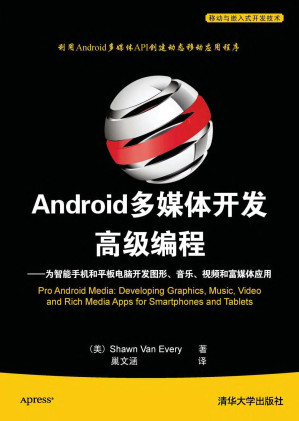
Android多媒体开发高级编程 : 为智能手机和平板电脑开发图形, 音乐, 视频和富媒体应用 Android duo mei ti kai fa gao ji bian cheng : Wei zhi neng shou ji he ping ban dian nao kai fa tu xing, Yin le, Shi pin he fu mei ti ying yong 🔍
(美)Shawn Van Every著 ; 巢文涵译; 埃夫里; 巢文涵
人民邮电出版社有限公司, Yi dong yu qian ru shi kai fa ji shu, Beijing, 2012
英语 [en] · 中文 [zh] · PDF · 39.1MB · 2012 · 📘 非小说类图书 · 🚀/duxiu/lgli/zlib · Save
描述
本书首先讨论摄像头和成像功能,然后介绍音频捕获、处理及合成,最后以视频和用于多媒体共享的联机服务作为结束。作为开发人员,您可以跳转到任何章节,使用讨论的内容和示例代码来创建利用所展示功能的应用程序。所以,无论是对可视化声波还是编写触摸屏绘图应用程序感兴趣,您都会发现如何使应用程序能够工作、制作精良以及令人眼前一亮所需要的所有信息。多媒体应用程序在移动设备上的未来越来越令人兴奋。((Android多媒体开发高级编程——为智能手机和平板电脑开发图形、音乐、视频和富媒体应用》将帮助您以Android多媒体应用程序的方式来创建并定义这一美好的未来。
备用文件名
zlib/no-category/Shawn Van Every/Android多媒体开发高级编程_18244313.pdf
备选标题
Pro Android media : developing graphics, music, video, and rich media apps for smartphones and tablets ; [utilize the Android media APIs to create dynamic mobile apps
备选作者
艾佛瑞 (Every, Shawn Van)
备选作者
Van Every, Shawn
备选作者
(美)艾佛瑞著
备用出版商
Apress; Distributed to the book trade worldwide by Springer Science+Business Media
备用出版商
清华大学出版社 Qing hua da xue chu ban she
备用出版商
Qinghua University Press
备用出版商
Shawn Van Every
备用出版商
北京:清华大学出版社
备用版本
[Berkeley, Calif.], New York, California, 2009
备用版本
Springer Nature, [Berkeley, California], 2009
备用版本
SpringerLink : Bücher, Berkeley, CA, 2010
备用版本
United States, United States of America
备用版本
New York, NY] : New York, NY, 2009
备用版本
China, People's Republic, China
备用版本
Di 1 ban, 北京 Beijing, 2012
备用版本
1st ed., US, 2010
备用版本
Bei jing, 2012
元数据中的注释
Includes index.
元数据中的注释
Bookmarks: p1 (p1): 第1章 Android图像概述
p2 (p1): 1.1 使用内置的Camera应用程序捕获图像
p3 (p2): 1.1.1 从Camera应用程序返回数据
p4 (p5): 1.1.2 捕获更大的图像
p5 (p6): 1.1.3 显示大图像
p6 (p10): 1.2 图像存储和元数据
p7 (p10): 1.2.1 获得图像的Uri
p8 (p12): 1.2.2 更新CameraActivity以使用MediaStore存储图像和关联元数据
p9 (p17): 1.2.3 使用MediaStore检索图像
p10 (p18): 1.2.4 创建图像查看应用程序
p11 (p22): 1.2.5 内部元数据
p12 (p22): 1.3 本章小结
p13 (p25): 第2章 构建定制的Camera应用程序
p14 (p25): 2.1 使用Camera类
p15 (p25): 2.1.1 CAMERA权限
p16 (p26): 2.1.2 预览Surface
p17 (p27): 2.1.3 实现Camera对象
p18 (p36): 2.1.4 汇总
p19 (p39): 2.2 扩展定制的Camera应用程序
p20 (p40): 2.2.1 构建基于定时器的Camera应用程序
p21 (p45): 2.2.2 构建时间推移摄影应用程序
p22 (p47): 2.3 本章小结
p23 (p49): 第3章 图像编辑和处理
p24 (p49): 3.1 使用内置Gallery应用程序选择图像
p25 (p53): 3.2 在位图上绘制位图
p26 (p55): 3.3 基本的图像缩放和旋转
p27 (p55): 3.3.1 输入矩阵
p28 (p58): 3.3.2 Matrix类的方法
p29 (p62): 3.4 图像处理
p30 (p62): 3.4.1 ColorMatrix
p31 (p64): 3.4.2 改变对比度和亮度
p32 (p65): 3.4.3 改变饱和度
p33 (p66): 3.5 图像合成
p34 (p72): 3.6 本章小结
p35 (p73): 第4章 图形和触摸事件
p36 (p73): 4.1 画布绘图
p37 (p73): 4.1.1 位图创建
p38 (p74): 4.1.2 位图配置
p39 (p74): 4.1.3 创建Canvas对象
p40 (p75): 4.1.4 使用Paint对象
p41 (p76): 4.1.5 绘制形状
p42 (p79): 4.1.6 绘制文本
p43 (p83): 4.2 手指绘图
p44 (p83): 4.2.1 触摸事件
p45 (p86): 4.2.2 在现有图像上绘制
p46 (p90): 4.2.3 保存基于位图的画布绘图
p47 (p93): 4.3 本章小结
p48 (p95): 第5章 Android音频概述
p49 (p95): 5.1 音频播放
p50 (p95): 5.1.1 支持的音频格式
p51 (p96): 5.1.2 通过意图使用内置的音频播放器
p52 (p98): 5.1.3 创建自定义的音频播放应用程序
p53 (p104): 5.1.4 用于音频的MediaStore
p54 (p112): 5.2 本章小结
p55 (p113): 第6章 后台和网络音频
p56 (p113): 6.1 后台音频播放
p57 (p113): 6.1.1 服务
p58 (p117): 6.1.2 加上MediaPlayer的本地服务
p59 (p121): 6.1.3 控制服务中的MediaPlayer
p60 (p126): 6.2 网络音频
p61 (p127): 6.2.1 HTTP音频播放
p62 (p132): 6.2.2 通过HTTP的流式音频
p63 (p140): 6.2.3 RTSP音频流
p64 (p141): 6.3 本章小结
p65 (p143): 第7章 音频捕获
p66 (p143): 7.1 通过意图捕获音频
p67 (p146): 7.2 定制音频捕获
p68 (p147): 7.2.1 MediaRecorder音频源
p69 (p147): 7.2.2 MediaRecorder输出格式
p70 (p148): 7.2.3 MediaRecorder音频编码器
p71 (p148): 7.2.4 MediaRecorder输出和录制
p72 (p148): 7.2.5 MediaRecorder状态机
p73 (p149): 7.2.6 MediaRecorder示例
p74 (p154): 7.2.7 其他的MediaRecorder方法
p75 (p160): 7.3 将音频插入MediaStore
p76 (p160): 7.4 使用AudioRecord录制原始音频
p77 (p163): 7.5 使用AudioTrack播放原始音频
p78 (p164): 7.6 捕获和播放原始音频的示例
p79 (p170): 7.7 本章小结
p80 (p171): 第8章 音频合成与分析
p81 (p171): 8.1 数字音频合成
p82 (p171): 8.1.1 播放合成声音
p83 (p174): 8.1.2 生成样本
p84 (p180): 8.2 音频分析
p85 (p180): 8.2.1 捕获声音以进行分析
p86 (p181): 8.2.2 可视化频率
p87 (p186): 8.3 本章小结
p88 (p187): 第9章 视频概述
p89 (p187): 9.1 视频播放
p90 (p187): 9.1.1 支持的格式
p91 (p188): 9.1.2 使用意图播放
p92 (p189): 9.1.3 使用VideoView播放
p93 (p190): 9.1.4 使用MediaController添加控制
p94 (p191): 9.1.5 使用MediaPlayer播放
p95 (p201): 9.2 本章小结
p96 (p203): 第10章 视频进阶
p97 (p203): 10.1 使用MediaStore检索视频
p98 (p204): 10.1.1 来自MediaStore的视频缩略图
p99 (p204): 10.1.2 完整的MediaStore视频示例
p100 (p211): 10.2 网络视频
p101 (p211): 10.2.1 支持的网络视频类型
p102 (p213): 10.2.2 网络视频播放
p103 (p221): 10.3 本章小结
p104 (p223): 第11章 视频捕获
p105 (p223): 11.1 使用意图录制视频
p106 (p226): 11.2 添加视频元数据
p107 (p229): 11.3 定制视频捕获
p108 (p230): 11.3.1 将MediaRecorder用于视频
p109 (p239): 11.3.2 定制视频捕获的完整示例
p110 (p244): 11.4 本章小结
p111 (p245): 第12章 使用Web服务的媒体消费和发布
p112 (p245): 12.1 Web服务
p113 (p246): 12.2 HTTP请求
p114 (p248): 12.3 JSON
p115 (p251): 12.3.1 使用JSON提取Flickr图像
p116 (p259): 12.3.2 位置
p117 (p262): 12.3.3 使用JSON和位置提取Flickr图像
p118 (p268): 12.4 REST
p119 (p269): 12.4.1 以XML表示数据
p120 (p269): 12.4.2 SAX分析
p121 (p274): 12.5 HTTP文件上传
p122 (p275): 12.5.1 生成HTTP请求
p123 (p276): 12.5 2 上传视频到Blip.TV
p124 (p288): 12.6 本章小结
p2 (p1): 1.1 使用内置的Camera应用程序捕获图像
p3 (p2): 1.1.1 从Camera应用程序返回数据
p4 (p5): 1.1.2 捕获更大的图像
p5 (p6): 1.1.3 显示大图像
p6 (p10): 1.2 图像存储和元数据
p7 (p10): 1.2.1 获得图像的Uri
p8 (p12): 1.2.2 更新CameraActivity以使用MediaStore存储图像和关联元数据
p9 (p17): 1.2.3 使用MediaStore检索图像
p10 (p18): 1.2.4 创建图像查看应用程序
p11 (p22): 1.2.5 内部元数据
p12 (p22): 1.3 本章小结
p13 (p25): 第2章 构建定制的Camera应用程序
p14 (p25): 2.1 使用Camera类
p15 (p25): 2.1.1 CAMERA权限
p16 (p26): 2.1.2 预览Surface
p17 (p27): 2.1.3 实现Camera对象
p18 (p36): 2.1.4 汇总
p19 (p39): 2.2 扩展定制的Camera应用程序
p20 (p40): 2.2.1 构建基于定时器的Camera应用程序
p21 (p45): 2.2.2 构建时间推移摄影应用程序
p22 (p47): 2.3 本章小结
p23 (p49): 第3章 图像编辑和处理
p24 (p49): 3.1 使用内置Gallery应用程序选择图像
p25 (p53): 3.2 在位图上绘制位图
p26 (p55): 3.3 基本的图像缩放和旋转
p27 (p55): 3.3.1 输入矩阵
p28 (p58): 3.3.2 Matrix类的方法
p29 (p62): 3.4 图像处理
p30 (p62): 3.4.1 ColorMatrix
p31 (p64): 3.4.2 改变对比度和亮度
p32 (p65): 3.4.3 改变饱和度
p33 (p66): 3.5 图像合成
p34 (p72): 3.6 本章小结
p35 (p73): 第4章 图形和触摸事件
p36 (p73): 4.1 画布绘图
p37 (p73): 4.1.1 位图创建
p38 (p74): 4.1.2 位图配置
p39 (p74): 4.1.3 创建Canvas对象
p40 (p75): 4.1.4 使用Paint对象
p41 (p76): 4.1.5 绘制形状
p42 (p79): 4.1.6 绘制文本
p43 (p83): 4.2 手指绘图
p44 (p83): 4.2.1 触摸事件
p45 (p86): 4.2.2 在现有图像上绘制
p46 (p90): 4.2.3 保存基于位图的画布绘图
p47 (p93): 4.3 本章小结
p48 (p95): 第5章 Android音频概述
p49 (p95): 5.1 音频播放
p50 (p95): 5.1.1 支持的音频格式
p51 (p96): 5.1.2 通过意图使用内置的音频播放器
p52 (p98): 5.1.3 创建自定义的音频播放应用程序
p53 (p104): 5.1.4 用于音频的MediaStore
p54 (p112): 5.2 本章小结
p55 (p113): 第6章 后台和网络音频
p56 (p113): 6.1 后台音频播放
p57 (p113): 6.1.1 服务
p58 (p117): 6.1.2 加上MediaPlayer的本地服务
p59 (p121): 6.1.3 控制服务中的MediaPlayer
p60 (p126): 6.2 网络音频
p61 (p127): 6.2.1 HTTP音频播放
p62 (p132): 6.2.2 通过HTTP的流式音频
p63 (p140): 6.2.3 RTSP音频流
p64 (p141): 6.3 本章小结
p65 (p143): 第7章 音频捕获
p66 (p143): 7.1 通过意图捕获音频
p67 (p146): 7.2 定制音频捕获
p68 (p147): 7.2.1 MediaRecorder音频源
p69 (p147): 7.2.2 MediaRecorder输出格式
p70 (p148): 7.2.3 MediaRecorder音频编码器
p71 (p148): 7.2.4 MediaRecorder输出和录制
p72 (p148): 7.2.5 MediaRecorder状态机
p73 (p149): 7.2.6 MediaRecorder示例
p74 (p154): 7.2.7 其他的MediaRecorder方法
p75 (p160): 7.3 将音频插入MediaStore
p76 (p160): 7.4 使用AudioRecord录制原始音频
p77 (p163): 7.5 使用AudioTrack播放原始音频
p78 (p164): 7.6 捕获和播放原始音频的示例
p79 (p170): 7.7 本章小结
p80 (p171): 第8章 音频合成与分析
p81 (p171): 8.1 数字音频合成
p82 (p171): 8.1.1 播放合成声音
p83 (p174): 8.1.2 生成样本
p84 (p180): 8.2 音频分析
p85 (p180): 8.2.1 捕获声音以进行分析
p86 (p181): 8.2.2 可视化频率
p87 (p186): 8.3 本章小结
p88 (p187): 第9章 视频概述
p89 (p187): 9.1 视频播放
p90 (p187): 9.1.1 支持的格式
p91 (p188): 9.1.2 使用意图播放
p92 (p189): 9.1.3 使用VideoView播放
p93 (p190): 9.1.4 使用MediaController添加控制
p94 (p191): 9.1.5 使用MediaPlayer播放
p95 (p201): 9.2 本章小结
p96 (p203): 第10章 视频进阶
p97 (p203): 10.1 使用MediaStore检索视频
p98 (p204): 10.1.1 来自MediaStore的视频缩略图
p99 (p204): 10.1.2 完整的MediaStore视频示例
p100 (p211): 10.2 网络视频
p101 (p211): 10.2.1 支持的网络视频类型
p102 (p213): 10.2.2 网络视频播放
p103 (p221): 10.3 本章小结
p104 (p223): 第11章 视频捕获
p105 (p223): 11.1 使用意图录制视频
p106 (p226): 11.2 添加视频元数据
p107 (p229): 11.3 定制视频捕获
p108 (p230): 11.3.1 将MediaRecorder用于视频
p109 (p239): 11.3.2 定制视频捕获的完整示例
p110 (p244): 11.4 本章小结
p111 (p245): 第12章 使用Web服务的媒体消费和发布
p112 (p245): 12.1 Web服务
p113 (p246): 12.2 HTTP请求
p114 (p248): 12.3 JSON
p115 (p251): 12.3.1 使用JSON提取Flickr图像
p116 (p259): 12.3.2 位置
p117 (p262): 12.3.3 使用JSON和位置提取Flickr图像
p118 (p268): 12.4 REST
p119 (p269): 12.4.1 以XML表示数据
p120 (p269): 12.4.2 SAX分析
p121 (p274): 12.5 HTTP文件上传
p122 (p275): 12.5.1 生成HTTP请求
p123 (p276): 12.5 2 上传视频到Blip.TV
p124 (p288): 12.6 本章小结
备用描述
<p>Mobile devices haveevolved to focus onrich media production and consumption. Developers of mobile applications are able to create applications that allow people to play, capture, andshare media in a variety of new ways on mobile devices. The popularity of Android has soared in part because the platform offers developers a rich set of capabilities including access to media capturing and playback functions.</p>
<p><b>Pro Android Media</b>provides concise and clear instruction on how to utilize the media APIs made available through Android to create dynamic apps. It takes youfrom a simple means to gain access to the camera to complex video capture and sharing examples. It also covers sound, graphics, painting, and more—everything you need to make your app come "alive."</p>
<p>After reading this book, the app you create willshowcase the best of multimedia that Android has to offer.</p>
<p class="null1">What you’ll learn</p>
<ul>
<li>Develop graphics, music, video and rich media apps for Android smartphones and tablets</li>
<li>Build touchscreen input features into Android apps that allow users to draw, paint,and do other creative forms of input</li>
<li>Turn the Android smartphone into a full fledged media player</li>
<li>Integrate and use location-based services and media-related web service APIs</li>
</ul>
<b>Who this book is for</b>
<p>This book is aimed primarily at the growing market of Android developers. It is written in such a way that it may be used by those who are familiar with Android, but have no experience developing applications that deal with images, audio, or video.</p>
<p class="null1">Table of Contents</p>
<ol>
<li>Introduction to Android Imaging</li>
<li>Building Custom Camera Applications</li>
<li>Image Editing and Processing</li>
<li>Graphics and Touch Events</li>
<li>Introduction to Audio on Android</li>
<li>Background and Networked Audio</li>
<li>Audio Capture</li>
<li>Audio Synthesis and Analysis</li>
<li>Introduction to Video</li>
<li>Advanced Video</li>
<li>Video Capture</li>
<li>Media Consumption and Publishing Using Web Services</li>
</ol>
<p><b>Pro Android Media</b>provides concise and clear instruction on how to utilize the media APIs made available through Android to create dynamic apps. It takes youfrom a simple means to gain access to the camera to complex video capture and sharing examples. It also covers sound, graphics, painting, and more—everything you need to make your app come "alive."</p>
<p>After reading this book, the app you create willshowcase the best of multimedia that Android has to offer.</p>
<p class="null1">What you’ll learn</p>
<ul>
<li>Develop graphics, music, video and rich media apps for Android smartphones and tablets</li>
<li>Build touchscreen input features into Android apps that allow users to draw, paint,and do other creative forms of input</li>
<li>Turn the Android smartphone into a full fledged media player</li>
<li>Integrate and use location-based services and media-related web service APIs</li>
</ul>
<b>Who this book is for</b>
<p>This book is aimed primarily at the growing market of Android developers. It is written in such a way that it may be used by those who are familiar with Android, but have no experience developing applications that deal with images, audio, or video.</p>
<p class="null1">Table of Contents</p>
<ol>
<li>Introduction to Android Imaging</li>
<li>Building Custom Camera Applications</li>
<li>Image Editing and Processing</li>
<li>Graphics and Touch Events</li>
<li>Introduction to Audio on Android</li>
<li>Background and Networked Audio</li>
<li>Audio Capture</li>
<li>Audio Synthesis and Analysis</li>
<li>Introduction to Video</li>
<li>Advanced Video</li>
<li>Video Capture</li>
<li>Media Consumption and Publishing Using Web Services</li>
</ol>
备用描述
Mobile devices have evolved to focus on rich media production and consumption. Developers of mobile applications are able to create applications that allow people to play, capture, and share media in a variety of new ways on mobile devices. The popularity of Android has soared in part because the platform offers developers a rich set of capabilities including access to media capturing and playback functions. Pro Android Media provides concise and clear instruction on how to utilize the media APIs made available through Android to create dynamic apps. It takes you from a simple means to gain access to the camera to complex video capture and sharing examples. It also covers sound, graphics, painting, and more - everything you need to make your app come "alive." After reading this book, the app you create will showcase the best of multimedia that Android has to offer. What you'll learn * Develop graphics, music, video and rich media apps for Android smartphones and tablets * Build touchscreen input features into Android apps that allow users to draw, paint, and do other creative forms of input * Turn the Android smartphone into a full fledged media player * Integrate and use location-based services and media-related web service APIs Who this book is for This book is aimed primarily at the growing market of Android developers. It is written in such a way that it may be used by those who are familiar with Android, but have no experience developing applications that deal with images, audio, or video. Table of Contents * Introduction to Android Imaging * Building Custom Camera Applications * Image Editing and Processing * Graphics and Touch Events * Introduction to Audio on Android * Background and Networked Audio * Audio Capture * Audio Synthesis and Analysis * Introduction to Video * Advanced Video * Video Capture * Media Consumption and Publishing Using Web Services
备用描述
Mobile devices have evolved to focus on rich media production and consumption. Developers of mobile applications are able to create applications that allow people to play, capture, and share media in a variety of new ways on mobile devices. The popularity of Android has soared in part because the platform offers developers a rich set of capabilities including access to media capturing and playback functions. Pro Android Media provides concise and clear instruction on how to utilize the media APIs made available through Android to create dynamic apps. It takes you from a simple means to gain access to the camera to complex video capture and sharing examples. It also covers sound, graphics, painting, and more—everything you need to make your app come "alive." After reading this book, the app you create will showcase the best of multimedia that Android has to offer.
Erscheinungsdatum: 21.12.2010
Erscheinungsdatum: 21.12.2010
备用描述
本书介绍了Android SDK中丰富的多媒体功能, 首先讨论摄像头和成像功能, 然后介绍音频捕获, 处理及合成, 最后以视频和用于多媒体共享的联机服务作为结束
备用描述
本书使用清晰, 直观的示例介绍了AndroidSDK中丰富的多媒体功能, 有助于读者开发能够创建, 播放和共享多媒体的优秀Android应用程序
开源日期
2021-12-03
🚀 快速下载
成为会员以支持书籍、论文等的长期保存。为了感谢您对我们的支持,您将获得高速下载权益。❤️
如果您在本月捐款,您将获得双倍的快速下载次数。
🐢 低速下载
由可信的合作方提供。 更多信息请参见常见问题解答。 (可能需要验证浏览器——无限次下载!)
- 低速服务器(合作方提供) #1 (稍快但需要排队)
- 低速服务器(合作方提供) #2 (稍快但需要排队)
- 低速服务器(合作方提供) #3 (稍快但需要排队)
- 低速服务器(合作方提供) #4 (稍快但需要排队)
- 低速服务器(合作方提供) #5 (无需排队,但可能非常慢)
- 低速服务器(合作方提供) #6 (无需排队,但可能非常慢)
- 低速服务器(合作方提供) #7 (无需排队,但可能非常慢)
- 低速服务器(合作方提供) #8 (无需排队,但可能非常慢)
- 低速服务器(合作方提供) #9 (无需排队,但可能非常慢)
- 下载后: 在我们的查看器中打开
所有选项下载的文件都相同,应该可以安全使用。即使这样,从互联网下载文件时始终要小心。例如,确保您的设备更新及时。
外部下载
-
对于大文件,我们建议使用下载管理器以防止中断。
推荐的下载管理器:JDownloader -
您将需要一个电子书或 PDF 阅读器来打开文件,具体取决于文件格式。
推荐的电子书阅读器:Anna的档案在线查看器、ReadEra和Calibre -
使用在线工具进行格式转换。
推荐的转换工具:CloudConvert和PrintFriendly -
您可以将 PDF 和 EPUB 文件发送到您的 Kindle 或 Kobo 电子阅读器。
推荐的工具:亚马逊的“发送到 Kindle”和djazz 的“发送到 Kobo/Kindle” -
支持作者和图书馆
✍️ 如果您喜欢这个并且能够负担得起,请考虑购买原版,或直接支持作者。
📚 如果您当地的图书馆有这本书,请考虑在那里免费借阅。
下面的文字仅以英文继续。
总下载量:
“文件的MD5”是根据文件内容计算出的哈希值,并且基于该内容具有相当的唯一性。我们这里索引的所有影子图书馆都主要使用MD5来标识文件。
一个文件可能会出现在多个影子图书馆中。有关我们编译的各种数据集的信息,请参见数据集页面。
有关此文件的详细信息,请查看其JSON 文件。 Live/debug JSON version. Live/debug page.