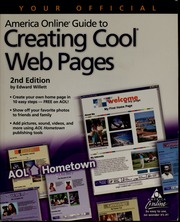
zlib/no-category/Willett, Edward, 1959-/Your official America Online guide to creating cool Web pages_119432805.pdf
Your official America Online guide to creating cool Web pages 🔍
Willett, Edward, 1959-
Dulles, VA : AOL Press, 2nd ed., Dulles, VA, Virginia, 2003
英语 [en] · PDF · 19.4MB · 2003 · 📗 未知类型的图书 · 🚀/duxiu/ia/zlib · Save
描述
Includes index
备用文件名
ia/yourofficialamer00will.pdf
备选作者
Edward Willett
备用出版商
John Wiley & Sons, Incorporated
备用出版商
Hungry Minds, Incorporated
备用出版商
Wiley Publishing
备用版本
United States, United States of America
备用版本
2nd edition, January 28, 2000
备用版本
2nd ed, Dulles, VA, ©2000
元数据中的注释
Includes index.
元数据中的注释
2nd Edition
元数据中的注释
topic: Web sites; America Online (Online service)
元数据中的注释
Type: 英文图书
元数据中的注释
Bookmarks:
1. (p1) Preface
2. (p2) Acknowledgments
3. (p3) Chapter 1: Why Do I Need a Web Page?
3.1. (p4) What Good Is the Web?
3.2. (p8) More Pages for Every Passion
4. (p19) Chapter 2: AOL, the Web, and Everything
4.1. (p20) An Extremely Short History of the Internet
4.2. (p23) What Is America Online?
4.2.1. (p21) The Birth of the World Wide Web
4.2.2. (p22) The Growth of the World Wide Web
4.3. (p24) How Is the Web Different from AOL?
4.4. (p25) How Do I Access the World Wide Web?
4.5. (p26) Why Should I Put My Web Page on AOL?
5. (p27) Chapter 3: A Personal Web Page in Ten Easy Steps
5.1. (p28) Creating a Page with 1-2-3 Publish
5.1.1. (p29) Step 1: Choose a Background Color
5.1.2. (p30) Step 2: Choose a Banner
5.1.3. (p31) Step 3: Enter a Title and Insert a Picture
5.1.4. (p32) Step 4: Choose a Divider Style
5.1.5. (p33) Step 5: Enter Your Text
5.1.6. (p34) Step 6: Enter Online Links
5.1.7. (p35) Step 7: Add AIM Remote
5.1.8. (p36) Step 8: Preview Your Page
5.1.9. (p37) Step 9: Modify Your Page
5.1.10. (p38) Step 10: Save Your Page to AOL Hometown
5.2. (p39) Using Templates
6. (p40) Chapter 4: Easy Designer: More Options, More Features
6.1. (p41) Creating a Page with Easy Designer
6.1.1. (p42) Step 1: Choose a Category and Topic
6.1.2. (p43) Step 2: Choose a Layout
6.1.3. (p44) Step 3: Choose a Color Style
6.1.4. (p45) Step 4: Resize and Reposition ObjectS
6.1.5. (p46) Step 5: Edit or Add
6.1.6. (p47) Step 6: Change or Add Pictures
6.1.7. (p48) Step 7: Add Links
6.1.8. (p49) Step 8: Preview Your Page
6.1.9. (p50) Step 9: Modify Your Page
6.1.10. (p51) Step 10: Publish Your Page
6.2. (p52) More Easy Designer Features
7. (p55) Chapter 5: Doing it Yourself: HTML
7.1. (p56) Introducing HTML
7.2. (p57) Where To Learn More About HTML
7.3. (p58) Adding HTML Code with Easy Designer
7.4. (p59) Where To Find Useful HTML Code on AOL
7.5. (p60) Making Your Pages Dynamic with JavaScript
8. (p61) Chapter 6: Managing Your Pages
8.1. (p62) Your AOL Web Space
8.2. (p63) Modifying, Publishing, and Unpublishing Your Pages
8.2.1. (p64) Using 1-2-3 Publish
8.2.2. (p65) Using Easy Designer
8.3. (p66) Managing Pages with FTP
9. (p69) Chapter 7: Web Publishing Resources on AOL
9.1. (p70) The Build Your Web Page Forum
9.1.1. (p71) The Basics
9.1.2. (p72) Advanced Web Publishing
9.2. (p73) Frequently Asked Questions Files
9.3. (p74) Message Boards
10. (p75) Chapter 8: Text and Hypertext
10.1. (p76) Adding Text to Your Web Page
10.2. (p77) Writing for the Web
10.2.1. (p78) Rule 1: Keep It Short
10.2.2. (p79) Rule 2: Keep It Sweet
10.2.3. (p80) Rule 3: Spelling Counts!
10.3. (p81) Text and Hypertext
10.3.1. (p82) What is Hypertext?
10.3.2. (p83) Adding Links to Text
10.4. (p84) The Laws of Legibility
11. (p87) Chapter 9: Graphics
12. (p100) Chapter 10: You've Got Pictures
13. (p108) Chapter 11: Multimedia-The Extra Dimension
14. (p117) Chapter 12: Creating Cool Personal Web Pages
15. (p127) Chapter 13: Creating Cool Small-Business Pages
16. (p138) Chapter14: Creating Cool Kids' Pages
17. (p149) Chapter15: AOL Hometown-Your Online Community
18. (p165) Chapter 16: Getting the Word Out
19. (p170) Chapter 17: Keeping Your Pages Fresh
20. (p174) Chapter 18: Advanced Tools And Software
21. (p184) Appendix A: Protecting Your Web Site
22. (p185) Appendix B: Data Storage Options
23. (p186) Appendix C: Cool and Useful Keywords
24. (p187) Glossary
25. (p188) Index
1. (p1) Preface
2. (p2) Acknowledgments
3. (p3) Chapter 1: Why Do I Need a Web Page?
3.1. (p4) What Good Is the Web?
3.2. (p8) More Pages for Every Passion
4. (p19) Chapter 2: AOL, the Web, and Everything
4.1. (p20) An Extremely Short History of the Internet
4.2. (p23) What Is America Online?
4.2.1. (p21) The Birth of the World Wide Web
4.2.2. (p22) The Growth of the World Wide Web
4.3. (p24) How Is the Web Different from AOL?
4.4. (p25) How Do I Access the World Wide Web?
4.5. (p26) Why Should I Put My Web Page on AOL?
5. (p27) Chapter 3: A Personal Web Page in Ten Easy Steps
5.1. (p28) Creating a Page with 1-2-3 Publish
5.1.1. (p29) Step 1: Choose a Background Color
5.1.2. (p30) Step 2: Choose a Banner
5.1.3. (p31) Step 3: Enter a Title and Insert a Picture
5.1.4. (p32) Step 4: Choose a Divider Style
5.1.5. (p33) Step 5: Enter Your Text
5.1.6. (p34) Step 6: Enter Online Links
5.1.7. (p35) Step 7: Add AIM Remote
5.1.8. (p36) Step 8: Preview Your Page
5.1.9. (p37) Step 9: Modify Your Page
5.1.10. (p38) Step 10: Save Your Page to AOL Hometown
5.2. (p39) Using Templates
6. (p40) Chapter 4: Easy Designer: More Options, More Features
6.1. (p41) Creating a Page with Easy Designer
6.1.1. (p42) Step 1: Choose a Category and Topic
6.1.2. (p43) Step 2: Choose a Layout
6.1.3. (p44) Step 3: Choose a Color Style
6.1.4. (p45) Step 4: Resize and Reposition ObjectS
6.1.5. (p46) Step 5: Edit or Add
6.1.6. (p47) Step 6: Change or Add Pictures
6.1.7. (p48) Step 7: Add Links
6.1.8. (p49) Step 8: Preview Your Page
6.1.9. (p50) Step 9: Modify Your Page
6.1.10. (p51) Step 10: Publish Your Page
6.2. (p52) More Easy Designer Features
7. (p55) Chapter 5: Doing it Yourself: HTML
7.1. (p56) Introducing HTML
7.2. (p57) Where To Learn More About HTML
7.3. (p58) Adding HTML Code with Easy Designer
7.4. (p59) Where To Find Useful HTML Code on AOL
7.5. (p60) Making Your Pages Dynamic with JavaScript
8. (p61) Chapter 6: Managing Your Pages
8.1. (p62) Your AOL Web Space
8.2. (p63) Modifying, Publishing, and Unpublishing Your Pages
8.2.1. (p64) Using 1-2-3 Publish
8.2.2. (p65) Using Easy Designer
8.3. (p66) Managing Pages with FTP
9. (p69) Chapter 7: Web Publishing Resources on AOL
9.1. (p70) The Build Your Web Page Forum
9.1.1. (p71) The Basics
9.1.2. (p72) Advanced Web Publishing
9.2. (p73) Frequently Asked Questions Files
9.3. (p74) Message Boards
10. (p75) Chapter 8: Text and Hypertext
10.1. (p76) Adding Text to Your Web Page
10.2. (p77) Writing for the Web
10.2.1. (p78) Rule 1: Keep It Short
10.2.2. (p79) Rule 2: Keep It Sweet
10.2.3. (p80) Rule 3: Spelling Counts!
10.3. (p81) Text and Hypertext
10.3.1. (p82) What is Hypertext?
10.3.2. (p83) Adding Links to Text
10.4. (p84) The Laws of Legibility
11. (p87) Chapter 9: Graphics
12. (p100) Chapter 10: You've Got Pictures
13. (p108) Chapter 11: Multimedia-The Extra Dimension
14. (p117) Chapter 12: Creating Cool Personal Web Pages
15. (p127) Chapter 13: Creating Cool Small-Business Pages
16. (p138) Chapter14: Creating Cool Kids' Pages
17. (p149) Chapter15: AOL Hometown-Your Online Community
18. (p165) Chapter 16: Getting the Word Out
19. (p170) Chapter 17: Keeping Your Pages Fresh
20. (p174) Chapter 18: Advanced Tools And Software
21. (p184) Appendix A: Protecting Your Web Site
22. (p185) Appendix B: Data Storage Options
23. (p186) Appendix C: Cool and Useful Keywords
24. (p187) Glossary
25. (p188) Index
元数据中的注释
theme: Web sites; America Online (Online service)
开源日期
2023-06-28
🚀 快速下载
成为会员以支持书籍、论文等的长期保存。为了感谢您对我们的支持,您将获得高速下载权益。❤️
🐢 低速下载
由可信的合作方提供。 更多信息请参见常见问题解答。 (可能需要验证浏览器——无限次下载!)
- 低速服务器(合作方提供) #1 (稍快但需要排队)
- 低速服务器(合作方提供) #2 (稍快但需要排队)
- 低速服务器(合作方提供) #3 (稍快但需要排队)
- 低速服务器(合作方提供) #4 (稍快但需要排队)
- 低速服务器(合作方提供) #5 (无需排队,但可能非常慢)
- 低速服务器(合作方提供) #6 (无需排队,但可能非常慢)
- 低速服务器(合作方提供) #7 (无需排队,但可能非常慢)
- 低速服务器(合作方提供) #8 (无需排队,但可能非常慢)
- 低速服务器(合作方提供) #9 (无需排队,但可能非常慢)
- 下载后: 在我们的查看器中打开
所有选项下载的文件都相同,应该可以安全使用。即使这样,从互联网下载文件时始终要小心。例如,确保您的设备更新及时。
外部下载
-
对于大文件,我们建议使用下载管理器以防止中断。
推荐的下载管理器:JDownloader -
您将需要一个电子书或 PDF 阅读器来打开文件,具体取决于文件格式。
推荐的电子书阅读器:Anna的档案在线查看器、ReadEra和Calibre -
使用在线工具进行格式转换。
推荐的转换工具:CloudConvert和PrintFriendly -
您可以将 PDF 和 EPUB 文件发送到您的 Kindle 或 Kobo 电子阅读器。
推荐的工具:亚马逊的“发送到 Kindle”和djazz 的“发送到 Kobo/Kindle” -
支持作者和图书馆
✍️ 如果您喜欢这个并且能够负担得起,请考虑购买原版,或直接支持作者。
📚 如果您当地的图书馆有这本书,请考虑在那里免费借阅。
下面的文字仅以英文继续。
总下载量:
“文件的MD5”是根据文件内容计算出的哈希值,并且基于该内容具有相当的唯一性。我们这里索引的所有影子图书馆都主要使用MD5来标识文件。
一个文件可能会出现在多个影子图书馆中。有关我们编译的各种数据集的信息,请参见数据集页面。
有关此文件的详细信息,请查看其JSON 文件。 Live/debug JSON version. Live/debug page.