nexusstc/Buying the Right Photo Equipment: 70 Tips from the Top (Rocky Nook)/732ce4b1cfcd180bb517c40760aea256.pdf
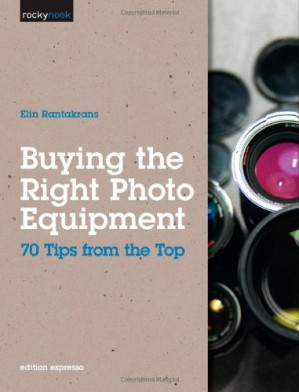
Buying the Right Photo Equipment: 70 Tips from the Top (Rocky Nook) 🔍
Elin Rantakrans
Rocky Nook ; Distributed by O'Reilly Media, Rocky Nook, Inc., Sebastopol, 2011
英语 [en] · PDF · 142.5MB · 2011 · 📘 非小说类图书 · 🚀/lgli/lgrs/nexusstc/zlib · Save
描述
We've all heard the saying, "Clothes make the man"; but does the photographic equipment make the photographer? One might think so when looking at new advanced cameras, dream lenses, and all the editing software out there. Others might disagree after admiring the wonderful photographs by Henri Cartier Bresson or Edward Weston, which were taken with relatively simple cameras and lenses. The real questions to ask yourself are: What kind of images would I like to make? And what are all these things that I see advertised as indispensable photo equipment really for? Geared toward the beginning to intermediate photographer, this book teaches about the variety of photographic tools available and what each is meant to accomplish. Learn about the benefits and drawbacks of various pieces of equipment and discover what kind of gear you need to realize your creative ambitions. The book is filled with beautiful images that illustrate how the type of equipment discussed can affect an image.
备用文件名
lgli/_479257.732ce4b1cfcd180bb517c40760aea256.pdf
备用文件名
lgrsnf/_479257.732ce4b1cfcd180bb517c40760aea256.pdf
备用文件名
zlib/Arts/Photography/Elin Rantakrans/Buying the Right Photo Equipment: 70 Tips from the Top (Rocky Nook)_1189351.pdf
备选标题
Buying the right photo equipment: 71 tips from someone who knows
备选标题
Battre bilder
备选作者
Rantakrans, Elin
备用版本
1st ed., Santa Barbara, CA, Sebastopol, CA, California, 2011
备用版本
United States, United States of America
备用版本
1, US, 2011
元数据中的注释
2011 12 30
元数据中的注释
lg751346
元数据中的注释
{"isbns":["1933952849","9781933952840"],"last_page":129,"publisher":"Rocky Nook"}
备用描述
Cover Page......Page 1
Title Page......Page 2
Copyright......Page 3
Contents......Page 5
Introduction......Page 7
Choosing a Lens......Page 10
1 Bringing distant subjects closer Using telephoto lenses......Page 11
2 Increasing the feeling of space Using wide-angle lenses......Page 12
3 Be prepared Using standard lenses......Page 13
4 Maximize your flexibility Using Zoom lenses......Page 15
5 Discover new worlds Using macro lenses......Page 16
6 Keeping things sharp Using fixed focal length lenses......Page 17
7 Adjusting the closest focusing distance Using extension tubes......Page 19
8 Increasing telephoto range Using teleconverters......Page 20
9 Shooting in low light Using wide-aperture lenses......Page 22
10 Producing extreme spatial effects Using fisheye lenses......Page 23
11 Architects like straight lines Perspective control (PC) lenses......Page 24
12 Fantastic landscapes Using a 24 mm lens......Page 25
13 The perfect focal length for travel photos Using a 50 mm lens......Page 28
14 Minimizing distortion in portraits Using a 105 mm lens......Page 29
15 Long lenses for getting right up close Using a 300 mm lens......Page 31
16 Preventing unwanted reflections Using a lens hood......Page 32
17 Creative images with variable focus Using Lensbaby lenses......Page 33
Filter Know-How......Page 36
18 Consistent exposure throughout the frame Using a graduated gray (ND) filter......Page 37
19 Lengthening your exposure time Using a gray (ND) filter......Page 38
20 No more fingerprints on the lens Thanks to skylight filters......Page 39
21 Photographing through glass without reflections Using a polarizing filter......Page 41
22 Intensifying colors Using a UV filter......Page 42
23 Shooting in mixed light Using a white balance filter......Page 43
24 Adjusting a compact camera's lens range Using telephoto and wide-angle accessory lenses......Page 45
25 Shooting close-ups without an expensive specialty lens Using close-up lenses......Page 46
Using a Tripod to Keep Things Steady......Page 48
26 A stable base for your camera Tripods......Page 49
27 Preventing camera shake Using a remote shutter release......Page 50
28 Flexible tripod heads Ball heads......Page 51
29 Support for heavy lenses Using a monopod......Page 54
30 Constructing panorama images Using a panorama head......Page 55
The World of Flash......Page 58
31 Freezing movement Using portable accessory flash......Page 59
32 Simulating daylight in a studio Using studio flash......Page 60
33 Adjusting flash to provide the right effect Using a swivel flash unit......Page 61
34 Controlling contrast Using portable reflectors......Page 63
35 Making flash softer Using a diffuser......Page 64
36 Keeping control of flash Using a flash bracket......Page 65
37 Reducing flash contrast Using ring flash......Page 66
Protecting Your Gear......Page 68
38 Safely stowed on the road......Page 70
39 Protecting your lenses Using lens bags......Page 71
40 Both hands free With a photo backpack......Page 72
41 Diving with your camera Using an underwater housing......Page 73
42 Keeping your equipment clean Using a camera cleaning kit......Page 75
43 Outdoor camouflage Using a purpose-built hide......Page 76
44 Braving the weather Using a rain cover......Page 77
45 Don't forget your tripod Tripod bags......Page 78
Other Useful Accessories......Page 80
46 Mastering difficult lighting Using a light meter......Page 81
47 Controlling color rendition Using a color meter......Page 84
48 Helping a "confused" camera meter Using a gray card......Page 85
49 Setting white balance manually Using a white card as a reference......Page 86
50 Creating a neutral background Using your own props......Page 88
51 Protecting your batteries from the cold Always carry spares......Page 89
52 Keep your batteries ready for action Using a charger......Page 91
53 Back up your photos regularly Using a portable hard disk or card reader......Page 92
54 Extra power for your camera Using a battery grip......Page 94
55 Retaining a clear view Using a viewfinder eyecup......Page 95
56 Always keep some memory in reserve Using a spare memory card......Page 97
57 Constant companions Compact cameras for everyday use......Page 98
58 Keeping the horizon straight Using a spirit level......Page 99
59 Viewing the monitor image on a computer Using a wireless transmitter......Page 102
The Digital Darkroom......Page 104
60 The computer— mankind's new best friend Image processing software......Page 105
61 Digitizing your negatives Using a scanner......Page 106
62 Controlling the entire digital image-processing workflow Using a RAW converter......Page 107
63 Papering the walls with panoramas Using stitching software......Page 109
64 Increasing the dynamic range of an image Using HDR software......Page 111
65 Organizing your images Using image management software......Page 113
66 Creating digital archives Using external storage media......Page 114
67 Presenting your images on the Internet In a web gallery......Page 116
68 Color matching your monitor and your prints Using monitor calibration hard- and software......Page 117
69 Choosing a photo printer Inkjet technology is improving fast......Page 120
70 Choosing your paper carefully Normal and art grade photo paper......Page 121
What Equipment Do the Pros Use?......Page 123
Afterword......Page 125
Photo Credits......Page 126
F......Page 127
P......Page 128
Z......Page 129
Title Page......Page 2
Copyright......Page 3
Contents......Page 5
Introduction......Page 7
Choosing a Lens......Page 10
1 Bringing distant subjects closer Using telephoto lenses......Page 11
2 Increasing the feeling of space Using wide-angle lenses......Page 12
3 Be prepared Using standard lenses......Page 13
4 Maximize your flexibility Using Zoom lenses......Page 15
5 Discover new worlds Using macro lenses......Page 16
6 Keeping things sharp Using fixed focal length lenses......Page 17
7 Adjusting the closest focusing distance Using extension tubes......Page 19
8 Increasing telephoto range Using teleconverters......Page 20
9 Shooting in low light Using wide-aperture lenses......Page 22
10 Producing extreme spatial effects Using fisheye lenses......Page 23
11 Architects like straight lines Perspective control (PC) lenses......Page 24
12 Fantastic landscapes Using a 24 mm lens......Page 25
13 The perfect focal length for travel photos Using a 50 mm lens......Page 28
14 Minimizing distortion in portraits Using a 105 mm lens......Page 29
15 Long lenses for getting right up close Using a 300 mm lens......Page 31
16 Preventing unwanted reflections Using a lens hood......Page 32
17 Creative images with variable focus Using Lensbaby lenses......Page 33
Filter Know-How......Page 36
18 Consistent exposure throughout the frame Using a graduated gray (ND) filter......Page 37
19 Lengthening your exposure time Using a gray (ND) filter......Page 38
20 No more fingerprints on the lens Thanks to skylight filters......Page 39
21 Photographing through glass without reflections Using a polarizing filter......Page 41
22 Intensifying colors Using a UV filter......Page 42
23 Shooting in mixed light Using a white balance filter......Page 43
24 Adjusting a compact camera's lens range Using telephoto and wide-angle accessory lenses......Page 45
25 Shooting close-ups without an expensive specialty lens Using close-up lenses......Page 46
Using a Tripod to Keep Things Steady......Page 48
26 A stable base for your camera Tripods......Page 49
27 Preventing camera shake Using a remote shutter release......Page 50
28 Flexible tripod heads Ball heads......Page 51
29 Support for heavy lenses Using a monopod......Page 54
30 Constructing panorama images Using a panorama head......Page 55
The World of Flash......Page 58
31 Freezing movement Using portable accessory flash......Page 59
32 Simulating daylight in a studio Using studio flash......Page 60
33 Adjusting flash to provide the right effect Using a swivel flash unit......Page 61
34 Controlling contrast Using portable reflectors......Page 63
35 Making flash softer Using a diffuser......Page 64
36 Keeping control of flash Using a flash bracket......Page 65
37 Reducing flash contrast Using ring flash......Page 66
Protecting Your Gear......Page 68
38 Safely stowed on the road......Page 70
39 Protecting your lenses Using lens bags......Page 71
40 Both hands free With a photo backpack......Page 72
41 Diving with your camera Using an underwater housing......Page 73
42 Keeping your equipment clean Using a camera cleaning kit......Page 75
43 Outdoor camouflage Using a purpose-built hide......Page 76
44 Braving the weather Using a rain cover......Page 77
45 Don't forget your tripod Tripod bags......Page 78
Other Useful Accessories......Page 80
46 Mastering difficult lighting Using a light meter......Page 81
47 Controlling color rendition Using a color meter......Page 84
48 Helping a "confused" camera meter Using a gray card......Page 85
49 Setting white balance manually Using a white card as a reference......Page 86
50 Creating a neutral background Using your own props......Page 88
51 Protecting your batteries from the cold Always carry spares......Page 89
52 Keep your batteries ready for action Using a charger......Page 91
53 Back up your photos regularly Using a portable hard disk or card reader......Page 92
54 Extra power for your camera Using a battery grip......Page 94
55 Retaining a clear view Using a viewfinder eyecup......Page 95
56 Always keep some memory in reserve Using a spare memory card......Page 97
57 Constant companions Compact cameras for everyday use......Page 98
58 Keeping the horizon straight Using a spirit level......Page 99
59 Viewing the monitor image on a computer Using a wireless transmitter......Page 102
The Digital Darkroom......Page 104
60 The computer— mankind's new best friend Image processing software......Page 105
61 Digitizing your negatives Using a scanner......Page 106
62 Controlling the entire digital image-processing workflow Using a RAW converter......Page 107
63 Papering the walls with panoramas Using stitching software......Page 109
64 Increasing the dynamic range of an image Using HDR software......Page 111
65 Organizing your images Using image management software......Page 113
66 Creating digital archives Using external storage media......Page 114
67 Presenting your images on the Internet In a web gallery......Page 116
68 Color matching your monitor and your prints Using monitor calibration hard- and software......Page 117
69 Choosing a photo printer Inkjet technology is improving fast......Page 120
70 Choosing your paper carefully Normal and art grade photo paper......Page 121
What Equipment Do the Pros Use?......Page 123
Afterword......Page 125
Photo Credits......Page 126
F......Page 127
P......Page 128
Z......Page 129
备用描述
<p>We've all heard the saying, Clothes make the man; but does the photographic equipment make the photographer? One might think so when looking at new advanced cameras, dream lenses, and all the editing software out there. Others might disagree after admiring the wonderful photographs by Henri Cartier Bresson or Edward Weston, which were taken with relatively simple cameras and lenses.</p><p>The real questions to ask yourself are: What kind of images would I like to make? And what are all these things that I see advertised as indispensable photo equipment really for?</p><p>Geared toward the beginning to intermediate photographer, this book teaches about the variety of photographic tools available and what each is meant to accomplish. Learn about the benefits and drawbacks of various pieces of equipment and discover what kind of gear you need to realize your creative ambitions. The book is filled with beautiful images that illustrate how the type of equipment discussed can affect an image.</p>
备用描述
This book will teach you about the variety of photographic tools available and what each item is meant to accomplish. Learn about the benefits and drawbacks of various pieces of equipment and discover what kind of gear you need to realize your creative ambitions.
开源日期
2012-02-04
🚀 快速下载
成为会员以支持书籍、论文等的长期保存。为了感谢您对我们的支持,您将获得高速下载权益。❤️
如果您在本月捐款,您将获得双倍的快速下载次数。
🐢 低速下载
由可信的合作方提供。 更多信息请参见常见问题解答。 (可能需要验证浏览器——无限次下载!)
- 低速服务器(合作方提供) #1 (稍快但需要排队)
- 低速服务器(合作方提供) #2 (稍快但需要排队)
- 低速服务器(合作方提供) #3 (稍快但需要排队)
- 低速服务器(合作方提供) #4 (稍快但需要排队)
- 低速服务器(合作方提供) #5 (无需排队,但可能非常慢)
- 低速服务器(合作方提供) #6 (无需排队,但可能非常慢)
- 低速服务器(合作方提供) #7 (无需排队,但可能非常慢)
- 低速服务器(合作方提供) #8 (无需排队,但可能非常慢)
- 低速服务器(合作方提供) #9 (无需排队,但可能非常慢)
- 下载后: 在我们的查看器中打开
所有选项下载的文件都相同,应该可以安全使用。即使这样,从互联网下载文件时始终要小心。例如,确保您的设备更新及时。
外部下载
-
对于大文件,我们建议使用下载管理器以防止中断。
推荐的下载管理器:JDownloader -
您将需要一个电子书或 PDF 阅读器来打开文件,具体取决于文件格式。
推荐的电子书阅读器:Anna的档案在线查看器、ReadEra和Calibre -
使用在线工具进行格式转换。
推荐的转换工具:CloudConvert和PrintFriendly -
您可以将 PDF 和 EPUB 文件发送到您的 Kindle 或 Kobo 电子阅读器。
推荐的工具:亚马逊的“发送到 Kindle”和djazz 的“发送到 Kobo/Kindle” -
支持作者和图书馆
✍️ 如果您喜欢这个并且能够负担得起,请考虑购买原版,或直接支持作者。
📚 如果您当地的图书馆有这本书,请考虑在那里免费借阅。
下面的文字仅以英文继续。
总下载量:
“文件的MD5”是根据文件内容计算出的哈希值,并且基于该内容具有相当的唯一性。我们这里索引的所有影子图书馆都主要使用MD5来标识文件。
一个文件可能会出现在多个影子图书馆中。有关我们编译的各种数据集的信息,请参见数据集页面。
有关此文件的详细信息,请查看其JSON 文件。 Live/debug JSON version. Live/debug page.