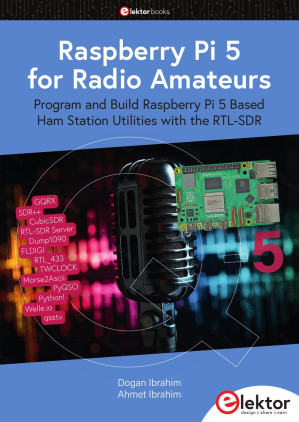
Raspberry Pi 5 for Radio Amateurs: Program and Build Raspberry Pi 5 Based Ham Station Utilities with the RTL-SDR 🔍
Dogan Ibrahim, Ahmet Ibrahim
Elektor Books, 1, 2024
英语 [en] · PDF · 60.3MB · 2024 · 📘 非小说类图书 · 🚀/lgli/lgrs/zlib · Save
描述
The RTL-SDR devices (V3 and V4) have gained popularity among radio amateurs because of their very low cost and rich features. A basic system may consist of a USB based RTL-SDR device (dongle) with a suitable antenna, a Raspberry Pi 5 computer, a USB based external audio inputoutput adapter, and software installed on the Raspberry Pi 5 computer. With such a modest setup, it is possible to receive signals from around 24 MHz to over 1.7 GHz. This book is aimed at amateur radio enthusiasts and electronic engineering students, as well as at anyone interested in learning to use the Raspberry Pi 5 to build electronic projects. The book is suitable for both beginners through experienced readers. Some knowledge of the Python programming language is required to understand and eventually modify the projects given in the book. A block diagram, a circuit diagram, and a complete Python program listing is given for each project, alongside a comprehensive description. The following popular RTL-SDR programs are discussed in detail, aided by step-by-step installation guides for practical use on a Raspberry Pi 5: > SimpleFM > GQRX > SDR++ > CubicSDR > RTL-SDR Server > Dump1090 > FLDIGI > Quick > RTL_433 > aldo > xcwcp > GPredict > TWCLOCK > CQRLOG > klog > Morse2Ascii > PyQSO > Welle.io > Ham Clock > CHIRP > xastir > qsstv > flrig > XyGrib > FreeDV > Qtel (EchoLink) > XDX (DX-Cluster) > WSJT-X The application of the Python programming language on the latest Raspberry Pi 5 platform precludes the use of the programs in the book from working on older versions of Raspberry Pi computers.
备用文件名
lgrsnf/Ibrahim D. Raspberry Pi 5 for Radio Amateurs...2024.pdf
备用文件名
zlib/no-category/Dogan Ibrahim, Ahmet Ibrahim/Raspberry Pi 5 for Radio Amateurs_28806978.pdf
备用出版商
Elektor Verlag GmbH
备用版本
Germany, Germany
备用描述
Search...
Raspberry Pi 5 for Radio Amateurs
All rights reserved
Contents
Preface
1 ● Installing the Raspberry Pi 5 Operating System
1.1 Overview
1.2 Using a pre-installed micro SD card
1.3 Larger font in Console mode
1.4 Accessing your Raspberry Pi 5 Console from your PC – the Putty Program
1.5 Accessing the Desktop GUI from your PC
1.6 Assigning a Static IP Address to your Raspberry Pi 5
1.7 Enabling Bluetooth
1.8 Connecting the Raspberry Pi 5 to a Wired Network
1.8.1 Unable to connect to a wired network
1.9 Installing the Raspberry Pi 5 Bookworm Operating System on a Blank microSD Card
2 ● Using a Text editor, Creating and Running a Python Program
2.1 The nano Text Editor
2.2 Creating and Running a Python Program
2.2.1 Method 1 — Interactively from command prompt in Console mode
2.3 Which method?
3 ● Amateur Radio Programs – Software-Only
3.1 Overview
3.2 4-Band Resistor Color Code Identifier
3.3 4-Band Resistor Color Code Identifier Including Very Small Resistors
3.4 Series or Parallel Resistors
3.5 Capacitor Identification
3.6 Capacitors in Series or in Parallel
3.7 Resistive Potential Divider
3.8 Resistive Attenuator Design
3.9 RC Charging Transient Circuit Response
3.10 Calculating the Inductance of a Single-Layer, Air-Core Coil
3.11 Constructing a single layer coil for required inductance
3.12 Calculating the Capacitance for Required Resonance Frequency
3.13 DC Circuits Mesh Analysis
3.13.1 DC Circuits mesh analysis — a more complex example
3.14 DC Circuit Node Analysis
3.15 Bipolar Junction Transistor Analysis
3.16 Designing Active Low-Pass Filters
3.17 Passive Low-Pass Butterworth Filter Design
3.18 The 555 Timer IC
3.19 Impedance Matching
3.20 Designing a Common-Emitter BJT Transistor Amplifier Circuit
3.21 Using a Windows-Based Simulation Program
3.21.1 Simulating the Resistive Mesh Circuit in Figure 3.33
3.21.2 Simulating the transistor circuit in Figure 3.42
3.21.3 Simulating the transistor circuit in Figure 3.66
4 ● Hardware Based Projects for Amateur Radio
4.1 Overview
4.2 Project 1: Logic Probe
4.3 Project 2: Station Mains On-Off Power Control
4.4 Project 3: Station Clock with Output to the Monitor
4.5 Project 4: Station Clock with Output to LCD
4.6 Project 5: Station Geographical Coordinates
4.7 Project 6: Waveform Generation in Software — Sawtooth waveform
4.7.1 The MCP4921 DAC
4.8 Project 7: Generating a Waveform – Frequency Entry using Keypad and L
4.8.1 The AD9850
4.8.2 Starting the program automatically at boot time
4.8.3 Boxing the project
4.9 Project 8: Morse Code Exerciser with Rotary Encoder and LCD to Set wpm Value
4.9.1 Rotary encoder
4.9.2 Boxing the project
4.10 Project 9: Morse Decoder
4.11 Project 10: Frequency Counter
4.12 Project 11: FM Radio with Raspberry Pi 5
4.13 Project 12: Modified Project — Increasing the Output Signal Level – Connecting a Loudspeaker
4.14 Project 13: FM Radio using an LCD and Rotary Encoder to Set the Frequency
5 ● Raspberry Pi 5 Audio Output
5.1 Overview
5.2 Using an External USB Audio Adapter
5.3 Testing the Audio Output
5.4 Audio Volume
6 ● RTL-SDR Meets Raspberry Pi 5
6.1 Overview
6.2 RTL-SDR V3
6.3 RTL-SDR V4 vs V3
6.4 The RTL-SDR Antenna Kit
6.4.1. Dipole orientation
6.4.2. Terrestrial signal reception
6.4.3. Satellite reception
6.4.4. Choosing the antenna element length
6.5 Hardware Setup
6.6 Installing the RTL-SDR Software on Raspberry Pi 5
6.7 Testing — Tuning to a Frequency Manually
6.8 Testing the RTL-SDR Dongle
7 ● A Simple FM Receiver
7.1 Overview
7.2 The Program
7.2.1 Creating a shell script
8 ● GQRX on the Raspberry Pi 5
8.1 Overview
8.2 Installation on Raspberry Pi 5
8.3 Using the GQRX
8.3.1 The audio frame
8.3.2 Streaming audio to your PC
9 ● SDR++
9.1 Overview
9.2 Installing SDR++ on the Raspberry Pi 5
9.3 Using the SDR++
9.3.1 Quick startup example
9.3.2 Graphical outputs
9.3.3 Source options
9.3.4 Display options
9.3.5 Radio module
9.3.6 Frequency Manager
9.3.7 Recorder
10 ● CubicSDR
10.1 Introduction to CubicSDR
10.2 Quick Startup
11 ● RTL-SDR Server
11.1 Overview
12 ● Dump1090
12.1 Overview
12.2 Dump1090 Essential Features
12.3 Installing Dump1090 on the Raspberry Pi 5
12.4 Launching the Dump1090 Software
13 ● FLDIGI
13.1 Overview
13.2 Features
13.3 Digital Formats
13.4 Installation on Raspberry Pi 5
13.5 Starting the Program
13.6 Decoding Morse Code (CW)
13.7 Receiving Weather Fax (WEFAX)
13.8 Receiving RTTY Traffic
13.8.1 Using fldigi to receive RTTY messages
13.9 Receiving NAVTEX Messages
13.9.1 Using fldigi to receive NAVTEX messages
14 ● Quisk
14.1 Overview
14.2 Installing quisk on the Raspberry Pi 5
15 ● RTL_433
15.1 Overview
15.2 Installing RTL_433 on the Raspberry Pi 5
15.3 Program Options
16 ● Other SDR hardware
16.1 Overview
16.2 HackRF One
16.3 NooElec NESDR Smart HF Bundle
16.4 BladeRF
16.5 LimeSDR
16.6 Universal Software Radio Peripheral (USRP)
16.7 ADALM-Pluto
16.8 AirSpy HF+ Discovery
17 ● Installation and Use of Some Popular Radio Applications
17.1 Overview
17.2 Aldo Morse Code Tutor – Text Based
17.2.1 Installing aldo on the Raspberry Pi 5
17.3 xcwcp Morse Code Tutor — Graphical
17.3.1 Installing xcwcp on Raspberry Pi 5
17.4 GPredict — Satellite/Orbital Object Tracking and Rig Control
17.4.1 Installing GPredict on Raspberry Pi 5
17.4.2 GPredict controls
17.5 TWCLOCK
17.5.1 Installation on Raspberry Pi 5
17.5.2 Using the program
17.6 CQRLOG
17.6.1 Installation on Raspberry Pi 5
17.6.2 Running the program
17.7 Klog
17.7.1 Installation on Raspberry Pi 5
17.7.2 Using the program
17.8 Morse2Ascii
17.8.1 Installation on Raspberry Pi 5
17.8.2 Using the program
17.9 PyQSO
17.9.1 Installation on Raspberry Pi 5
17.9.2 Using the program
17.10 Welle.io (DAB/DAB+ Radio)
17.10.1 Installation on Raspberry Pi 5
17.10.2 Running the program
17.11 Ham Clock
17.11.1 Installation on Raspberry Pi 5
17.11.2 Running the program
17.11.3 Accessing from a web browser
17.12 Chirp
17.12.1 Installation on Raspberry Pi 5
17.12.2 Running the program
17.13 Xastir
17.13.1 Installation on Raspberry Pi 5
17.13.2 Running the program and configuring for internet APRS
17.14 QSSTV
17.14.1 Installation on Raspberry Pi 5
17.14.2 Running the program
17.14.3 Testing the program
17.15 FLRIG
17.15.1 Installation on Raspberry Pi 5
17.15.2 Running flrig
17.16 XyGrib
17.16.1 Installation of XyGrib on Raspberry Pi 5
17.16.2 Running XyGrib
17.17 FreeDV
17.17.1 Installation on Raspberry Pi 5
17.17.2 Running FreeDV
17.18 Qtel (EchoLink)
17.18.1 Qtel installation on Raspberry Pi
17.18.2 Running the program
17.18.3 Using EchoLink on smart phones
17.19 XDX (DX-Cluster)
17.19.1 Installation on Raspberry Pi 5
17.19.2 Running the program
17.20 WSJT-X
17.20.1 Installation on Raspberry Pi 5
17.20.2 Running the program
Index
Raspberry Pi 5 for Radio Amateurs
All rights reserved
Contents
Preface
1 ● Installing the Raspberry Pi 5 Operating System
1.1 Overview
1.2 Using a pre-installed micro SD card
1.3 Larger font in Console mode
1.4 Accessing your Raspberry Pi 5 Console from your PC – the Putty Program
1.5 Accessing the Desktop GUI from your PC
1.6 Assigning a Static IP Address to your Raspberry Pi 5
1.7 Enabling Bluetooth
1.8 Connecting the Raspberry Pi 5 to a Wired Network
1.8.1 Unable to connect to a wired network
1.9 Installing the Raspberry Pi 5 Bookworm Operating System on a Blank microSD Card
2 ● Using a Text editor, Creating and Running a Python Program
2.1 The nano Text Editor
2.2 Creating and Running a Python Program
2.2.1 Method 1 — Interactively from command prompt in Console mode
2.3 Which method?
3 ● Amateur Radio Programs – Software-Only
3.1 Overview
3.2 4-Band Resistor Color Code Identifier
3.3 4-Band Resistor Color Code Identifier Including Very Small Resistors
3.4 Series or Parallel Resistors
3.5 Capacitor Identification
3.6 Capacitors in Series or in Parallel
3.7 Resistive Potential Divider
3.8 Resistive Attenuator Design
3.9 RC Charging Transient Circuit Response
3.10 Calculating the Inductance of a Single-Layer, Air-Core Coil
3.11 Constructing a single layer coil for required inductance
3.12 Calculating the Capacitance for Required Resonance Frequency
3.13 DC Circuits Mesh Analysis
3.13.1 DC Circuits mesh analysis — a more complex example
3.14 DC Circuit Node Analysis
3.15 Bipolar Junction Transistor Analysis
3.16 Designing Active Low-Pass Filters
3.17 Passive Low-Pass Butterworth Filter Design
3.18 The 555 Timer IC
3.19 Impedance Matching
3.20 Designing a Common-Emitter BJT Transistor Amplifier Circuit
3.21 Using a Windows-Based Simulation Program
3.21.1 Simulating the Resistive Mesh Circuit in Figure 3.33
3.21.2 Simulating the transistor circuit in Figure 3.42
3.21.3 Simulating the transistor circuit in Figure 3.66
4 ● Hardware Based Projects for Amateur Radio
4.1 Overview
4.2 Project 1: Logic Probe
4.3 Project 2: Station Mains On-Off Power Control
4.4 Project 3: Station Clock with Output to the Monitor
4.5 Project 4: Station Clock with Output to LCD
4.6 Project 5: Station Geographical Coordinates
4.7 Project 6: Waveform Generation in Software — Sawtooth waveform
4.7.1 The MCP4921 DAC
4.8 Project 7: Generating a Waveform – Frequency Entry using Keypad and L
4.8.1 The AD9850
4.8.2 Starting the program automatically at boot time
4.8.3 Boxing the project
4.9 Project 8: Morse Code Exerciser with Rotary Encoder and LCD to Set wpm Value
4.9.1 Rotary encoder
4.9.2 Boxing the project
4.10 Project 9: Morse Decoder
4.11 Project 10: Frequency Counter
4.12 Project 11: FM Radio with Raspberry Pi 5
4.13 Project 12: Modified Project — Increasing the Output Signal Level – Connecting a Loudspeaker
4.14 Project 13: FM Radio using an LCD and Rotary Encoder to Set the Frequency
5 ● Raspberry Pi 5 Audio Output
5.1 Overview
5.2 Using an External USB Audio Adapter
5.3 Testing the Audio Output
5.4 Audio Volume
6 ● RTL-SDR Meets Raspberry Pi 5
6.1 Overview
6.2 RTL-SDR V3
6.3 RTL-SDR V4 vs V3
6.4 The RTL-SDR Antenna Kit
6.4.1. Dipole orientation
6.4.2. Terrestrial signal reception
6.4.3. Satellite reception
6.4.4. Choosing the antenna element length
6.5 Hardware Setup
6.6 Installing the RTL-SDR Software on Raspberry Pi 5
6.7 Testing — Tuning to a Frequency Manually
6.8 Testing the RTL-SDR Dongle
7 ● A Simple FM Receiver
7.1 Overview
7.2 The Program
7.2.1 Creating a shell script
8 ● GQRX on the Raspberry Pi 5
8.1 Overview
8.2 Installation on Raspberry Pi 5
8.3 Using the GQRX
8.3.1 The audio frame
8.3.2 Streaming audio to your PC
9 ● SDR++
9.1 Overview
9.2 Installing SDR++ on the Raspberry Pi 5
9.3 Using the SDR++
9.3.1 Quick startup example
9.3.2 Graphical outputs
9.3.3 Source options
9.3.4 Display options
9.3.5 Radio module
9.3.6 Frequency Manager
9.3.7 Recorder
10 ● CubicSDR
10.1 Introduction to CubicSDR
10.2 Quick Startup
11 ● RTL-SDR Server
11.1 Overview
12 ● Dump1090
12.1 Overview
12.2 Dump1090 Essential Features
12.3 Installing Dump1090 on the Raspberry Pi 5
12.4 Launching the Dump1090 Software
13 ● FLDIGI
13.1 Overview
13.2 Features
13.3 Digital Formats
13.4 Installation on Raspberry Pi 5
13.5 Starting the Program
13.6 Decoding Morse Code (CW)
13.7 Receiving Weather Fax (WEFAX)
13.8 Receiving RTTY Traffic
13.8.1 Using fldigi to receive RTTY messages
13.9 Receiving NAVTEX Messages
13.9.1 Using fldigi to receive NAVTEX messages
14 ● Quisk
14.1 Overview
14.2 Installing quisk on the Raspberry Pi 5
15 ● RTL_433
15.1 Overview
15.2 Installing RTL_433 on the Raspberry Pi 5
15.3 Program Options
16 ● Other SDR hardware
16.1 Overview
16.2 HackRF One
16.3 NooElec NESDR Smart HF Bundle
16.4 BladeRF
16.5 LimeSDR
16.6 Universal Software Radio Peripheral (USRP)
16.7 ADALM-Pluto
16.8 AirSpy HF+ Discovery
17 ● Installation and Use of Some Popular Radio Applications
17.1 Overview
17.2 Aldo Morse Code Tutor – Text Based
17.2.1 Installing aldo on the Raspberry Pi 5
17.3 xcwcp Morse Code Tutor — Graphical
17.3.1 Installing xcwcp on Raspberry Pi 5
17.4 GPredict — Satellite/Orbital Object Tracking and Rig Control
17.4.1 Installing GPredict on Raspberry Pi 5
17.4.2 GPredict controls
17.5 TWCLOCK
17.5.1 Installation on Raspberry Pi 5
17.5.2 Using the program
17.6 CQRLOG
17.6.1 Installation on Raspberry Pi 5
17.6.2 Running the program
17.7 Klog
17.7.1 Installation on Raspberry Pi 5
17.7.2 Using the program
17.8 Morse2Ascii
17.8.1 Installation on Raspberry Pi 5
17.8.2 Using the program
17.9 PyQSO
17.9.1 Installation on Raspberry Pi 5
17.9.2 Using the program
17.10 Welle.io (DAB/DAB+ Radio)
17.10.1 Installation on Raspberry Pi 5
17.10.2 Running the program
17.11 Ham Clock
17.11.1 Installation on Raspberry Pi 5
17.11.2 Running the program
17.11.3 Accessing from a web browser
17.12 Chirp
17.12.1 Installation on Raspberry Pi 5
17.12.2 Running the program
17.13 Xastir
17.13.1 Installation on Raspberry Pi 5
17.13.2 Running the program and configuring for internet APRS
17.14 QSSTV
17.14.1 Installation on Raspberry Pi 5
17.14.2 Running the program
17.14.3 Testing the program
17.15 FLRIG
17.15.1 Installation on Raspberry Pi 5
17.15.2 Running flrig
17.16 XyGrib
17.16.1 Installation of XyGrib on Raspberry Pi 5
17.16.2 Running XyGrib
17.17 FreeDV
17.17.1 Installation on Raspberry Pi 5
17.17.2 Running FreeDV
17.18 Qtel (EchoLink)
17.18.1 Qtel installation on Raspberry Pi
17.18.2 Running the program
17.18.3 Using EchoLink on smart phones
17.19 XDX (DX-Cluster)
17.19.1 Installation on Raspberry Pi 5
17.19.2 Running the program
17.20 WSJT-X
17.20.1 Installation on Raspberry Pi 5
17.20.2 Running the program
Index
开源日期
2024-06-05
We strongly recommend that you support the author by buying or donating on their personal website, or borrowing in your local library.
🚀 快速下载
成为会员以支持书籍、论文等的长期保存。为了感谢您对我们的支持,您将获得高速下载权益。❤️
- 高速服务器(合作方提供) #1 (推荐)
- 高速服务器(合作方提供) #2 (推荐)
- 高速服务器(合作方提供) #3 (推荐)
- 高速服务器(合作方提供) #4 (推荐)
- 高速服务器(合作方提供) #5 (推荐)
- 高速服务器(合作方提供) #6 (推荐)
- 高速服务器(合作方提供) #7
- 高速服务器(合作方提供) #8
- 高速服务器(合作方提供) #9
- 高速服务器(合作方提供) #10
- 高速服务器(合作方提供) #11
- 高速服务器(合作方提供) #12
- 高速服务器(合作方提供) #13
- 高速服务器(合作方提供) #14
- 高速服务器(合作方提供) #15
- 高速服务器(合作方提供) #16
- 高速服务器(合作方提供) #17
- 高速服务器(合作方提供) #18
- 高速服务器(合作方提供) #19
- 高速服务器(合作方提供) #20
- 高速服务器(合作方提供) #21
- 高速服务器(合作方提供) #22
🐢 低速下载
由可信的合作方提供。 更多信息请参见常见问题解答。 (可能需要验证浏览器——无限次下载!)
- 低速服务器(合作方提供) #1 (稍快但需要排队)
- 低速服务器(合作方提供) #2 (稍快但需要排队)
- 低速服务器(合作方提供) #3 (稍快但需要排队)
- 低速服务器(合作方提供) #4 (稍快但需要排队)
- 低速服务器(合作方提供) #5 (无需排队,但可能非常慢)
- 低速服务器(合作方提供) #6 (无需排队,但可能非常慢)
- 低速服务器(合作方提供) #7 (无需排队,但可能非常慢)
- 低速服务器(合作方提供) #8 (无需排队,但可能非常慢)
- 低速服务器(合作方提供) #9 (无需排队,但可能非常慢)
- 低速服务器(合作方提供) #10 (稍快但需要排队)
- 低速服务器(合作方提供) #11 (稍快但需要排队)
- 低速服务器(合作方提供) #12 (稍快但需要排队)
- 低速服务器(合作方提供) #13 (稍快但需要排队)
- 低速服务器(合作方提供) #14 (无需排队,但可能非常慢)
- 低速服务器(合作方提供) #15 (无需排队,但可能非常慢)
- 低速服务器(合作方提供) #16 (无需排队,但可能非常慢)
- 低速服务器(合作方提供) #17 (无需排队,但可能非常慢)
- 低速服务器(合作方提供) #18 (无需排队,但可能非常慢)
- 下载后: 在我们的查看器中打开
所有选项下载的文件都相同,应该可以安全使用。即使这样,从互联网下载文件时始终要小心。例如,确保您的设备更新及时。
外部下载
-
对于大文件,我们建议使用下载管理器以防止中断。
推荐的下载管理器:JDownloader -
您将需要一个电子书或 PDF 阅读器来打开文件,具体取决于文件格式。
推荐的电子书阅读器:Anna的档案在线查看器、ReadEra和Calibre -
使用在线工具进行格式转换。
推荐的转换工具:CloudConvert和PrintFriendly -
您可以将 PDF 和 EPUB 文件发送到您的 Kindle 或 Kobo 电子阅读器。
推荐的工具:亚马逊的“发送到 Kindle”和djazz 的“发送到 Kobo/Kindle” -
支持作者和图书馆
✍️ 如果您喜欢这个并且能够负担得起,请考虑购买原版,或直接支持作者。
📚 如果您当地的图书馆有这本书,请考虑在那里免费借阅。
下面的文字仅以英文继续。
总下载量:
“文件的MD5”是根据文件内容计算出的哈希值,并且基于该内容具有相当的唯一性。我们这里索引的所有影子图书馆都主要使用MD5来标识文件。
一个文件可能会出现在多个影子图书馆中。有关我们编译的各种数据集的信息,请参见数据集页面。
有关此文件的详细信息,请查看其JSON 文件。 Live/debug JSON version. Live/debug page.