upload/duxiu_main2/【星空藏书馆】/【星空藏书馆】等多个文件/Kindle电子书库(012)/综合书籍(007)/综合1(011)/书1/yanhu831/book/DOM.Scripting.pdf
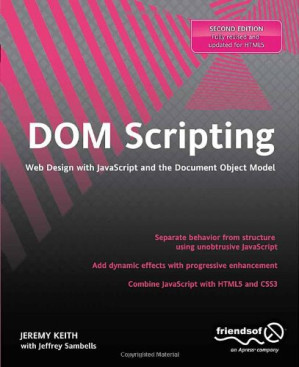
DOM scripting web design with JavaScript and the Document Object Model. - Description based on print version record. - Includes index 🔍
Jeremy Keith; Rob Drimmie; Jeffrey Sambells
friends of ED limited, 2nd ed., New York, NY, New York State, 2010
英语 [en] · PDF · 8.5MB · 2010 · 📘 非小说类图书 · 🚀/lgli/lgrs/nexusstc/scihub/upload/zlib · Save
描述
In this Second Edition of the popular DOM Scripting: Web Design with JavaScript and the Document Object Model, comes a modern revision to include current best practices and guidelines. There is also full coverage of HTML5 in a new, dedicated chapter, and details on JavaScript libraries and how they can help your scripting. The book gives you everything you need to start using JavaScript and the Document Object Model to enhance your web pages with client-side dynamic effects and user-controlled animation. It shows you how JavaScript, HTML5, and Cascading Style Sheets (CSS) work together to create usable, standards-compliant web designs. We'll also cover cross-browser compatibility with your DOM scripts and how to make sure they degrade gracefully when JavaScript isn't available. DOM Scripting: Web Design with JavaScript and the Document Object Model focuses on JavaScript for adding dynamic effects and manipulating page structure on the fly using the Document Object Model. You'll start off by receiving a crash course in JavaScript and the DOM, then move on to several real-world examples that you'll build from scratch, including dynamic image galleries and dynamic menus. You'll also learn how to manipulate web page styles using the CSS DOM, and create mark-up on the fly. This book is perfect for your needs if you want to create websites that are beautiful, dynamic, accessible - and standards compliant! What you’ll learn Apply dynamic behavior to your pages without inserting JavaScript in your markup. Write scripts that degrade gracefully when JavaScript isn’t available. Use web standards to ensure cross-browser compatibility. Harness the power of the DOM to create user-controlled animation. Also includes an introduction to Ajax. Who this book is for This book is for web developers wanting to expand their knowledge of the DOM to add interactivity and functionality to their web pages. Table of Contents A Brief History of JavaScript JavaScript Syntax The Document Object Model A JavaScript Image Gallery Best Practices The Image Gallery Revisited Creating Markup on the Fly Enhancing Content CSS-DOM An Animated Slideshow HTML5 Putting It All Together DOM Scripting Libraries
备用文件名
lgli/D:\HDD4\_missing\620d40254eae88b35af4b5f2ffe6b500(1).pdf
备用文件名
lgrsnf/D:\HDD4\_missing\620d40254eae88b35af4b5f2ffe6b500(1).pdf
备用文件名
nexusstc/DOM Scripting/620d40254eae88b35af4b5f2ffe6b500.pdf
备用文件名
scihub/10.1007/978-1-4302-3390-9.pdf
备用文件名
zlib/Computers/Programming/Jeremy Keith, Jeffrey Sambells/DOM Scripting: Web Design with JavaScript and the Document Object Model_2321629.pdf
备选标题
Wed design with JavaScript and the document object model
备选作者
Adobe InDesign CS5 (7.0)(Infix Pro)
备选作者
Jeremy Keith with Jeffrey Sambells
备选作者
Keith, Jeremy, Sambells, Jeffrey
备用出版商
Springer Nature
备用出版商
Apress L. P.
备用版本
United States, United States of America
备用版本
Springer Nature, [Berkeley, CA], 2010
备用版本
Second edition, Berkeley, CA, 2010
备用版本
IT Pro, 2nd ed, New York, ©2010
备用版本
Second edition, New York, 2010
备用版本
2nd ed, New York?, c2010
备用版本
2, 20110807
备用版本
2012
元数据中的注释
lg1152947
元数据中的注释
producers:
Adobe PDF Library 9.9; modified using iText 5.0.3_SNAPSHOT (c) 1T3XT BVBA
Adobe PDF Library 9.9; modified using iText 5.0.3_SNAPSHOT (c) 1T3XT BVBA
元数据中的注释
{"edition":"2","isbns":["1430233893","1430233907","9781430233893","9781430233909"],"last_page":336,"publisher":"Apress"}
元数据中的注释
Includes index.
备用描述
Prelim 1
Contents at a Glance 6
Contents 7
About the Authors 15
About the Technical Reviewer 16
Acknowledgments 17
Introduction 18
A Brief History of JavaScript 19
The origins of JavaScript 19
The Document Object Model 20
The browser wars 21
The D word: DHTML 21
Clash of the browsers 21
Raising the standard 22
Thinking outside the browser 22
The end of the browser wars 22
A new beginning 23
What’s next? 23
JavaScript Syntax 25
What you’ll need 25
Syntax 27
Statements 27
Comments 28
Variables 28
Data types 30
Strings 31
Numbers 32
Boolean values 32
Arrays 32
Associative arrays 34
Objects 34
Operations 35
Arithmetic operators 35
Conditional statements 37
Comparison operators 38
Logical operators 39
Looping statements 40
The while loop 40
The do...while loop 41
The for loop 42
Functions 42
Variable scope 44
Objects 45
Native objects 46
Host objects 47
What’s next? 47
The Document Object Model 49
D is for document 49
Objects of desire 49
Dial M for model 50
Nodes 51
Element nodes 52
Text nodes 52
Attribute nodes 52
Cascading Style Sheets 53
The class attribute 54
The id attribute 54
Getting Elements 55
getElementById 55
getElementsByTagName 56
getElementsByClassName 57
Taking stock 59
Getting and Setting Attributes 59
getAttribute 59
setAttribute 61
What’s next? 62
A JavaScript Image Gallery 63
The markup 63
The JavaScript 65
A DOM diversion 66
Finishing the function 67
Applying the JavaScript 67
Event handlers 67
Expanding the function 69
Introducing childNodes 69
Introducing the nodeType property 70
Adding a description in the markup 71
Changing the description with JavaScript 72
Introducing the nodeValue property 72
Introducing firstChild and lastChild 73
Using nodeValue to update the description 73
What’s next? 76
Best Practices 77
Mistakes of the past 77
Don’t blame the messenger 77
The Flash mob 78
Question everything 78
Graceful degradation 79
The javascript: pseudo-protocol 80
Inline event handlers 80
Who cares? 81
The lessons of CSS 81
Separation of structure and style 81
Progressive enhancement 82
Unobtrusive JavaScript 83
Backward compatibility 85
Object detection 85
Browser sniffing 86
Performance considerations 87
Minimizing DOM access and markup 87
Assembling and placing scripts 88
Minification 88
What’s next? 89
The Image Gallery Revisited 91
A quick recap 91
Does it degrade gracefully? 92
Is the JavaScript unobtrusive? 93
Adding the event handler 93
Checkpoints 94
What’s in a name? 96
Looping the loop 96
Changing behavior 97
Closing it up 98
Share the load 98
Assuming too much 100
Fine-tuning 102
Keyboard access 104
Beware of onkeypress 105
Sharing hooks with CSS 106
DOM Core and HTML-DOM 109
What’s next? 110
Creating Markup on the Fly 113
Some old-school methods 113
document.write 113
innerHTML 115
DOM methods 118
createElement 119
appendChild 120
createTextNode 121
A more complex combination 123
Revisiting the image gallery 125
Inserting a new element before an existing one 127
Inserting a new element after an existing one 128
Writing the insertAfter function 128
Using the insertAfter function 129
The finished image gallery 130
Ajax 134
The XMLHttpRequest object 134
Progressive enhancement with Ajax 139
Hijax 139
What’s next? 140
Enhancing Content 141
What not to do 141
Making the invisible visible 142
The content 142
The markup: HTML, XHTML, or HTML5 143
The CSS 145
The JavaScript 146
Displaying abbreviations 146
Writing the displayAbbreviations function 147
Creating the markup 149
Inserting the definition list 150
Checking for compatibility 152
The final markup 153
A browser bomb 154
Displaying citations 157
Writing the displayCitations function 158
Finding your element 158
Creating the link 160
Inserting the link 160
Improving the script 161
The final markup 162
Displaying access keys 163
Retrieving and attaching information 166
What’s next? 166
CSS-DOM 167
Three sheets to the Web 167
Structure 167
Presentation 168
Behavior 168
Separation 169
The style property 170
Getting styles 171
Inline only 175
Setting styles 176
Knowing when to use DOM styling 178
Styling elements in the node tree 178
Repetitive styling 182
Responding to events 186
className 188
Abstracting a function 191
What’s next? 192
An Animated Slideshow 193
Animation basics 193
Position 193
Time 196
Incremental movement 196
Abstraction 199
Creating the moveElement function 200
Using the moveElement function 202
Practical animation 205
The situation 206
The solution 207
CSS 208
JavaScript 210
A question of scope 213
Refining the animation 215
Adding a safety check 218
Generating markup 219
What’s next? 222
HTML5 223
What is HTML5? 223
A little help from a friend 224
A few examples 226
Canvas 226
Audio/Video 231
The Return of Tag Soup 232
Customizing Controls 234
Forms 239
Is there anything else? 243
What's Next 244
Putting It All Together 245
The brief 245
Raw materials 245
Site structure 245
Page structure 247
Design 247
CSS 248
Color 250
Layout 252
Typography 254
Markup 256
JavaScript 256
Page highlighting 258
JavaScript slideshow 261
Internal navigation 266
JavaScript image gallery 270
Table enhancements 274
Form enhancements 279
Labels 281
Placeholder values 282
Form validation 285
Form submission 289
Minification 294
What’s next? 295
DOM Scripting Libraries 297
Choosing a library 298
A few libraries 299
Content delivery networks 300
Syntax 301
Selecting elements 302
CSS selectors 302
Library-specific selectors 304
Filtering with a callback 306
Manipulating the DOM document 307
Creating content 307
Manipulating content 309
Handling events 309
Load events 309
Other events 310
Ajax 311
Ajax with Prototype 311
Ajax with jQuery 314
Animation and effects 316
CSS property-based animations 317
Packaged animations 318
Remember accessibility 319
Summary 319
Index 321
¦ ¦ ¦ 321
¦ Special Characters and 321
Numerics 321
¦ A 322
¦ B 322
¦ C 323
¦ D 323
¦ E 324
¦ G 325
¦ F 325
I 326
¦ 326
H 326
¦ 326
¦ J 327
¦ K 327
¦ L 327
¦ N 328
¦ M 328
¦ O 328
¦ P 329
S 330
¦ 330
¦ Q 330
¦ R 330
¦ U 331
V 331
¦ 331
¦ T 331
W 331
¦ 331
¦ X 331
¦ Y, Z 332
Prelim 1
Contents at a Glance 6
Contents 7
About the Authors 15
About the Technical Reviewer 16
Acknowledgments 17
Introduction 18
A Brief History of JavaScript 19
The origins of JavaScript 19
The Document Object Model 20
The browser wars 21
The D word: DHTML 21
Clash of the browsers 21
Raising the standard 22
Thinking outside the browser 22
The end of the browser wars 22
A new beginning 23
What鈥檚 next? 23
JavaScript Syntax 25
What you鈥檒l need 25
Syntax 27
Statements 27
Comments 28
Variables 28
Data types 30
Strings 31
Numbers 32
Boolean values 32
Arrays 32
Associative arrays 34
Objects 34
Operations 35
Arithmetic operators 35
Conditional statements 37
Comparison operators 38
Logical operators 39
Looping statements 40
The while loop 40
The do...while loop 41
The for loop 42
Functions 42
Variable scope 44
Objects 45
Native objects 46
Host objects 47
What鈥檚 next? 47
The Document Object Model 49
D is for document 49
Objects of desire 49
Dial M for model 50
Nodes 51
Element nodes 52
Text nodes 52
Attribute nodes 52
Cascading Style Sheets 53
The class attribute 54
The id attribute 54
Getting Elements 55
getElementById 55
getElementsByTagName 56
getElementsByClassName 57
Taking stock 59
Getting and Setting Attributes 59
getAttribute 59
setAttribute 61
What鈥檚 next? 62
A JavaScript Image Gallery 63
The markup 63
The JavaScript 65
A DOM diversion 66
Finishing the function 67
Applying the JavaScript 67
Event handlers 67
Expanding the function 69
Introducing childNodes 69
Introducing the nodeType property 70
Adding a description in the markup 71
Changing the description with JavaScript 72
Introducing the nodeValue property 72
Introducing firstChild and lastChild 73
Using nodeValue to update the description 73
What鈥檚 next? 76
Best Practices 77
Mistakes of the past 77
Don鈥檛 blame the messenger 77
The Flash mob 78
Question everything 78
Graceful degradation 79
The javascript: pseudo-protocol 80
Inline event handlers 80
Who cares? 81
The lessons of CSS 81
Separation of structure and style 81
Progressive enhancement 82
Unobtrusive JavaScript 83
Backward compatibility 85
Object detection 85
Browser sniffing 86
Performance considerations 87
Minimizing DOM access and markup 87
Assembling and placing scripts 88
Minification 88
What鈥檚 next? 89
The Image Gallery Revisited 91
A quick recap 91
Does it degrade gracefully? 92
Is the JavaScript unobtrusive? 93
Adding the event handler 93
Checkpoints 94
What鈥檚 in a name? 96
Looping the loop 96
Changing behavior 97
Closing it up 98
Share the load 98
Assuming too much 100
Fine-tuning 102
Keyboard access 104
Beware of onkeypress 105
Sharing hooks with CSS 106
DOM Core and HTML-DOM 109
What鈥檚 next? 110
Creating Markup on the Fly 113
Some old-school methods 113
document.write 113
innerHTML 115
DOM methods 118
createElement 119
appendChild 120
createTextNode 121
A more complex combination 123
Revisiting the image gallery 125
Inserting a new element before an existing one 127
Inserting a new element after an existing one 128
Writing the insertAfter function 128
Using the insertAfter function 129
The finished image gallery 130
Ajax 134
The XMLHttpRequest object 134
Progressive enhancement with Ajax 139
Hijax 139
What鈥檚 next? 140
Enhancing Content 141
What not to do 141
Making the invisible visible 142
The content 142
The markup: HTML, XHTML, or HTML5 143
The CSS 145
The JavaScript 146
Displaying abbreviations 146
Writing the displayAbbreviations function 147
Creating the markup 149
Inserting the definition list 150
Checking for compatibility 152
The final markup 153
A browser bomb 154
Displaying citations 157
Writing the displayCitations function 158
Finding your element 158
Creating the link 160
Inserting the link 160
Improving the script 161
The final markup 162
Displaying access keys 163
Retrieving and attaching information 166
What鈥檚 next? 166
CSS-DOM 167
Three sheets to the Web 167
Structure 167
Presentation 168
Behavior 168
Separation 169
The style property 170
Getting styles 171
Inline only 175
Setting styles 176
Knowing when to use DOM styling 178
Styling elements in the node tree 178
Repetitive styling 182
Responding to events 186
className 188
Abstracting a function 191
What鈥檚 next? 192
An Animated Slideshow 193
Animation basics 193
Position 193
Time 196
Incremental movement 196
Abstraction 199
Creating the moveElement function 200
Using the moveElement function 202
Practical animation 205
The situation 206
The solution 207
CSS 208
JavaScript 210
A question of scope 213
Refining the animation 215
Adding a safety check 218
Generating markup 219
What鈥檚 next? 222
HTML5 223
What is HTML5? 223
A little help from a friend 224
A few examples 226
Canvas 226
Audio/Video 231
The Return of Tag Soup 232
Customizing Controls 234
Forms 239
Is there anything else? 243
What's Next 244
Putting It All Together 245
The brief 245
Raw materials 245
Site structure 245
Page structure 247
Design 247
CSS 248
Color 250
Layout 252
Typography 254
Markup 256
JavaScript 256
Page highlighting 258
JavaScript slideshow 261
Internal navigation 266
JavaScript image gallery 270
Table enhancements 274
Form enhancements 279
Labels 281
Placeholder values 282
Form validation 285
Form submission 289
Minification 294
What鈥檚 next? 295
DOM Scripting Libraries 297
Choosing a library 298
A few libraries 299
Content delivery networks 300
Syntax 301
Selecting elements 302
CSS selectors 302
Library-specific selectors 304
Filtering with a callback 306
Manipulating the DOM document 307
Creating content 307
Manipulating content 309
Handling events 309
Load events 309
Other events 310
Ajax 311
Ajax with Prototype 311
Ajax with jQuery 314
Animation and effects 316
CSS property-based animations 317
Packaged animations 318
Remember accessibility 319
Summary 319
Index 321
娄 娄 娄 321
娄 Special Characters and 321
Numerics 321
娄 A 322
娄 B 322
娄 C 323
娄 D 323
娄 E 324
娄 G 325
娄 F 325
I 326
娄 326
H 326
娄 326
娄 J 327
娄 K 327
娄 L 327
娄 N 328
娄 M 328
娄 O 328
娄 P 329
S 330
娄 330
娄 Q 330
娄 R 330
娄 U 331
V 331
娄 331
娄 T 331
W 331
娄 331
娄 X 331
娄 Y, Z 332 (as-gbk-encoding)
Contents at a Glance 6
Contents 7
About the Authors 15
About the Technical Reviewer 16
Acknowledgments 17
Introduction 18
A Brief History of JavaScript 19
The origins of JavaScript 19
The Document Object Model 20
The browser wars 21
The D word: DHTML 21
Clash of the browsers 21
Raising the standard 22
Thinking outside the browser 22
The end of the browser wars 22
A new beginning 23
What’s next? 23
JavaScript Syntax 25
What you’ll need 25
Syntax 27
Statements 27
Comments 28
Variables 28
Data types 30
Strings 31
Numbers 32
Boolean values 32
Arrays 32
Associative arrays 34
Objects 34
Operations 35
Arithmetic operators 35
Conditional statements 37
Comparison operators 38
Logical operators 39
Looping statements 40
The while loop 40
The do...while loop 41
The for loop 42
Functions 42
Variable scope 44
Objects 45
Native objects 46
Host objects 47
What’s next? 47
The Document Object Model 49
D is for document 49
Objects of desire 49
Dial M for model 50
Nodes 51
Element nodes 52
Text nodes 52
Attribute nodes 52
Cascading Style Sheets 53
The class attribute 54
The id attribute 54
Getting Elements 55
getElementById 55
getElementsByTagName 56
getElementsByClassName 57
Taking stock 59
Getting and Setting Attributes 59
getAttribute 59
setAttribute 61
What’s next? 62
A JavaScript Image Gallery 63
The markup 63
The JavaScript 65
A DOM diversion 66
Finishing the function 67
Applying the JavaScript 67
Event handlers 67
Expanding the function 69
Introducing childNodes 69
Introducing the nodeType property 70
Adding a description in the markup 71
Changing the description with JavaScript 72
Introducing the nodeValue property 72
Introducing firstChild and lastChild 73
Using nodeValue to update the description 73
What’s next? 76
Best Practices 77
Mistakes of the past 77
Don’t blame the messenger 77
The Flash mob 78
Question everything 78
Graceful degradation 79
The javascript: pseudo-protocol 80
Inline event handlers 80
Who cares? 81
The lessons of CSS 81
Separation of structure and style 81
Progressive enhancement 82
Unobtrusive JavaScript 83
Backward compatibility 85
Object detection 85
Browser sniffing 86
Performance considerations 87
Minimizing DOM access and markup 87
Assembling and placing scripts 88
Minification 88
What’s next? 89
The Image Gallery Revisited 91
A quick recap 91
Does it degrade gracefully? 92
Is the JavaScript unobtrusive? 93
Adding the event handler 93
Checkpoints 94
What’s in a name? 96
Looping the loop 96
Changing behavior 97
Closing it up 98
Share the load 98
Assuming too much 100
Fine-tuning 102
Keyboard access 104
Beware of onkeypress 105
Sharing hooks with CSS 106
DOM Core and HTML-DOM 109
What’s next? 110
Creating Markup on the Fly 113
Some old-school methods 113
document.write 113
innerHTML 115
DOM methods 118
createElement 119
appendChild 120
createTextNode 121
A more complex combination 123
Revisiting the image gallery 125
Inserting a new element before an existing one 127
Inserting a new element after an existing one 128
Writing the insertAfter function 128
Using the insertAfter function 129
The finished image gallery 130
Ajax 134
The XMLHttpRequest object 134
Progressive enhancement with Ajax 139
Hijax 139
What’s next? 140
Enhancing Content 141
What not to do 141
Making the invisible visible 142
The content 142
The markup: HTML, XHTML, or HTML5 143
The CSS 145
The JavaScript 146
Displaying abbreviations 146
Writing the displayAbbreviations function 147
Creating the markup 149
Inserting the definition list 150
Checking for compatibility 152
The final markup 153
A browser bomb 154
Displaying citations 157
Writing the displayCitations function 158
Finding your element 158
Creating the link 160
Inserting the link 160
Improving the script 161
The final markup 162
Displaying access keys 163
Retrieving and attaching information 166
What’s next? 166
CSS-DOM 167
Three sheets to the Web 167
Structure 167
Presentation 168
Behavior 168
Separation 169
The style property 170
Getting styles 171
Inline only 175
Setting styles 176
Knowing when to use DOM styling 178
Styling elements in the node tree 178
Repetitive styling 182
Responding to events 186
className 188
Abstracting a function 191
What’s next? 192
An Animated Slideshow 193
Animation basics 193
Position 193
Time 196
Incremental movement 196
Abstraction 199
Creating the moveElement function 200
Using the moveElement function 202
Practical animation 205
The situation 206
The solution 207
CSS 208
JavaScript 210
A question of scope 213
Refining the animation 215
Adding a safety check 218
Generating markup 219
What’s next? 222
HTML5 223
What is HTML5? 223
A little help from a friend 224
A few examples 226
Canvas 226
Audio/Video 231
The Return of Tag Soup 232
Customizing Controls 234
Forms 239
Is there anything else? 243
What's Next 244
Putting It All Together 245
The brief 245
Raw materials 245
Site structure 245
Page structure 247
Design 247
CSS 248
Color 250
Layout 252
Typography 254
Markup 256
JavaScript 256
Page highlighting 258
JavaScript slideshow 261
Internal navigation 266
JavaScript image gallery 270
Table enhancements 274
Form enhancements 279
Labels 281
Placeholder values 282
Form validation 285
Form submission 289
Minification 294
What’s next? 295
DOM Scripting Libraries 297
Choosing a library 298
A few libraries 299
Content delivery networks 300
Syntax 301
Selecting elements 302
CSS selectors 302
Library-specific selectors 304
Filtering with a callback 306
Manipulating the DOM document 307
Creating content 307
Manipulating content 309
Handling events 309
Load events 309
Other events 310
Ajax 311
Ajax with Prototype 311
Ajax with jQuery 314
Animation and effects 316
CSS property-based animations 317
Packaged animations 318
Remember accessibility 319
Summary 319
Index 321
¦ ¦ ¦ 321
¦ Special Characters and 321
Numerics 321
¦ A 322
¦ B 322
¦ C 323
¦ D 323
¦ E 324
¦ G 325
¦ F 325
I 326
¦ 326
H 326
¦ 326
¦ J 327
¦ K 327
¦ L 327
¦ N 328
¦ M 328
¦ O 328
¦ P 329
S 330
¦ 330
¦ Q 330
¦ R 330
¦ U 331
V 331
¦ 331
¦ T 331
W 331
¦ 331
¦ X 331
¦ Y, Z 332
Prelim 1
Contents at a Glance 6
Contents 7
About the Authors 15
About the Technical Reviewer 16
Acknowledgments 17
Introduction 18
A Brief History of JavaScript 19
The origins of JavaScript 19
The Document Object Model 20
The browser wars 21
The D word: DHTML 21
Clash of the browsers 21
Raising the standard 22
Thinking outside the browser 22
The end of the browser wars 22
A new beginning 23
What鈥檚 next? 23
JavaScript Syntax 25
What you鈥檒l need 25
Syntax 27
Statements 27
Comments 28
Variables 28
Data types 30
Strings 31
Numbers 32
Boolean values 32
Arrays 32
Associative arrays 34
Objects 34
Operations 35
Arithmetic operators 35
Conditional statements 37
Comparison operators 38
Logical operators 39
Looping statements 40
The while loop 40
The do...while loop 41
The for loop 42
Functions 42
Variable scope 44
Objects 45
Native objects 46
Host objects 47
What鈥檚 next? 47
The Document Object Model 49
D is for document 49
Objects of desire 49
Dial M for model 50
Nodes 51
Element nodes 52
Text nodes 52
Attribute nodes 52
Cascading Style Sheets 53
The class attribute 54
The id attribute 54
Getting Elements 55
getElementById 55
getElementsByTagName 56
getElementsByClassName 57
Taking stock 59
Getting and Setting Attributes 59
getAttribute 59
setAttribute 61
What鈥檚 next? 62
A JavaScript Image Gallery 63
The markup 63
The JavaScript 65
A DOM diversion 66
Finishing the function 67
Applying the JavaScript 67
Event handlers 67
Expanding the function 69
Introducing childNodes 69
Introducing the nodeType property 70
Adding a description in the markup 71
Changing the description with JavaScript 72
Introducing the nodeValue property 72
Introducing firstChild and lastChild 73
Using nodeValue to update the description 73
What鈥檚 next? 76
Best Practices 77
Mistakes of the past 77
Don鈥檛 blame the messenger 77
The Flash mob 78
Question everything 78
Graceful degradation 79
The javascript: pseudo-protocol 80
Inline event handlers 80
Who cares? 81
The lessons of CSS 81
Separation of structure and style 81
Progressive enhancement 82
Unobtrusive JavaScript 83
Backward compatibility 85
Object detection 85
Browser sniffing 86
Performance considerations 87
Minimizing DOM access and markup 87
Assembling and placing scripts 88
Minification 88
What鈥檚 next? 89
The Image Gallery Revisited 91
A quick recap 91
Does it degrade gracefully? 92
Is the JavaScript unobtrusive? 93
Adding the event handler 93
Checkpoints 94
What鈥檚 in a name? 96
Looping the loop 96
Changing behavior 97
Closing it up 98
Share the load 98
Assuming too much 100
Fine-tuning 102
Keyboard access 104
Beware of onkeypress 105
Sharing hooks with CSS 106
DOM Core and HTML-DOM 109
What鈥檚 next? 110
Creating Markup on the Fly 113
Some old-school methods 113
document.write 113
innerHTML 115
DOM methods 118
createElement 119
appendChild 120
createTextNode 121
A more complex combination 123
Revisiting the image gallery 125
Inserting a new element before an existing one 127
Inserting a new element after an existing one 128
Writing the insertAfter function 128
Using the insertAfter function 129
The finished image gallery 130
Ajax 134
The XMLHttpRequest object 134
Progressive enhancement with Ajax 139
Hijax 139
What鈥檚 next? 140
Enhancing Content 141
What not to do 141
Making the invisible visible 142
The content 142
The markup: HTML, XHTML, or HTML5 143
The CSS 145
The JavaScript 146
Displaying abbreviations 146
Writing the displayAbbreviations function 147
Creating the markup 149
Inserting the definition list 150
Checking for compatibility 152
The final markup 153
A browser bomb 154
Displaying citations 157
Writing the displayCitations function 158
Finding your element 158
Creating the link 160
Inserting the link 160
Improving the script 161
The final markup 162
Displaying access keys 163
Retrieving and attaching information 166
What鈥檚 next? 166
CSS-DOM 167
Three sheets to the Web 167
Structure 167
Presentation 168
Behavior 168
Separation 169
The style property 170
Getting styles 171
Inline only 175
Setting styles 176
Knowing when to use DOM styling 178
Styling elements in the node tree 178
Repetitive styling 182
Responding to events 186
className 188
Abstracting a function 191
What鈥檚 next? 192
An Animated Slideshow 193
Animation basics 193
Position 193
Time 196
Incremental movement 196
Abstraction 199
Creating the moveElement function 200
Using the moveElement function 202
Practical animation 205
The situation 206
The solution 207
CSS 208
JavaScript 210
A question of scope 213
Refining the animation 215
Adding a safety check 218
Generating markup 219
What鈥檚 next? 222
HTML5 223
What is HTML5? 223
A little help from a friend 224
A few examples 226
Canvas 226
Audio/Video 231
The Return of Tag Soup 232
Customizing Controls 234
Forms 239
Is there anything else? 243
What's Next 244
Putting It All Together 245
The brief 245
Raw materials 245
Site structure 245
Page structure 247
Design 247
CSS 248
Color 250
Layout 252
Typography 254
Markup 256
JavaScript 256
Page highlighting 258
JavaScript slideshow 261
Internal navigation 266
JavaScript image gallery 270
Table enhancements 274
Form enhancements 279
Labels 281
Placeholder values 282
Form validation 285
Form submission 289
Minification 294
What鈥檚 next? 295
DOM Scripting Libraries 297
Choosing a library 298
A few libraries 299
Content delivery networks 300
Syntax 301
Selecting elements 302
CSS selectors 302
Library-specific selectors 304
Filtering with a callback 306
Manipulating the DOM document 307
Creating content 307
Manipulating content 309
Handling events 309
Load events 309
Other events 310
Ajax 311
Ajax with Prototype 311
Ajax with jQuery 314
Animation and effects 316
CSS property-based animations 317
Packaged animations 318
Remember accessibility 319
Summary 319
Index 321
娄 娄 娄 321
娄 Special Characters and 321
Numerics 321
娄 A 322
娄 B 322
娄 C 323
娄 D 323
娄 E 324
娄 G 325
娄 F 325
I 326
娄 326
H 326
娄 326
娄 J 327
娄 K 327
娄 L 327
娄 N 328
娄 M 328
娄 O 328
娄 P 329
S 330
娄 330
娄 Q 330
娄 R 330
娄 U 331
V 331
娄 331
娄 T 331
W 331
娄 331
娄 X 331
娄 Y, Z 332 (as-gbk-encoding)
备用描述
<p>With this second edition of the popular <b>DOM Scripting: Web Design with JavaScript and the Document Object Model</b> comes a modern revision to update best practices and guidelines. It includes full coverage of HTML5 in a new, dedicated chapter, and details on JavaScript libraries and how they can help your scripting.</p>
<p>The book provides everything you'll need to start using JavaScript and the Document Object Model to enhance your web pages with client-side dynamic effects and user-controlled animation. It shows how JavaScript, HTML5, and Cascading Style Sheets (CSS) work together to create usable, standards-compliant web designs. We'll also cover cross-browser compatibility with DOM scripts and how to make sure they degrade gracefully when JavaScript isn't available.</p>
<p><b>DOM Scripting: Web Design with JavaScript and the Document Object Model</b> focuses on JavaScript for adding dynamic effects and manipulating page structure on the fly using the Document Object Model. You'll start with a crash course in JavaScript and the DOM, then move on to several real-world examples that you'll build from scratch, including dynamic image galleries and dynamic menus. You'll also learn how to manipulate web page styles using the CSS DOM, and create markup on the fly.</p>
<p>If you want to create websites that are beautiful, dynamic, accessible, <b>and</b> standards-compliant, this is the book for you!</p>
<p class="null1">What you’ll learn</p>
<ul>
<li>Apply dynamic behavior to your pages without inserting JavaScript in your markup</li>
<li>Write scripts that degrade gracefully when JavaScript isn’t available</li>
<li>Use web standards to ensure cross-browser compatibility</li>
<li>Harness the power of the DOM to create user-controlled animation</li>
<li>Also includes an introduction to Ajax</li>
</ul>
<b>Who this book is for</b>
<p>This book is for web developers wanting to expand their knowledge of the DOM to add interactivity and functionality to their web pages.</p>
<p class="null1">Table of Contents</p>
<ol>
<li>A Brief History of JavaScript</li>
<li>JavaScript Syntax</li>
<li>The Document Object Model</li>
<li>A JavaScript Image Gallery</li>
<li>Best Practices</li>
<li>The Image Gallery Revisited</li>
<li>Creating Markup on the Fly</li>
<li>Enhancing Content</li>
<li>CSS-DOM</li>
<li>An Animated Slideshow</li>
<li>HTML5</li>
<li>Putting It All Together</li>
<li>DOM Scripting Libraries</li>
</ol>
<p>The book provides everything you'll need to start using JavaScript and the Document Object Model to enhance your web pages with client-side dynamic effects and user-controlled animation. It shows how JavaScript, HTML5, and Cascading Style Sheets (CSS) work together to create usable, standards-compliant web designs. We'll also cover cross-browser compatibility with DOM scripts and how to make sure they degrade gracefully when JavaScript isn't available.</p>
<p><b>DOM Scripting: Web Design with JavaScript and the Document Object Model</b> focuses on JavaScript for adding dynamic effects and manipulating page structure on the fly using the Document Object Model. You'll start with a crash course in JavaScript and the DOM, then move on to several real-world examples that you'll build from scratch, including dynamic image galleries and dynamic menus. You'll also learn how to manipulate web page styles using the CSS DOM, and create markup on the fly.</p>
<p>If you want to create websites that are beautiful, dynamic, accessible, <b>and</b> standards-compliant, this is the book for you!</p>
<p class="null1">What you’ll learn</p>
<ul>
<li>Apply dynamic behavior to your pages without inserting JavaScript in your markup</li>
<li>Write scripts that degrade gracefully when JavaScript isn’t available</li>
<li>Use web standards to ensure cross-browser compatibility</li>
<li>Harness the power of the DOM to create user-controlled animation</li>
<li>Also includes an introduction to Ajax</li>
</ul>
<b>Who this book is for</b>
<p>This book is for web developers wanting to expand their knowledge of the DOM to add interactivity and functionality to their web pages.</p>
<p class="null1">Table of Contents</p>
<ol>
<li>A Brief History of JavaScript</li>
<li>JavaScript Syntax</li>
<li>The Document Object Model</li>
<li>A JavaScript Image Gallery</li>
<li>Best Practices</li>
<li>The Image Gallery Revisited</li>
<li>Creating Markup on the Fly</li>
<li>Enhancing Content</li>
<li>CSS-DOM</li>
<li>An Animated Slideshow</li>
<li>HTML5</li>
<li>Putting It All Together</li>
<li>DOM Scripting Libraries</li>
</ol>
备用描述
With this second edition of the popular DOM Scripting: Web Design with JavaScript and the Document Object Model comes a modern revision to update best practices and guidelines. It includes full coverage of HTML5 in a new, dedicated chapter, and details on JavaScript libraries and how they can help your scripting. The book provides everything you'll need to start using JavaScript and the Document Object Model to enhance your web pages with client-side dynamic effects and user-controlled animation. It shows how JavaScript, HTML5, and Cascading Style Sheets (CSS) work together to create usable, standards-compliant web designs. We'll also cover cross-browser compatibility with DOM scripts and how to make sure they degrade gracefully when JavaScript isn't available. DOM Scripting: Web Design with JavaScript and the Document Object Model focuses on JavaScript for adding dynamic effects and manipulating page structure on the fly using the Document Object Model. You'll start with a crash course in JavaScript and the DOM, then move on to several real-world examples that you'll build from scratch, including dynamic image galleries and dynamic menus. You'll also learn how to manipulate web page styles using the CSS DOM, and create markup on the fly. If you want to create websites that are beautiful, dynamic, accessible, and standards-compliant, this is the book for you!
Erscheinungsdatum: 29.12.2010
Erscheinungsdatum: 29.12.2010
备用描述
There are three main technologies married together to create usable, standards-compliant web designs: XHTML for data structure, Cascading Style Sheets for styling your data, and javascript for adding dynamic effects and manipulating structure on the fly using the Document Object Model. This book is about the latter of the three. DOM Scripting: Web Design with javascript and the Document Object Model gives you everything you need to start using javascript and the Document Object Model to enhance your web pages with client-side dynamic effects. We start off by giving you a basic crash course in javascript and the DOM, then move on to provide you with several real world examples built up from scratch including dynamic image galleries and dynamic menus, and show you how to manipulate web page styles using the CSS DOM, and create markup on the fly.
开源日期
2014-02-12
🚀 快速下载
成为会员以支持书籍、论文等的长期保存。为了感谢您对我们的支持,您将获得高速下载权益。❤️
如果您在本月捐款,您将获得双倍的快速下载次数。
🐢 低速下载
由可信的合作方提供。 更多信息请参见常见问题解答。 (可能需要验证浏览器——无限次下载!)
- 低速服务器(合作方提供) #1 (稍快但需要排队)
- 低速服务器(合作方提供) #2 (稍快但需要排队)
- 低速服务器(合作方提供) #3 (稍快但需要排队)
- 低速服务器(合作方提供) #4 (稍快但需要排队)
- 低速服务器(合作方提供) #5 (无需排队,但可能非常慢)
- 低速服务器(合作方提供) #6 (无需排队,但可能非常慢)
- 低速服务器(合作方提供) #7 (无需排队,但可能非常慢)
- 低速服务器(合作方提供) #8 (无需排队,但可能非常慢)
- 低速服务器(合作方提供) #9 (无需排队,但可能非常慢)
- 下载后: 在我们的查看器中打开
所有选项下载的文件都相同,应该可以安全使用。即使这样,从互联网下载文件时始终要小心。例如,确保您的设备更新及时。
外部下载
-
对于大文件,我们建议使用下载管理器以防止中断。
推荐的下载管理器:JDownloader -
您将需要一个电子书或 PDF 阅读器来打开文件,具体取决于文件格式。
推荐的电子书阅读器:Anna的档案在线查看器、ReadEra和Calibre -
使用在线工具进行格式转换。
推荐的转换工具:CloudConvert和PrintFriendly -
您可以将 PDF 和 EPUB 文件发送到您的 Kindle 或 Kobo 电子阅读器。
推荐的工具:亚马逊的“发送到 Kindle”和djazz 的“发送到 Kobo/Kindle” -
支持作者和图书馆
✍️ 如果您喜欢这个并且能够负担得起,请考虑购买原版,或直接支持作者。
📚 如果您当地的图书馆有这本书,请考虑在那里免费借阅。
下面的文字仅以英文继续。
总下载量:
“文件的MD5”是根据文件内容计算出的哈希值,并且基于该内容具有相当的唯一性。我们这里索引的所有影子图书馆都主要使用MD5来标识文件。
一个文件可能会出现在多个影子图书馆中。有关我们编译的各种数据集的信息,请参见数据集页面。
有关此文件的详细信息,请查看其JSON 文件。 Live/debug JSON version. Live/debug page.