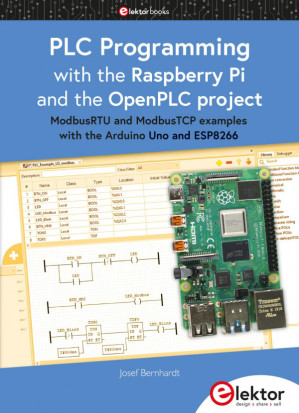
upload/newsarch_ebooks/2023/08/18/extracted__PLC_Programming_with_the_Raspberry_Pi_and_the_OpenPLC_Project.zip/PLC Programming with the Raspberry Pi and the OpenPLC Project/PLC Programming with the Raspberry Pi and the OpenPLC Project.pdf
PLC Programming with the Raspberry Pi and the OpenPLC Project ModbusRTU and ModbusTCP examples with the Arduino Uno and ESP8266 🔍
Josef Bernhardt; Elektor-Verlag GmbH
Elektor Verlag GmbH, 1. Main, Aachen, 2021
英语 [en] · PDF · 30.8MB · 2021 · 📘 非小说类图书 · 🚀/lgli/lgrs/nexusstc/upload/zlib · Save
描述
Content 4
Preface 6
Introduction 7
Chapter 1 • Installing the Raspberry Pi 4 10
1.1 Hardware description 10
1.2 Installing the operating system 11
1.3 Installing the VNC Viewer 14
1.4 Installing the File Transfer Software WinSCP 17
1.5 Installing the openplcproject runtime 21
Chapter 2 • OpenPLC Editor Installation 31
2.1 Download and Installation 31
2.2 Raspberry Pi pin descriptions 36
2.3 Additional Hardware I/O Test Board 39
2.4 Additional 24 V PLC Board hardware 40
Chapter 3 • The OpenPLC Editor 43
3.1 Description of the OpenPLC Editor 43
3.2 Ladder Logic Example (LD) 54
3.3 Function Block example (FBD) 66
3.4 Instruction List example (IL) 75
3.5 Structured Text examples (ST, SCL) 80
3.5.1 Variable 81
3.5.2 Control structures 82
3.5.3 Conversion operators 87
3.5.4 Standard function blocks according to IEC 61131-3 87
3.5.5 First ST program example 89
3.5.6 ST example for controlling a conveyor belt 92
3.5.7 Defining arrays with the OpenPLC Editor 95
3.5.8 Defining structures with the OpenPLC Editor 99
3.5.9 Combining structures with arrays using the OpenPLC Editor 102
3.5.10 Definition of ENUMs 105
3.6 Sequential Function Chart example (SFC) 108
Chapter 4 • OpenPLC and the Modbus 119
4.1 Testing PLC programs with Modbus TCP 119
4.2 Visualization of PLC programs with AdvancedHMI 129
4.3 Visualization of PLC programs via the Internet 139
Chapter 5 • Modbus I/O modules 146
5.1 Modbus RTU module with the Arduino Uno 146
5.2 Modbus TCP module with the ESP8266 and WLAN 157
5.3 Web server application with the ESP8266 I/O module 167
Chapter 6.1 • Bibliography, circuit diagrams and layouts 174
6.2 Web links 175
6.3 Modbus commands for the ESP8266 I/O module 177
6.4 Circuit diagrams and layouts 180
6.4.1 Circuit diagram for the test board with buttons and LEDs: 180
6.4.2 Circuit diagram for the test board with 24V input outputs: 182
6.4.3 Circuit diagram for the ESP8266 board with 24V input outputs: 184
Index 186
Preface 6
Introduction 7
Chapter 1 • Installing the Raspberry Pi 4 10
1.1 Hardware description 10
1.2 Installing the operating system 11
1.3 Installing the VNC Viewer 14
1.4 Installing the File Transfer Software WinSCP 17
1.5 Installing the openplcproject runtime 21
Chapter 2 • OpenPLC Editor Installation 31
2.1 Download and Installation 31
2.2 Raspberry Pi pin descriptions 36
2.3 Additional Hardware I/O Test Board 39
2.4 Additional 24 V PLC Board hardware 40
Chapter 3 • The OpenPLC Editor 43
3.1 Description of the OpenPLC Editor 43
3.2 Ladder Logic Example (LD) 54
3.3 Function Block example (FBD) 66
3.4 Instruction List example (IL) 75
3.5 Structured Text examples (ST, SCL) 80
3.5.1 Variable 81
3.5.2 Control structures 82
3.5.3 Conversion operators 87
3.5.4 Standard function blocks according to IEC 61131-3 87
3.5.5 First ST program example 89
3.5.6 ST example for controlling a conveyor belt 92
3.5.7 Defining arrays with the OpenPLC Editor 95
3.5.8 Defining structures with the OpenPLC Editor 99
3.5.9 Combining structures with arrays using the OpenPLC Editor 102
3.5.10 Definition of ENUMs 105
3.6 Sequential Function Chart example (SFC) 108
Chapter 4 • OpenPLC and the Modbus 119
4.1 Testing PLC programs with Modbus TCP 119
4.2 Visualization of PLC programs with AdvancedHMI 129
4.3 Visualization of PLC programs via the Internet 139
Chapter 5 • Modbus I/O modules 146
5.1 Modbus RTU module with the Arduino Uno 146
5.2 Modbus TCP module with the ESP8266 and WLAN 157
5.3 Web server application with the ESP8266 I/O module 167
Chapter 6.1 • Bibliography, circuit diagrams and layouts 174
6.2 Web links 175
6.3 Modbus commands for the ESP8266 I/O module 177
6.4 Circuit diagrams and layouts 180
6.4.1 Circuit diagram for the test board with buttons and LEDs: 180
6.4.2 Circuit diagram for the test board with 24V input outputs: 182
6.4.3 Circuit diagram for the ESP8266 board with 24V input outputs: 184
Index 186
备用文件名
nexusstc/PLC Programming with the Raspberry Pi and the OpenPLC Project [Team-IRA]/4adf106d74a3338c8da1abbdd28b6429.pdf
备用文件名
lgli/PLC Programming with the Raspberry Pi and the OpenPLC Project.pdf
备用文件名
lgrsnf/PLC Programming with the Raspberry Pi and the OpenPLC Project.pdf
备用文件名
zlib/no-category/PLC Programming with the Raspberry Pi and the OpenPLC Project [Team-IRA]_25802463.pdf
备选作者
Bernhardt, Josef;
备用版本
Germany, Germany
元数据中的注释
Thanks to Team-IRA
元数据中的注释
producers:
Adobe PDF Library 15.0
Adobe PDF Library 15.0
元数据中的注释
{"isbns":["3895764698","9783895764691"]}
开源日期
2023-08-18
🚀 快速下载
成为会员以支持书籍、论文等的长期保存。为了感谢您对我们的支持,您将获得高速下载权益。❤️
如果您在本月捐款,您将获得双倍的快速下载次数。
🐢 低速下载
由可信的合作方提供。 更多信息请参见常见问题解答。 (可能需要验证浏览器——无限次下载!)
- 低速服务器(合作方提供) #1 (稍快但需要排队)
- 低速服务器(合作方提供) #2 (稍快但需要排队)
- 低速服务器(合作方提供) #3 (稍快但需要排队)
- 低速服务器(合作方提供) #4 (稍快但需要排队)
- 低速服务器(合作方提供) #5 (无需排队,但可能非常慢)
- 低速服务器(合作方提供) #6 (无需排队,但可能非常慢)
- 低速服务器(合作方提供) #7 (无需排队,但可能非常慢)
- 低速服务器(合作方提供) #8 (无需排队,但可能非常慢)
- 低速服务器(合作方提供) #9 (无需排队,但可能非常慢)
- 下载后: 在我们的查看器中打开
所有选项下载的文件都相同,应该可以安全使用。即使这样,从互联网下载文件时始终要小心。例如,确保您的设备更新及时。
外部下载
-
对于大文件,我们建议使用下载管理器以防止中断。
推荐的下载管理器:JDownloader -
您将需要一个电子书或 PDF 阅读器来打开文件,具体取决于文件格式。
推荐的电子书阅读器:Anna的档案在线查看器、ReadEra和Calibre -
使用在线工具进行格式转换。
推荐的转换工具:CloudConvert和PrintFriendly -
您可以将 PDF 和 EPUB 文件发送到您的 Kindle 或 Kobo 电子阅读器。
推荐的工具:亚马逊的“发送到 Kindle”和djazz 的“发送到 Kobo/Kindle” -
支持作者和图书馆
✍️ 如果您喜欢这个并且能够负担得起,请考虑购买原版,或直接支持作者。
📚 如果您当地的图书馆有这本书,请考虑在那里免费借阅。
下面的文字仅以英文继续。
总下载量:
“文件的MD5”是根据文件内容计算出的哈希值,并且基于该内容具有相当的唯一性。我们这里索引的所有影子图书馆都主要使用MD5来标识文件。
一个文件可能会出现在多个影子图书馆中。有关我们编译的各种数据集的信息,请参见数据集页面。
有关此文件的详细信息,请查看其JSON 文件。 Live/debug JSON version. Live/debug page.