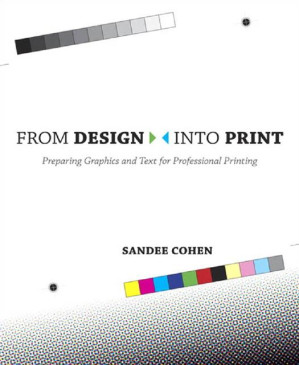
From Design Into Print : Preparing Graphics and Text for Professional Printing 🔍
Cohen, Sandee Cohen
Peachpit Press, Berkeley, CA, ©2009
英语 [en] · PDF · 11.6MB · 2009 · 📘 非小说类图书 · 🚀/lgli/upload/zlib · Save
描述
A designer in New York creates a beautiful design but when she prints it the colors become muddy. An art director in Seattle sends a file to the print shop, and they call him to say the job won't printing The editor of a college paper can't figure out why all the pictures in the paper are jagged. And a freelance designer is Chicago needs to bid on her first print job. Linescreen, DPI, CMYK, RIPs, bleeds, spots, and spreads: Why didn't they teach this stuff in design school? Sandee Cohen comes to the rescue, whether you're producing your first newsletter or you're an experienced graphic designer who needs to come up to speed on professional-level printing. She'll tell you how to make your desktop printer behave, and will take the mystery out of dealing with print providers. You'll learn all the necessary techniques, the terminology, and the rules of printing (and when you can break them). It's like having your own production manager standing over your shoulder. The copious information in From Design Into Print will have your designs looking as stunning in print as they do on your monitor. This book will help you: Choose the right desktop printer for your needs Finally understand resolution Get the results you want from page-layout and image-editing applications Find the best stock images Know what to expect when RGB colors convert to CMYK Figure out your fonts Preflight your work Sound smart when talking to a print shop
备用文件名
upload/bibliotik/0_Other/2/2009 Sandee Cohen - From Design Into Print_Rebl.pdf
备用文件名
lgli/Sandee Cohen - 0321492293.pdf.pdf
备用文件名
zlib/Computers/Computer Graphics & Design/Sandee Cohen/0321492293.pdf_19218532.pdf
备选标题
0321492293.pdf
备用出版商
Peachpit ; Pearson Education [distributor
备用出版商
Addison-Wesley Longman, Incorporated
备用出版商
Longman Publishing
备用出版商
Adobe Press
备用版本
Rev. and updated ed, Berkeley, Calif., London, 2007
备用版本
United States, United States of America
备用版本
Pearson Education (US), [N.p.], 2010
备用版本
1 edition, April 29, 2008
备用版本
1, PT, 2009
元数据中的注释
lg2604757
元数据中的注释
producers:
Acrobat Distiller 7.0.5 for Macintosh
Acrobat Distiller 7.0.5 for Macintosh
备用描述
Table of Contents 14
Introduction 6
The Non-Designer's Books 7
The Non-Designer's Scan and Print Book 7
Showing its age 8
Updating for the twenty-first century 8
How to read this book 9
Quizzes and projects 10
From Design Into Print: The podcast 10
Thanking those who have helped 11
SECTION I: START AT THE END 22
Chapter 1: Know Where You're Going 23
What are the questions? 23
What kind of job is it? 25
Who's printing it? 25
What's the size of the paper? 26
How many pieces of paper? 27
How many folds? 30
How many copies? 31
How many colors? 31
Using any graphics? 32
What kind of paper? 33
What holds it together? 37
Project preparation list 40
Chapter 2: Desktop Printing 43
General printer considerations 44
Types of printers 48
Summary 49
Printer quiz 49
Printer quiz answers 51
Chapter 3: The Basics of Commercial Printing 54
Print shops, copy shops, and online printing 55
To copy or to print? 57
Different printing processes 58
How to find a print shop 63
Printing on a budget 65
Commercial printing projects 66
SECTION II: WHAT IS THE COMPUTER DOING? 69
Chapter 4: Understanding the Types of Computer Applications 70
Choose your software 71
Word processing applications 71
Spreadsheet applications 74
Presentation programs 75
Image editing programs 76
Vector drawing programs 79
Page layout programs 82
Installing and managing fonts 86
Summary of applications 88
Chapter 5: Computer Color Modes 89
Bit depth 89
Bitmap color mode 90
Grayscale mode 92
RGB mode 94
CMYK mode 96
Which modes for photography and scanning? 98
Converting from color to grayscale 99
Color mode and depth chart 101
Chapter 6: Raster Images and Resolutions 102
Monitor resolution 103
Image resolution 104
Output resolution 106
Print resolution for grayscale or color images 107
Resolution for specialty printers 111
Resolution for 1-bit raster images 112
Changing resolution 113
Finding and fixing missing pixels 116
Can you have too much resolution? 118
Chapter 7: Vector Images 119
Types of vector art 119
Advantages of vector art 120
Challenges of vector art 122
Transparent and opaque shapes in vector art 124
Placing vector images in layouts 125
Vector/pixel quiz 126
Vector/pixel quiz answers 129
Chapter 8: File Formats 131
Native file formats 132
Non-native file formats 133
TIFF files 134
EPS files (vector) 136
DCS files 137
PICT files (Macintosh) 137
BMP files (Windows) 137
WMF files (Windows) 138
GIF files 138
PNG files 138
JPEG files 139
PDF files 140
PostScript files 141
Which format to choose? 141
Format quiz 142
Format quiz answers 143
SECTION III: THE WORLD OF COLOR 145
Chapter 9: Process Color Printing 146
What are process colors? 146
What are separations? 149
Choosing screen angles 153
Tints of process colors 154
4-color black and other colors 155
Process color projects 158
Color quiz 159
Color quiz answers 159
Chapter 10: Spot Colors and Duotones 160
Why use spot colors? 160
Using spot color guides 164
Spot color effects 165
Colorizing photos 166
Spotting spot colors 167
Duotones 167
Spot color projects 169
Chapter 11: How Many Colors to Print 171
Number of colors on a printing press 171
Separations 175
Counting color projects 177
SECTION IV: GETTING STUFF INTO THE COMPUTER 179
Chapter 12: Digital Cameras 180
How digital cameras work 180
Types of digital cameras 181
Resolution of digital cameras 185
Types of image sensors 186
File size and compression 187
Viewing and sorting digital images 188
Digital camera projects 190
Chapter 13: Scanners and Scanning 192
Principles of scanners 193
Types of scanners 195
Preparing to scan 199
Scanner software 200
Scanning printed artwork 204
Descreening printed art 207
A legal note about scanning 208
Scanning projects 209
Chapter 14: Stock Photos and Clip Art 210
History of stock photos and clip art 211
How to get them 212
Comp images 212
Stock photo formats 213
Clip art 215
Legal stuff 216
Stock photo and clip art projects 218
Chapter 15: Fonts, Strokes, and Outlines 221
Font formats 222
Styling fonts 224
Coloring text 226
Converting text to outlines 226
Hairlines 228
Scaling vector lines 229
Fonts and outlines projects 229
SECTION V: GETTING YOUR WORK PRINTED AND PUBLISHED 231
Chapter 16: High-Resolution Output 232
What is a print service provider? 233
How to find a print service provider 234
What to send to the print shop 234
Trapping 237
Imposing your files 238
Sending Acrobat files (PDF) for output 238
Sending files for advertising 239
High-resolution quiz 240
High-resolution quiz answers 241
Chapter 17: Acrobat and PDF Files 242
Glossary of Acrobat terms 243
A little background 243
Benefits of creating PDF files 244
Ways to create PDF files 245
Setting the PDF controls for print 248
Non-printable PDF elements 254
Chapter 18: Output Specifications 255
Filling out the form 256
Client information 257
Job details 257
Delivery options 258
Page information 259
Output details 259
Separations (colors) details 260
Production details 261
Proof details 264
Delivery details 264
Output project 264
Chapter 19: Trapping 265
What is it and why do it? 266
Color knockouts 266
Trapping the color 267
Avoiding the need for trapping 267
Should you trap? 269
Trapping quiz 270
Trapping quiz answers 271
Chapter 20: Preflight and Proofing 273
Spelling, prices, and proofreading 274
Preflight 275
Monitor proofing 276
Proofing text 276
Proofing separations 277
Digital color proofs 277
Overlay proofs 278
Blueline proofs 279
Laminate proofs 279
Press proofs and press checks 280
Proofing direct-to-plate 281
Fixing film and plates 281
And after it's printed? 282
Appendix A: Preflight Checklist 283
Your preflight checklist 284
Materials to be sent 284
Page layout file 285
Colors 285
Placed or inserted images 286
Text and outlines 286
Appendix B: Glossary 287
A 287
B 288
C 289
D 290
E 291
F 291
G 292
H 292
I 293
J 294
K 295
L 295
M 296
N 297
O 297
P 298
Q 300
R 300
S 302
T 303
V 305
W 305
X 305
SECTION VI: INDEX 306
A 306
B 307
C 308
D 312
E 313
F 313
G 315
H 316
I 316
J 317
K 317
L 318
M 319
N 320
O 320
P 321
Q 328
R 328
S 329
T 332
U 334
V 334
W 335
X 335
MuPDF error: syntax error: invalid key in dict
MuPDF error: syntax error: invalid key in dict
MuPDF error: syntax error: invalid key in dict
MuPDF error: syntax error: invalid key in dict
MuPDF error: syntax error: invalid key in dict
MuPDF error: syntax error: invalid key in dict
MuPDF error: syntax error: invalid key in dict
MuPDF error: syntax error: invalid key in dict
MuPDF error: syntax error: invalid key in dict
Table of Contents 14
Introduction 6
The Non-Designer's Books 7
The Non-Designer's Scan and Print Book 7
Showing its age 8
Updating for the twenty-first century 8
How to read this book 9
Quizzes and projects 10
From Design Into Print: The podcast 10
Thanking those who have helped 11
SECTION I: START AT THE END 22
Chapter 1: Know Where You're Going 23
What are the questions? 23
What kind of job is it? 25
Who's printing it? 25
What's the size of the paper? 26
How many pieces of paper? 27
How many folds? 30
How many copies? 31
How many colors? 31
Using any graphics? 32
What kind of paper? 33
What holds it together? 37
Project preparation list 40
Chapter 2: Desktop Printing 43
General printer considerations 44
Types of printers 48
Summary 49
Printer quiz 49
Printer quiz answers 51
Chapter 3: The Basics of Commercial Printing 54
Print shops, copy shops, and online printing 55
To copy or to print? 57
Different printing processes 58
How to find a print shop 63
Printing on a budget 65
Commercial printing projects 66
SECTION II: WHAT IS THE COMPUTER DOING? 69
Chapter 4: Understanding the Types of Computer Applications 70
Choose your software 71
Word processing applications 71
Spreadsheet applications 74
Presentation programs 75
Image editing programs 76
Vector drawing programs 79
Page layout programs 82
Installing and managing fonts 86
Summary of applications 88
Chapter 5: Computer Color Modes 89
Bit depth 89
Bitmap color mode 90
Grayscale mode 92
RGB mode 94
CMYK mode 96
Which modes for photography and scanning? 98
Converting from color to grayscale 99
Color mode and depth chart 101
Chapter 6: Raster Images and Resolutions 102
Monitor resolution 103
Image resolution 104
Output resolution 106
Print resolution for grayscale or color images 107
Resolution for specialty printers 111
Resolution for 1-bit raster images 112
Changing resolution 113
Finding and fixing missing pixels 116
Can you have too much resolution? 118
Chapter 7: Vector Images 119
Types of vector art 119
Advantages of vector art 120
Challenges of vector art 122
Transparent and opaque shapes in vector art 124
Placing vector images in layouts 125
Vector/pixel quiz 126
Vector/pixel quiz answers 129
Chapter 8: File Formats 131
Native file formats 132
Non-native file formats 133
TIFF files 134
EPS files (vector) 136
DCS files 137
PICT files (Macintosh) 137
BMP files (Windows) 137
WMF files (Windows) 138
GIF files 138
PNG files 138
JPEG files 139
PDF files 140
PostScript files 141
Which format to choose? 141
Format quiz 142
Format quiz answers 143
SECTION III: THE WORLD OF COLOR 145
Chapter 9: Process Color Printing 146
What are process colors? 146
What are separations? 149
Choosing screen angles 153
Tints of process colors 154
4-color black and other colors 155
Process color projects 158
Color quiz 159
Color quiz answers 159
Chapter 10: Spot Colors and Duotones 160
Why use spot colors? 160
Using spot color guides 164
Spot color effects 165
Colorizing photos 166
Spotting spot colors 167
Duotones 167
Spot color projects 169
Chapter 11: How Many Colors to Print 171
Number of colors on a printing press 171
Separations 175
Counting color projects 177
SECTION IV: GETTING STUFF INTO THE COMPUTER 179
Chapter 12: Digital Cameras 180
How digital cameras work 180
Types of digital cameras 181
Resolution of digital cameras 185
Types of image sensors 186
File size and compression 187
Viewing and sorting digital images 188
Digital camera projects 190
Chapter 13: Scanners and Scanning 192
Principles of scanners 193
Types of scanners 195
Preparing to scan 199
Scanner software 200
Scanning printed artwork 204
Descreening printed art 207
A legal note about scanning 208
Scanning projects 209
Chapter 14: Stock Photos and Clip Art 210
History of stock photos and clip art 211
How to get them 212
Comp images 212
Stock photo formats 213
Clip art 215
Legal stuff 216
Stock photo and clip art projects 218
Chapter 15: Fonts, Strokes, and Outlines 221
Font formats 222
Styling fonts 224
Coloring text 226
Converting text to outlines 226
Hairlines 228
Scaling vector lines 229
Fonts and outlines projects 229
SECTION V: GETTING YOUR WORK PRINTED AND PUBLISHED 231
Chapter 16: High-Resolution Output 232
What is a print service provider? 233
How to find a print service provider 234
What to send to the print shop 234
Trapping 237
Imposing your files 238
Sending Acrobat files (PDF) for output 238
Sending files for advertising 239
High-resolution quiz 240
High-resolution quiz answers 241
Chapter 17: Acrobat and PDF Files 242
Glossary of Acrobat terms 243
A little background 243
Benefits of creating PDF files 244
Ways to create PDF files 245
Setting the PDF controls for print 248
Non-printable PDF elements 254
Chapter 18: Output Specifications 255
Filling out the form 256
Client information 257
Job details 257
Delivery options 258
Page information 259
Output details 259
Separations (colors) details 260
Production details 261
Proof details 264
Delivery details 264
Output project 264
Chapter 19: Trapping 265
What is it and why do it? 266
Color knockouts 266
Trapping the color 267
Avoiding the need for trapping 267
Should you trap? 269
Trapping quiz 270
Trapping quiz answers 271
Chapter 20: Preflight and Proofing 273
Spelling, prices, and proofreading 274
Preflight 275
Monitor proofing 276
Proofing text 276
Proofing separations 277
Digital color proofs 277
Overlay proofs 278
Blueline proofs 279
Laminate proofs 279
Press proofs and press checks 280
Proofing direct-to-plate 281
Fixing film and plates 281
And after it's printed? 282
Appendix A: Preflight Checklist 283
Your preflight checklist 284
Materials to be sent 284
Page layout file 285
Colors 285
Placed or inserted images 286
Text and outlines 286
Appendix B: Glossary 287
A 287
B 288
C 289
D 290
E 291
F 291
G 292
H 292
I 293
J 294
K 295
L 295
M 296
N 297
O 297
P 298
Q 300
R 300
S 302
T 303
V 305
W 305
X 305
SECTION VI: INDEX 306
A 306
B 307
C 308
D 312
E 313
F 313
G 315
H 316
I 316
J 317
K 317
L 318
M 319
N 320
O 320
P 321
Q 328
R 328
S 329
T 332
U 334
V 334
W 335
X 335
Introduction 6
The Non-Designer's Books 7
The Non-Designer's Scan and Print Book 7
Showing its age 8
Updating for the twenty-first century 8
How to read this book 9
Quizzes and projects 10
From Design Into Print: The podcast 10
Thanking those who have helped 11
SECTION I: START AT THE END 22
Chapter 1: Know Where You're Going 23
What are the questions? 23
What kind of job is it? 25
Who's printing it? 25
What's the size of the paper? 26
How many pieces of paper? 27
How many folds? 30
How many copies? 31
How many colors? 31
Using any graphics? 32
What kind of paper? 33
What holds it together? 37
Project preparation list 40
Chapter 2: Desktop Printing 43
General printer considerations 44
Types of printers 48
Summary 49
Printer quiz 49
Printer quiz answers 51
Chapter 3: The Basics of Commercial Printing 54
Print shops, copy shops, and online printing 55
To copy or to print? 57
Different printing processes 58
How to find a print shop 63
Printing on a budget 65
Commercial printing projects 66
SECTION II: WHAT IS THE COMPUTER DOING? 69
Chapter 4: Understanding the Types of Computer Applications 70
Choose your software 71
Word processing applications 71
Spreadsheet applications 74
Presentation programs 75
Image editing programs 76
Vector drawing programs 79
Page layout programs 82
Installing and managing fonts 86
Summary of applications 88
Chapter 5: Computer Color Modes 89
Bit depth 89
Bitmap color mode 90
Grayscale mode 92
RGB mode 94
CMYK mode 96
Which modes for photography and scanning? 98
Converting from color to grayscale 99
Color mode and depth chart 101
Chapter 6: Raster Images and Resolutions 102
Monitor resolution 103
Image resolution 104
Output resolution 106
Print resolution for grayscale or color images 107
Resolution for specialty printers 111
Resolution for 1-bit raster images 112
Changing resolution 113
Finding and fixing missing pixels 116
Can you have too much resolution? 118
Chapter 7: Vector Images 119
Types of vector art 119
Advantages of vector art 120
Challenges of vector art 122
Transparent and opaque shapes in vector art 124
Placing vector images in layouts 125
Vector/pixel quiz 126
Vector/pixel quiz answers 129
Chapter 8: File Formats 131
Native file formats 132
Non-native file formats 133
TIFF files 134
EPS files (vector) 136
DCS files 137
PICT files (Macintosh) 137
BMP files (Windows) 137
WMF files (Windows) 138
GIF files 138
PNG files 138
JPEG files 139
PDF files 140
PostScript files 141
Which format to choose? 141
Format quiz 142
Format quiz answers 143
SECTION III: THE WORLD OF COLOR 145
Chapter 9: Process Color Printing 146
What are process colors? 146
What are separations? 149
Choosing screen angles 153
Tints of process colors 154
4-color black and other colors 155
Process color projects 158
Color quiz 159
Color quiz answers 159
Chapter 10: Spot Colors and Duotones 160
Why use spot colors? 160
Using spot color guides 164
Spot color effects 165
Colorizing photos 166
Spotting spot colors 167
Duotones 167
Spot color projects 169
Chapter 11: How Many Colors to Print 171
Number of colors on a printing press 171
Separations 175
Counting color projects 177
SECTION IV: GETTING STUFF INTO THE COMPUTER 179
Chapter 12: Digital Cameras 180
How digital cameras work 180
Types of digital cameras 181
Resolution of digital cameras 185
Types of image sensors 186
File size and compression 187
Viewing and sorting digital images 188
Digital camera projects 190
Chapter 13: Scanners and Scanning 192
Principles of scanners 193
Types of scanners 195
Preparing to scan 199
Scanner software 200
Scanning printed artwork 204
Descreening printed art 207
A legal note about scanning 208
Scanning projects 209
Chapter 14: Stock Photos and Clip Art 210
History of stock photos and clip art 211
How to get them 212
Comp images 212
Stock photo formats 213
Clip art 215
Legal stuff 216
Stock photo and clip art projects 218
Chapter 15: Fonts, Strokes, and Outlines 221
Font formats 222
Styling fonts 224
Coloring text 226
Converting text to outlines 226
Hairlines 228
Scaling vector lines 229
Fonts and outlines projects 229
SECTION V: GETTING YOUR WORK PRINTED AND PUBLISHED 231
Chapter 16: High-Resolution Output 232
What is a print service provider? 233
How to find a print service provider 234
What to send to the print shop 234
Trapping 237
Imposing your files 238
Sending Acrobat files (PDF) for output 238
Sending files for advertising 239
High-resolution quiz 240
High-resolution quiz answers 241
Chapter 17: Acrobat and PDF Files 242
Glossary of Acrobat terms 243
A little background 243
Benefits of creating PDF files 244
Ways to create PDF files 245
Setting the PDF controls for print 248
Non-printable PDF elements 254
Chapter 18: Output Specifications 255
Filling out the form 256
Client information 257
Job details 257
Delivery options 258
Page information 259
Output details 259
Separations (colors) details 260
Production details 261
Proof details 264
Delivery details 264
Output project 264
Chapter 19: Trapping 265
What is it and why do it? 266
Color knockouts 266
Trapping the color 267
Avoiding the need for trapping 267
Should you trap? 269
Trapping quiz 270
Trapping quiz answers 271
Chapter 20: Preflight and Proofing 273
Spelling, prices, and proofreading 274
Preflight 275
Monitor proofing 276
Proofing text 276
Proofing separations 277
Digital color proofs 277
Overlay proofs 278
Blueline proofs 279
Laminate proofs 279
Press proofs and press checks 280
Proofing direct-to-plate 281
Fixing film and plates 281
And after it's printed? 282
Appendix A: Preflight Checklist 283
Your preflight checklist 284
Materials to be sent 284
Page layout file 285
Colors 285
Placed or inserted images 286
Text and outlines 286
Appendix B: Glossary 287
A 287
B 288
C 289
D 290
E 291
F 291
G 292
H 292
I 293
J 294
K 295
L 295
M 296
N 297
O 297
P 298
Q 300
R 300
S 302
T 303
V 305
W 305
X 305
SECTION VI: INDEX 306
A 306
B 307
C 308
D 312
E 313
F 313
G 315
H 316
I 316
J 317
K 317
L 318
M 319
N 320
O 320
P 321
Q 328
R 328
S 329
T 332
U 334
V 334
W 335
X 335
MuPDF error: syntax error: invalid key in dict
MuPDF error: syntax error: invalid key in dict
MuPDF error: syntax error: invalid key in dict
MuPDF error: syntax error: invalid key in dict
MuPDF error: syntax error: invalid key in dict
MuPDF error: syntax error: invalid key in dict
MuPDF error: syntax error: invalid key in dict
MuPDF error: syntax error: invalid key in dict
MuPDF error: syntax error: invalid key in dict
Table of Contents 14
Introduction 6
The Non-Designer's Books 7
The Non-Designer's Scan and Print Book 7
Showing its age 8
Updating for the twenty-first century 8
How to read this book 9
Quizzes and projects 10
From Design Into Print: The podcast 10
Thanking those who have helped 11
SECTION I: START AT THE END 22
Chapter 1: Know Where You're Going 23
What are the questions? 23
What kind of job is it? 25
Who's printing it? 25
What's the size of the paper? 26
How many pieces of paper? 27
How many folds? 30
How many copies? 31
How many colors? 31
Using any graphics? 32
What kind of paper? 33
What holds it together? 37
Project preparation list 40
Chapter 2: Desktop Printing 43
General printer considerations 44
Types of printers 48
Summary 49
Printer quiz 49
Printer quiz answers 51
Chapter 3: The Basics of Commercial Printing 54
Print shops, copy shops, and online printing 55
To copy or to print? 57
Different printing processes 58
How to find a print shop 63
Printing on a budget 65
Commercial printing projects 66
SECTION II: WHAT IS THE COMPUTER DOING? 69
Chapter 4: Understanding the Types of Computer Applications 70
Choose your software 71
Word processing applications 71
Spreadsheet applications 74
Presentation programs 75
Image editing programs 76
Vector drawing programs 79
Page layout programs 82
Installing and managing fonts 86
Summary of applications 88
Chapter 5: Computer Color Modes 89
Bit depth 89
Bitmap color mode 90
Grayscale mode 92
RGB mode 94
CMYK mode 96
Which modes for photography and scanning? 98
Converting from color to grayscale 99
Color mode and depth chart 101
Chapter 6: Raster Images and Resolutions 102
Monitor resolution 103
Image resolution 104
Output resolution 106
Print resolution for grayscale or color images 107
Resolution for specialty printers 111
Resolution for 1-bit raster images 112
Changing resolution 113
Finding and fixing missing pixels 116
Can you have too much resolution? 118
Chapter 7: Vector Images 119
Types of vector art 119
Advantages of vector art 120
Challenges of vector art 122
Transparent and opaque shapes in vector art 124
Placing vector images in layouts 125
Vector/pixel quiz 126
Vector/pixel quiz answers 129
Chapter 8: File Formats 131
Native file formats 132
Non-native file formats 133
TIFF files 134
EPS files (vector) 136
DCS files 137
PICT files (Macintosh) 137
BMP files (Windows) 137
WMF files (Windows) 138
GIF files 138
PNG files 138
JPEG files 139
PDF files 140
PostScript files 141
Which format to choose? 141
Format quiz 142
Format quiz answers 143
SECTION III: THE WORLD OF COLOR 145
Chapter 9: Process Color Printing 146
What are process colors? 146
What are separations? 149
Choosing screen angles 153
Tints of process colors 154
4-color black and other colors 155
Process color projects 158
Color quiz 159
Color quiz answers 159
Chapter 10: Spot Colors and Duotones 160
Why use spot colors? 160
Using spot color guides 164
Spot color effects 165
Colorizing photos 166
Spotting spot colors 167
Duotones 167
Spot color projects 169
Chapter 11: How Many Colors to Print 171
Number of colors on a printing press 171
Separations 175
Counting color projects 177
SECTION IV: GETTING STUFF INTO THE COMPUTER 179
Chapter 12: Digital Cameras 180
How digital cameras work 180
Types of digital cameras 181
Resolution of digital cameras 185
Types of image sensors 186
File size and compression 187
Viewing and sorting digital images 188
Digital camera projects 190
Chapter 13: Scanners and Scanning 192
Principles of scanners 193
Types of scanners 195
Preparing to scan 199
Scanner software 200
Scanning printed artwork 204
Descreening printed art 207
A legal note about scanning 208
Scanning projects 209
Chapter 14: Stock Photos and Clip Art 210
History of stock photos and clip art 211
How to get them 212
Comp images 212
Stock photo formats 213
Clip art 215
Legal stuff 216
Stock photo and clip art projects 218
Chapter 15: Fonts, Strokes, and Outlines 221
Font formats 222
Styling fonts 224
Coloring text 226
Converting text to outlines 226
Hairlines 228
Scaling vector lines 229
Fonts and outlines projects 229
SECTION V: GETTING YOUR WORK PRINTED AND PUBLISHED 231
Chapter 16: High-Resolution Output 232
What is a print service provider? 233
How to find a print service provider 234
What to send to the print shop 234
Trapping 237
Imposing your files 238
Sending Acrobat files (PDF) for output 238
Sending files for advertising 239
High-resolution quiz 240
High-resolution quiz answers 241
Chapter 17: Acrobat and PDF Files 242
Glossary of Acrobat terms 243
A little background 243
Benefits of creating PDF files 244
Ways to create PDF files 245
Setting the PDF controls for print 248
Non-printable PDF elements 254
Chapter 18: Output Specifications 255
Filling out the form 256
Client information 257
Job details 257
Delivery options 258
Page information 259
Output details 259
Separations (colors) details 260
Production details 261
Proof details 264
Delivery details 264
Output project 264
Chapter 19: Trapping 265
What is it and why do it? 266
Color knockouts 266
Trapping the color 267
Avoiding the need for trapping 267
Should you trap? 269
Trapping quiz 270
Trapping quiz answers 271
Chapter 20: Preflight and Proofing 273
Spelling, prices, and proofreading 274
Preflight 275
Monitor proofing 276
Proofing text 276
Proofing separations 277
Digital color proofs 277
Overlay proofs 278
Blueline proofs 279
Laminate proofs 279
Press proofs and press checks 280
Proofing direct-to-plate 281
Fixing film and plates 281
And after it's printed? 282
Appendix A: Preflight Checklist 283
Your preflight checklist 284
Materials to be sent 284
Page layout file 285
Colors 285
Placed or inserted images 286
Text and outlines 286
Appendix B: Glossary 287
A 287
B 288
C 289
D 290
E 291
F 291
G 292
H 292
I 293
J 294
K 295
L 295
M 296
N 297
O 297
P 298
Q 300
R 300
S 302
T 303
V 305
W 305
X 305
SECTION VI: INDEX 306
A 306
B 307
C 308
D 312
E 313
F 313
G 315
H 316
I 316
J 317
K 317
L 318
M 319
N 320
O 320
P 321
Q 328
R 328
S 329
T 332
U 334
V 334
W 335
X 335
备用描述
<p><P>A designer in New York creates a beautiful design but when she prints it the colors become muddy. An art director in Seattle sends a file to the print shop, and they call him to say the job won’t print. The editor of a college paper can’t figure out why all the pictures in the paper are jagged. And a freelance designer is Chicago needs to bid on her first print job. Linescreen, DPI, CMYK, RIPs, bleeds, spots, and spreads: Why didn’t they teach this stuff in design school?<p>Sandee Cohen comes to the rescue, whether you’re producing your first newsletter or you’re an experienced graphic designer who needs to come up to speed on professional-level printing. She’ll tell you how to make your desktop printer behave, and will take the mystery out of dealing with print providers. You’ll learn all the necessary techniques, the terminology, and the rules of printing (and when you can break them). It’s like having your own production manager standing over your shoulder. The copious information in From Design Into Print will have your designs looking as stunning in print as they do on your monitor.<p>This book will help you:<br><ul><li>Choose the right desktop printer for your needs</ul><ul><li>Finally understand resolution</ul><ul><li>Get the results you want from page-layout and image-editing applications </ul><ul><li>Find the best stock images</ul><ul><li>Know what to expect when RGB colors convert to CMYK</ul><ul><li>Figure out your fonts</ul><ul><li>Preflight your work</ul><ul><li>Sound smart when talking to a print shop </ul></p>
开源日期
2022-02-20
🚀 快速下载
成为会员以支持书籍、论文等的长期保存。为了感谢您对我们的支持,您将获得高速下载权益。❤️
如果您在本月捐款,您将获得双倍的快速下载次数。
🐢 低速下载
由可信的合作方提供。 更多信息请参见常见问题解答。 (可能需要验证浏览器——无限次下载!)
- 低速服务器(合作方提供) #1 (稍快但需要排队)
- 低速服务器(合作方提供) #2 (稍快但需要排队)
- 低速服务器(合作方提供) #3 (稍快但需要排队)
- 低速服务器(合作方提供) #4 (稍快但需要排队)
- 低速服务器(合作方提供) #5 (无需排队,但可能非常慢)
- 低速服务器(合作方提供) #6 (无需排队,但可能非常慢)
- 低速服务器(合作方提供) #7 (无需排队,但可能非常慢)
- 低速服务器(合作方提供) #8 (无需排队,但可能非常慢)
- 低速服务器(合作方提供) #9 (无需排队,但可能非常慢)
- 下载后: 在我们的查看器中打开
所有选项下载的文件都相同,应该可以安全使用。即使这样,从互联网下载文件时始终要小心。例如,确保您的设备更新及时。
外部下载
-
对于大文件,我们建议使用下载管理器以防止中断。
推荐的下载管理器:JDownloader -
您将需要一个电子书或 PDF 阅读器来打开文件,具体取决于文件格式。
推荐的电子书阅读器:Anna的档案在线查看器、ReadEra和Calibre -
使用在线工具进行格式转换。
推荐的转换工具:CloudConvert和PrintFriendly -
您可以将 PDF 和 EPUB 文件发送到您的 Kindle 或 Kobo 电子阅读器。
推荐的工具:亚马逊的“发送到 Kindle”和djazz 的“发送到 Kobo/Kindle” -
支持作者和图书馆
✍️ 如果您喜欢这个并且能够负担得起,请考虑购买原版,或直接支持作者。
📚 如果您当地的图书馆有这本书,请考虑在那里免费借阅。
下面的文字仅以英文继续。
总下载量:
“文件的MD5”是根据文件内容计算出的哈希值,并且基于该内容具有相当的唯一性。我们这里索引的所有影子图书馆都主要使用MD5来标识文件。
一个文件可能会出现在多个影子图书馆中。有关我们编译的各种数据集的信息,请参见数据集页面。
有关此文件的详细信息,请查看其JSON 文件。 Live/debug JSON version. Live/debug page.