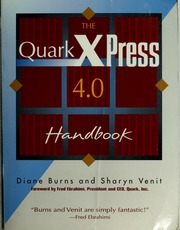
The QuarkXpress 4.0 : Handbook 🔍
Burns, Diane, Venit, Sharyn
New York : MIS:Press, 1st ed., New York, New York State, 1997
英语 [en] · PDF · 27.4MB · 1997 · 📗 未知类型的图书 · 🚀/duxiu/ia/zlib · Save
描述
Updated and expanded, the QuarkXPress 4.0 Handbook is the best guide to the long-awaited QuarkXPress 4.0, covering dozens of new features and functions. This critical upgrade offers Macintosh, Windows 95, and Windows NT users a potent new set of publishing tools including Bézier boxes and lines, text shaping, and long document formatting.
The QuarkXPress 4.0 Handbook is the perfect guide to all of these improvements, teaching you to think the "Quark way" and publish like a professional. Part One begins with creating a single document page, then explains importing text and art, and gradually advances through master pages, typography, color basics, and printing your work.
Part Two is a detailed explanation of long documents and templates using multiple master pages and sectioning, indexing, and managing documents and databases. Part Three takes you from Quark user to Quark artist by revealing the tricks of the trade from style sheets and alignment to special graphic and typographic effects, color proofing, trapping, and Web and multimedia publishing.
The QuarkXPress 4.0 Handbook is the perfect guide to all of these improvements, teaching you to think the "Quark way" and publish like a professional. Part One begins with creating a single document page, then explains importing text and art, and gradually advances through master pages, typography, color basics, and printing your work.
Part Two is a detailed explanation of long documents and templates using multiple master pages and sectioning, indexing, and managing documents and databases. Part Three takes you from Quark user to Quark artist by revealing the tricks of the trade from style sheets and alignment to special graphic and typographic effects, color proofing, trapping, and Web and multimedia publishing.
备用文件名
ia/quarkxpress40han00burn.pdf
备选作者
Diane L. Burns; Sharyn Venit
备用出版商
John Wiley & Sons, Incorporated
备用出版商
Hungry Minds, Incorporated
备用出版商
MIS Press
备用版本
United States, United States of America
备用版本
New York, United States, 1998
备用版本
1st ed, New York, ©1998
备用版本
1, PT
元数据中的注释
Includes index.
元数据中的注释
subject: QuarkXPress (Computer file); Desktop publishing
元数据中的注释
contributor: Internet Archive
元数据中的注释
format: Image/Djvu(.djvu)
元数据中的注释
rights: The access limited around the compus-network users
元数据中的注释
unit_name: Internet Archive
元数据中的注释
topic: QuarkXPress (Computer file); Desktop publishing
元数据中的注释
Type: 英文图书
元数据中的注释
Bookmarks:
1. (p1) Foreword
2. (p2) Introduction
3. (p3) Part One
3.1. (p4) Chapter 1: The Basics
3.2. (p10) Chapter 2: Creating One Page
3.3. (p17) Chapter 3: Expanding the Document
3.3.1. (p5) Getting Started
3.3.2. (p6) Examining a QuarkXPress Document
3.3.3. (p7) Examining QuarkXPress Palettes
3.3.4. (p8) Examining QuarkXPress Menus
3.3.5. (p9) Summary
3.3.6. (p11) Setting Up a New Document
3.3.7. (p12) Viewing Pages on the Screen
3.3.8. (p13) Creating and Modifying QuarkXPress Items
3.3.9. (p14) Working with Items
3.3.10. (p15) Saving Your Work
3.3.11. (p16) Summary
3.3.12. (p18) Advanced Item Relationships
3.3.13. (p19) Using a QuarkXPress Library
3.3.14. (p20) Adding, Deleting, and Moving Pages
3.3.15. (p21) Document Navigation
3.3.16. (p22) Understanding QuarkXPress Preferences
3.3.17. (p23) Summary
3.4. (p24) Chapter 4: Word Processing
3.4.1. (p25) Setting Columns, Gutter Width, and Text Inset
3.4.2. (p26) Sources of Text
3.4.3. (p27) Selecting Text
3.4.4. (p28) Character Formatting
3.4.5. (p29) Paragraph Formatting
3.4.6. (p30) Working with Style Sheets
3.4.7. (p31) Finding and Changing Text
3.4.8. (p32) Checking Spelling
3.4.9. (p33) Exporting Text to Other Programs
3.4.10. (p34) Summary
3.5. (p35) Chapter 5: Typography
3.5.1. (p36) Fonts and Your System
3.5.2. (p37) Horizontal/Vertical Scale
3.5.3. (p38) Kerning and Tracking Text
3.5.4. (p39) Hyphenation and Justification
3.5.5. (p40) Working with Leading
3.5.6. (p41) Adding Paragraph Rules
3.5.7. (p42) Baseline Shift
3.5.8. (p43) Other Vertical Spacing Issues
3.5.9. (p44) Running Text Around All Side of an Item
3.5.10. (p45) Special Typographic Characters
3.5.11. (p46) Setting Typographic Preferences
3.5.12. (p47) Summary
3.6. (p48) Chapter 6: Graphics
3.6.1. (p49) "Working with Bezier Shapes
3.6.2. (p50) Changing the Shape and Content of Boxes
3.6.3. (p51) Working with Lines
3.6.4. (p52) Importing Graphics from Other Sources
3.6.5. (p53) A Bit of Information
3.6.6. (p54) Choosing Scanning Settings
3.6.7. (p55) Working with Runaround
3.6.8. (p56) Clipping Paths
3.6.9. (p57) The Merge and Split Commands
3.6.10. (p58) Saving a Page as an EPS File
3.6.11. (p59) Summary
3.7. (p60) Chapter 7: Color Basics
3.7.1. (p61) Creating and Editing Colors
3.7.2. (p62) Duplicating Colors
3.7.3. (p63) Deleting Colors
3.7.4. (p64) Appending Colors
3.7.5. (p65) Applying Colors and Blends
3.7.6. (p66) Applying Color to Text
3.7.7. (p67) The Edit Trap Dialog Box
3.7.8. (p68) Summary
3.8. (p69) Chapter 8: Printing Basics
4. (p76) Part Two
4.1. (p77) Chapter 9: Master Pages and Sectioning
4.1.1. (p78) Creating Master Pages
4.1.2. (p79) Choosing the Facing Pages Option-or Not
4.1.3. (p80) Editing a Master Page
4.1.4. (p81) Calculating the Width of the Automatic Text Box
4.1.5. (p82) Applying Master Pages
4.1.6. (p83) Numbering Pages and Sectioning a Document
4.1.7. (p84) Creating and Using Templates
4.1.8. (p85) Benefits of Using Templates
4.1.9. (p86) Summary
4.2. (p87) Chapter 10: Books, Lists, and Indexing
4.2.1. (p88) Working with Books
4.2.2. (p89) Generating Lists
4.2.3. (p90) Indexing
4.2.4. (p91) Deciding When to Index
4.2.5. (p92) Summary
4.3. (p93) Chapter 11: Publishing Databases
5. (p97) Part Three
5.1. (p98) Chapter 12: Graphics in Typography
5.1.1. (p99) Converting Text to Boxes
5.1.2. (p100) Working with Text-Paths
5.1.3. (p101) Techniques with Anchored Items
5.1.4. (p102) Tricks with Paragraph Rules
5.1.5. (p103) Summary
5.2. (p104) Chapter 13: Printing Color Separations
5.2.1. (p105) General Considerations
5.2.2. (p106) Trapping Issues
5.2.3. (p107) Separating Graphics Created in Other Programs
5.2.4. (p108) Working with Service Bureaus
5.2.5. (p109) Summary
5.3. (p110) Chapter 14: Publishing in Other Media
6. (p114) Appendix A Using the XTension Manager
7. (p115) Index
1. (p1) Foreword
2. (p2) Introduction
3. (p3) Part One
3.1. (p4) Chapter 1: The Basics
3.2. (p10) Chapter 2: Creating One Page
3.3. (p17) Chapter 3: Expanding the Document
3.3.1. (p5) Getting Started
3.3.2. (p6) Examining a QuarkXPress Document
3.3.3. (p7) Examining QuarkXPress Palettes
3.3.4. (p8) Examining QuarkXPress Menus
3.3.5. (p9) Summary
3.3.6. (p11) Setting Up a New Document
3.3.7. (p12) Viewing Pages on the Screen
3.3.8. (p13) Creating and Modifying QuarkXPress Items
3.3.9. (p14) Working with Items
3.3.10. (p15) Saving Your Work
3.3.11. (p16) Summary
3.3.12. (p18) Advanced Item Relationships
3.3.13. (p19) Using a QuarkXPress Library
3.3.14. (p20) Adding, Deleting, and Moving Pages
3.3.15. (p21) Document Navigation
3.3.16. (p22) Understanding QuarkXPress Preferences
3.3.17. (p23) Summary
3.4. (p24) Chapter 4: Word Processing
3.4.1. (p25) Setting Columns, Gutter Width, and Text Inset
3.4.2. (p26) Sources of Text
3.4.3. (p27) Selecting Text
3.4.4. (p28) Character Formatting
3.4.5. (p29) Paragraph Formatting
3.4.6. (p30) Working with Style Sheets
3.4.7. (p31) Finding and Changing Text
3.4.8. (p32) Checking Spelling
3.4.9. (p33) Exporting Text to Other Programs
3.4.10. (p34) Summary
3.5. (p35) Chapter 5: Typography
3.5.1. (p36) Fonts and Your System
3.5.2. (p37) Horizontal/Vertical Scale
3.5.3. (p38) Kerning and Tracking Text
3.5.4. (p39) Hyphenation and Justification
3.5.5. (p40) Working with Leading
3.5.6. (p41) Adding Paragraph Rules
3.5.7. (p42) Baseline Shift
3.5.8. (p43) Other Vertical Spacing Issues
3.5.9. (p44) Running Text Around All Side of an Item
3.5.10. (p45) Special Typographic Characters
3.5.11. (p46) Setting Typographic Preferences
3.5.12. (p47) Summary
3.6. (p48) Chapter 6: Graphics
3.6.1. (p49) "Working with Bezier Shapes
3.6.2. (p50) Changing the Shape and Content of Boxes
3.6.3. (p51) Working with Lines
3.6.4. (p52) Importing Graphics from Other Sources
3.6.5. (p53) A Bit of Information
3.6.6. (p54) Choosing Scanning Settings
3.6.7. (p55) Working with Runaround
3.6.8. (p56) Clipping Paths
3.6.9. (p57) The Merge and Split Commands
3.6.10. (p58) Saving a Page as an EPS File
3.6.11. (p59) Summary
3.7. (p60) Chapter 7: Color Basics
3.7.1. (p61) Creating and Editing Colors
3.7.2. (p62) Duplicating Colors
3.7.3. (p63) Deleting Colors
3.7.4. (p64) Appending Colors
3.7.5. (p65) Applying Colors and Blends
3.7.6. (p66) Applying Color to Text
3.7.7. (p67) The Edit Trap Dialog Box
3.7.8. (p68) Summary
3.8. (p69) Chapter 8: Printing Basics
4. (p76) Part Two
4.1. (p77) Chapter 9: Master Pages and Sectioning
4.1.1. (p78) Creating Master Pages
4.1.2. (p79) Choosing the Facing Pages Option-or Not
4.1.3. (p80) Editing a Master Page
4.1.4. (p81) Calculating the Width of the Automatic Text Box
4.1.5. (p82) Applying Master Pages
4.1.6. (p83) Numbering Pages and Sectioning a Document
4.1.7. (p84) Creating and Using Templates
4.1.8. (p85) Benefits of Using Templates
4.1.9. (p86) Summary
4.2. (p87) Chapter 10: Books, Lists, and Indexing
4.2.1. (p88) Working with Books
4.2.2. (p89) Generating Lists
4.2.3. (p90) Indexing
4.2.4. (p91) Deciding When to Index
4.2.5. (p92) Summary
4.3. (p93) Chapter 11: Publishing Databases
5. (p97) Part Three
5.1. (p98) Chapter 12: Graphics in Typography
5.1.1. (p99) Converting Text to Boxes
5.1.2. (p100) Working with Text-Paths
5.1.3. (p101) Techniques with Anchored Items
5.1.4. (p102) Tricks with Paragraph Rules
5.1.5. (p103) Summary
5.2. (p104) Chapter 13: Printing Color Separations
5.2.1. (p105) General Considerations
5.2.2. (p106) Trapping Issues
5.2.3. (p107) Separating Graphics Created in Other Programs
5.2.4. (p108) Working with Service Bureaus
5.2.5. (p109) Summary
5.3. (p110) Chapter 14: Publishing in Other Media
6. (p114) Appendix A Using the XTension Manager
7. (p115) Index
元数据中的注释
theme: QuarkXPress (Computer file); Desktop publishing
备用描述
Walks readers through basic QuarkXPress page and document creation, providing sections on typography, graphics, and color and demonstrating advanced layout techniques, magazine creation, advertising, and packaging. Original. (Intermediate).
备用描述
Providing instructions and techniques for all kinds of electronic layout and publishing, this text serves as an introduction to QuarkXpress and as a primer on what's new in version 4.0.
开源日期
2023-06-28
🚀 快速下载
成为会员以支持书籍、论文等的长期保存。为了感谢您对我们的支持,您将获得高速下载权益。❤️
如果您在本月捐款,您将获得双倍的快速下载次数。
🐢 低速下载
由可信的合作方提供。 更多信息请参见常见问题解答。 (可能需要验证浏览器——无限次下载!)
- 低速服务器(合作方提供) #1 (稍快但需要排队)
- 低速服务器(合作方提供) #2 (稍快但需要排队)
- 低速服务器(合作方提供) #3 (稍快但需要排队)
- 低速服务器(合作方提供) #4 (稍快但需要排队)
- 低速服务器(合作方提供) #5 (无需排队,但可能非常慢)
- 低速服务器(合作方提供) #6 (无需排队,但可能非常慢)
- 低速服务器(合作方提供) #7 (无需排队,但可能非常慢)
- 低速服务器(合作方提供) #8 (无需排队,但可能非常慢)
- 低速服务器(合作方提供) #9 (无需排队,但可能非常慢)
- 下载后: 在我们的查看器中打开
所有选项下载的文件都相同,应该可以安全使用。即使这样,从互联网下载文件时始终要小心。例如,确保您的设备更新及时。
外部下载
-
对于大文件,我们建议使用下载管理器以防止中断。
推荐的下载管理器:JDownloader -
您将需要一个电子书或 PDF 阅读器来打开文件,具体取决于文件格式。
推荐的电子书阅读器:Anna的档案在线查看器、ReadEra和Calibre -
使用在线工具进行格式转换。
推荐的转换工具:CloudConvert和PrintFriendly -
您可以将 PDF 和 EPUB 文件发送到您的 Kindle 或 Kobo 电子阅读器。
推荐的工具:亚马逊的“发送到 Kindle”和djazz 的“发送到 Kobo/Kindle” -
支持作者和图书馆
✍️ 如果您喜欢这个并且能够负担得起,请考虑购买原版,或直接支持作者。
📚 如果您当地的图书馆有这本书,请考虑在那里免费借阅。
下面的文字仅以英文继续。
总下载量:
“文件的MD5”是根据文件内容计算出的哈希值,并且基于该内容具有相当的唯一性。我们这里索引的所有影子图书馆都主要使用MD5来标识文件。
一个文件可能会出现在多个影子图书馆中。有关我们编译的各种数据集的信息,请参见数据集页面。
有关此文件的详细信息,请查看其JSON 文件。 Live/debug JSON version. Live/debug page.