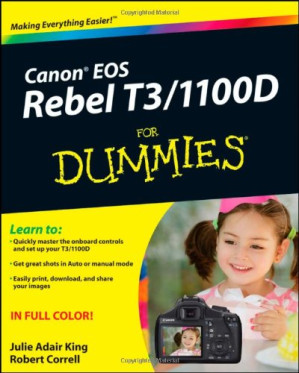
Canon EOS Rebel T3/1100D for dummies : [learn to: quickly master the onboard controls and set up your T3/1100D ; get great shots in Auto or manual mode ; easily print, download, and share your images 🔍
by Julie Adair King and Robert Correll
For Dummies, 1, US, 2011
英语 [en] · PDF · 43.1MB · 2011 · 📘 非小说类图书 · 🚀/lgli/lgrs/nexusstc/upload/zlib · Save
描述
The perfect guide to get you up and running with your new Canon dSLR camera
The Canon EOS Rebel T3/1100D is a popular dSLR camera for those moving up from point-and-shoot for the first time. This full-color guide explains all the buttons, dials, and menus, helping you understand your camera and start using all its features. Plenty of colorful photos from the author's portfolio illustrate what you can achieve. The book covers shooting in auto mode, using the onboard controls, working with Live View, and managing exposure, focus, color, and lighting. It also addresses specific shooting situations, how to get your images from the camera to the computer, and tips on editing and sharing your photos.
Canon's Rebel T3/1100D is a popular starter camera for those moving from point-and-shoot to SLR; this book helps dSLR newcomers understand and use all the controls
Covers using all the dials, menus, and modes; working with Live View and playback; dialing in exposure and managing lighting; and shooting in auto mode
Explains how to get the best images in various situations
Addresses how to get images from the camera to the computer, editing techniques, and how to print photos or post them online
Full-color photos from the author's collection show what you can achieve
Anyone moving up to dSLR photography with the Canon T3/1100D will gain skill and confidence from this easy-to-follow guide.
The Canon EOS Rebel T3/1100D is a popular dSLR camera for those moving up from point-and-shoot for the first time. This full-color guide explains all the buttons, dials, and menus, helping you understand your camera and start using all its features. Plenty of colorful photos from the author's portfolio illustrate what you can achieve. The book covers shooting in auto mode, using the onboard controls, working with Live View, and managing exposure, focus, color, and lighting. It also addresses specific shooting situations, how to get your images from the camera to the computer, and tips on editing and sharing your photos.
Canon's Rebel T3/1100D is a popular starter camera for those moving from point-and-shoot to SLR; this book helps dSLR newcomers understand and use all the controls
Covers using all the dials, menus, and modes; working with Live View and playback; dialing in exposure and managing lighting; and shooting in auto mode
Explains how to get the best images in various situations
Addresses how to get images from the camera to the computer, editing techniques, and how to print photos or post them online
Full-color photos from the author's collection show what you can achieve
Anyone moving up to dSLR photography with the Canon T3/1100D will gain skill and confidence from this easy-to-follow guide.
备用文件名
upload/bibliotik/0_Other/2/2011 Julie Adair King, Robert Correll - Canon EOS Rebel T3_1100D For Dummies_Rxl.pdf
备用文件名
nexusstc/Canon EOS Rebel T3/1100D For Dummies/2c563edfe4a74b2288b8597b79fa6c8a.pdf
备用文件名
lgli/CorrellCanon.pdf
备用文件名
lgrsnf/CorrellCanon.pdf
备用文件名
zlib/Arts/Photography/Julie Adair King, Robert Correll/Canon EOS Rebel T3/1100D For Dummies_2342696.pdf
备选标题
Canon EOS Rebel T3 1100D for dummies
备选作者
King, Julie Adair, Correll, Robert
备用出版商
John Wiley & Sons, Incorporated
备用版本
--For dummies, --For dummies, Hoboken, NJ, New Jersey, 2011
备用版本
John Wiley & Sons, Inc. (trade), Hoboken, N.J., 2011
备用版本
United States, United States of America
元数据中的注释
0
元数据中的注释
lg1174216
元数据中的注释
producers:
Acrobat Distiller 8.1.0 (Windows)
Acrobat Distiller 8.1.0 (Windows)
元数据中的注释
{"edition":"1","isbns":["1118094972","9781118094976"],"last_page":400,"publisher":"For Dummies"}
元数据中的注释
Includes index.
备用描述
Canon EOS Rebel T3 /1100D For Dummies 1
About the Authors 7
Authors’ Acknowledgments 9
Table of Contents 13
Introduction 19
A Quick Look at What’s Ahead 20
Icons and Other Stuff to Note 21
About the Software Shown in This Book 22
eCheat Sheet 22
Practice, Be Patient, and Have Fun! 22
Part I: Fast Track to Super Snaps 23
Chapter 1: Getting the Lay of the Land 25
Getting Comfortable with Your Lens 26
Adjusting the Viewfinder Focus 31
Using the LCD Monitor 32
Working with Memory Cards 34
Exploring External Camera Controls 35
Viewing and Adjusting Camera Settings 43
Reviewing Basic Setup Options 52
Chapter 2: Choosing Basic Picture Settings 59
Choosing an Exposure Mode 60
Changing the Drive Mode 61
Using the Flash 65
Controlling Picture Quality 70
Considering Resolution: Large, Medium, or Small? 74
Understanding File Type (JPEG or Raw) 78
Chapter 3: Taking Great Pictures, Automatically 83
As Easy As It Gets: Auto and Flash Off 84
Taking Advantage of Scene Modes 89
Gaining More Control with Creative Auto 105
Chapter 4: Exploring Live View Shooting and Movie Making 111
Getting Started with Live View 112
Exploring Your Focusing Options 118
Shooting Still Pictures in Live View Mode 127
Recording Your First Movie 134
Customizing Movie Recording Settings 137
Playing Movies 142
Editing Movies 143
Part II: Working with Picture Files 147
Chapter 5: Picture Playback 149
Disabling and Adjusting Image Review 149
Viewing Pictures in Playback Mode 150
Viewing Picture Data 159
Deleting Photos 167
Protecting Photos 169
Rating Photos 172
Presenting a Slide Show 174
Viewing Your Photos on a Television 178
Chapter 6: Downloading, Printing, and Sharing Your Photos 181
Choosing the Right Photo Software 181
Sending Pictures to the Computer 185
Processing Raw (CR2) Files 194
Planning for Perfect Prints 198
Preparing Pictures for Online Sharing 204
Part III: Taking Creative Control 211
Chapter 7: Getting Creative with Exposure and Lighting 213
Kicking Your Camera into Advanced Gear 214
Introducing the Exposure Trio: Aperture, Shutter Speed, and ISO 215
Monitoring Exposure Settings 223
Choosing an Exposure Metering Mode 226
Setting ISO, f-stop, and Shutter Speed 228
Sorting through Your Camera’s Exposure-Correction Tools 234
Locking Autoexposure Settings 246
Bracketing Exposures Automatically 248
Using Flash in Advanced Exposure Modes 253
Chapter 8: Manipulating Focus and Color 267
Reviewing Focus Basics 267
Adjusting Autofocus Performance 270
Manipulating Depth of Field 275
Controlling Color 283
Choosing a Color Space: sRGB versus Adobe RGB 295
Taking a Quick Look at Picture Styles 297
Chapter 9: Putting It All Together 303
Recapping Basic Picture Settings 303
Setting Up for Specific Scenes 305
Coping with Special Situations 320
Part IV: The Part of Tens 323
Chapter 10: Ten Fast Photo-Editing Tricks 325
Opening and Saving Images 325
Removing Red-Eye 330
Cropping Your Photo 332
Adjusting Color Saturation 335
Tweaking Color Balance 338
Adjusting Exposure 340
Sharpening Focus (Sort Of) 346
Shifting to AutoPilot 349
Adding Text 350
Chapter 11: Ten Special-Purpose Features to Explore on a Rainy Day 353
Changing the Function of the Set Button 353
Customizing Exposure and Focus Lock Options 356
Disabling the AF-Assist Beam 358
Reassigning the Flash Button 359
Adding Cleaning Instructions to Images 360
Turning Off the Shooting Settings Screen 363
Creating Your Very Own Camera Menu 364
Creating Custom Folders 366
Tagging Files with Your Copyright Claim 367
Setting Up an Eye-Fi Memory Card 369
Index 375
About the Authors 7
Authors’ Acknowledgments 9
Table of Contents 13
Introduction 19
A Quick Look at What’s Ahead 20
Icons and Other Stuff to Note 21
About the Software Shown in This Book 22
eCheat Sheet 22
Practice, Be Patient, and Have Fun! 22
Part I: Fast Track to Super Snaps 23
Chapter 1: Getting the Lay of the Land 25
Getting Comfortable with Your Lens 26
Adjusting the Viewfinder Focus 31
Using the LCD Monitor 32
Working with Memory Cards 34
Exploring External Camera Controls 35
Viewing and Adjusting Camera Settings 43
Reviewing Basic Setup Options 52
Chapter 2: Choosing Basic Picture Settings 59
Choosing an Exposure Mode 60
Changing the Drive Mode 61
Using the Flash 65
Controlling Picture Quality 70
Considering Resolution: Large, Medium, or Small? 74
Understanding File Type (JPEG or Raw) 78
Chapter 3: Taking Great Pictures, Automatically 83
As Easy As It Gets: Auto and Flash Off 84
Taking Advantage of Scene Modes 89
Gaining More Control with Creative Auto 105
Chapter 4: Exploring Live View Shooting and Movie Making 111
Getting Started with Live View 112
Exploring Your Focusing Options 118
Shooting Still Pictures in Live View Mode 127
Recording Your First Movie 134
Customizing Movie Recording Settings 137
Playing Movies 142
Editing Movies 143
Part II: Working with Picture Files 147
Chapter 5: Picture Playback 149
Disabling and Adjusting Image Review 149
Viewing Pictures in Playback Mode 150
Viewing Picture Data 159
Deleting Photos 167
Protecting Photos 169
Rating Photos 172
Presenting a Slide Show 174
Viewing Your Photos on a Television 178
Chapter 6: Downloading, Printing, and Sharing Your Photos 181
Choosing the Right Photo Software 181
Sending Pictures to the Computer 185
Processing Raw (CR2) Files 194
Planning for Perfect Prints 198
Preparing Pictures for Online Sharing 204
Part III: Taking Creative Control 211
Chapter 7: Getting Creative with Exposure and Lighting 213
Kicking Your Camera into Advanced Gear 214
Introducing the Exposure Trio: Aperture, Shutter Speed, and ISO 215
Monitoring Exposure Settings 223
Choosing an Exposure Metering Mode 226
Setting ISO, f-stop, and Shutter Speed 228
Sorting through Your Camera’s Exposure-Correction Tools 234
Locking Autoexposure Settings 246
Bracketing Exposures Automatically 248
Using Flash in Advanced Exposure Modes 253
Chapter 8: Manipulating Focus and Color 267
Reviewing Focus Basics 267
Adjusting Autofocus Performance 270
Manipulating Depth of Field 275
Controlling Color 283
Choosing a Color Space: sRGB versus Adobe RGB 295
Taking a Quick Look at Picture Styles 297
Chapter 9: Putting It All Together 303
Recapping Basic Picture Settings 303
Setting Up for Specific Scenes 305
Coping with Special Situations 320
Part IV: The Part of Tens 323
Chapter 10: Ten Fast Photo-Editing Tricks 325
Opening and Saving Images 325
Removing Red-Eye 330
Cropping Your Photo 332
Adjusting Color Saturation 335
Tweaking Color Balance 338
Adjusting Exposure 340
Sharpening Focus (Sort Of) 346
Shifting to AutoPilot 349
Adding Text 350
Chapter 11: Ten Special-Purpose Features to Explore on a Rainy Day 353
Changing the Function of the Set Button 353
Customizing Exposure and Focus Lock Options 356
Disabling the AF-Assist Beam 358
Reassigning the Flash Button 359
Adding Cleaning Instructions to Images 360
Turning Off the Shooting Settings Screen 363
Creating Your Very Own Camera Menu 364
Creating Custom Folders 366
Tagging Files with Your Copyright Claim 367
Setting Up an Eye-Fi Memory Card 369
Index 375
备用描述
Your Canon T3/1100D is packed with power-- perfect for your first venture into dSLR photography. Learn to get the most out of it, with this easy-to-follow guide.
开源日期
2014-05-24
🚀 快速下载
成为会员以支持书籍、论文等的长期保存。为了感谢您对我们的支持,您将获得高速下载权益。❤️
如果您在本月捐款,您将获得双倍的快速下载次数。
🐢 低速下载
由可信的合作方提供。 更多信息请参见常见问题解答。 (可能需要验证浏览器——无限次下载!)
- 低速服务器(合作方提供) #1 (稍快但需要排队)
- 低速服务器(合作方提供) #2 (稍快但需要排队)
- 低速服务器(合作方提供) #3 (稍快但需要排队)
- 低速服务器(合作方提供) #4 (稍快但需要排队)
- 低速服务器(合作方提供) #5 (无需排队,但可能非常慢)
- 低速服务器(合作方提供) #6 (无需排队,但可能非常慢)
- 低速服务器(合作方提供) #7 (无需排队,但可能非常慢)
- 低速服务器(合作方提供) #8 (无需排队,但可能非常慢)
- 低速服务器(合作方提供) #9 (无需排队,但可能非常慢)
- 下载后: 在我们的查看器中打开
所有选项下载的文件都相同,应该可以安全使用。即使这样,从互联网下载文件时始终要小心。例如,确保您的设备更新及时。
外部下载
-
对于大文件,我们建议使用下载管理器以防止中断。
推荐的下载管理器:JDownloader -
您将需要一个电子书或 PDF 阅读器来打开文件,具体取决于文件格式。
推荐的电子书阅读器:Anna的档案在线查看器、ReadEra和Calibre -
使用在线工具进行格式转换。
推荐的转换工具:CloudConvert和PrintFriendly -
您可以将 PDF 和 EPUB 文件发送到您的 Kindle 或 Kobo 电子阅读器。
推荐的工具:亚马逊的“发送到 Kindle”和djazz 的“发送到 Kobo/Kindle” -
支持作者和图书馆
✍️ 如果您喜欢这个并且能够负担得起,请考虑购买原版,或直接支持作者。
📚 如果您当地的图书馆有这本书,请考虑在那里免费借阅。
下面的文字仅以英文继续。
总下载量:
“文件的MD5”是根据文件内容计算出的哈希值,并且基于该内容具有相当的唯一性。我们这里索引的所有影子图书馆都主要使用MD5来标识文件。
一个文件可能会出现在多个影子图书馆中。有关我们编译的各种数据集的信息,请参见数据集页面。
有关此文件的详细信息,请查看其JSON 文件。 Live/debug JSON version. Live/debug page.