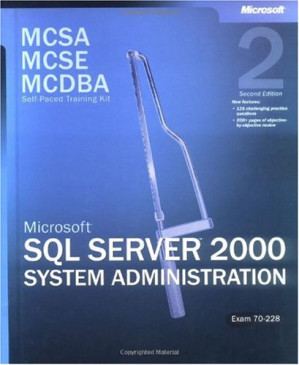
nexusstc/MCSA/MCSE/MCDBA Self-Paced Training Kit: Microsoft SQL Server 2000 System Administration, Exam 70-228: Microsoft(r) SQL Server(tm) 2000 System Administration, ... 70-228, Second Edition (Pro-Certification)/23c97787469dc7d20450f9821b2fbd11.pdf
MCSA/MCSE/MCDBA Self-Paced Training Kit: Microsoft SQL Server 2000 System Administration, Exam 70-228: Microsoft(r) SQL Server(tm) 2000 System Administration, ... 70-228, Second Edition (Pro-Certification) 🔍
Rabeler, Carl, 1955- MCSE training kit: Microsoft SQL Server 2000 system administration; Microsoft Corporation
Microsoft Press, Pro-Certification, 2nd, 2003
英语 [en] · PDF · 6.3MB · 2003 · 📘 非小说类图书 · 🚀/duxiu/lgli/lgrs/nexusstc/zlib · Save
描述
Learn how to install, configure, and administer SQL Server 2000 - as you prepare for MCP Exam 70-228, a core requirement for MCDBA certification and an elective for the MCSE and MCSA tracks.
备用文件名
lgli/MS Press - MCDBA Exam 70-228 SQL Server 2K System Administra.pdf
备用文件名
lgrsnf/MS Press - MCDBA Exam 70-228 SQL Server 2K System Administra.pdf
备用文件名
zlib/Computers/Programming/Microsoft Corporation/MCSA-MCSE-MCDBA Self-Paced Training Kit: Microsoft SQL Server 2000 System Administration, Exam 70-228, Second Edition_608445.pdf
备选标题
MCSA/MCSE/MCDBA self-paced training kit, Microsoft SQL Server 2000 system administration, 70-228 : Includes index. - Rev. ed. of: MCSE training kit : Microsoft SQL Server 2000 system administration
备选标题
McSa/McSe/McDba Self-Paced Training Kit: Microsoft SQL Server 2000 System Administration : Exam 70-228 (Microsoft Press Training Kit)
备选作者
Carl Rabeler; Microsoft Corporation
备选作者
Microsoft Press
备用版本
2nd ed., Redmond, Wash, Washington State, 2003
备用版本
United States, United States of America
备用版本
2 Har/Cdr edition, May 14, 2003
备用版本
Second Edition, PS, 2003
元数据中的注释
linked by Irbis
元数据中的注释
lg180421
元数据中的注释
{"edition":"2","isbns":["0735619611","9780735619616"],"last_page":1024,"publisher":"Microsoft Press","series":"Pro-Certification"}
元数据中的注释
Rev. ed. of: MCSE training kit : Microsoft SQL Server 2000 system administration / Carl Rabeler. 2001.
Includes index.
Includes index.
元数据中的注释
topic: SQL server; Electronic data processing personnel; Microsoft software
元数据中的注释
Type: 英文图书
元数据中的注释
Bookmarks:
1. (p1) About This Book
2. (p2) Part 1: Self-Paced Training for Microsoft SQL Server 2000 System Administration
2.1. (p3) Chapter 1: Overview of SQL Server 2000
2.2. (p68) Chapter 2: Installing SQL Server 2000
2.2.1. (p4) About This Chapter
2.2.2. (p5) Lesson 1: What Is SQL Server 2000?
2.2.3. (p36) Lesson 2: What Are the SQL Server 2000 Components?
2.2.4. (p49) Lesson 3: What Is the Relational Database Architecture?
2.2.5. (p57) Lesson 4: What Is the Security Architecture?
2.2.6. (p67) Review
2.2.7. (p69) About This Chapter
2.2.8. (p70) Before You Begin
2.2.9. (p71) Lesson 1: Planning to Install SQL Server 2000
2.2.10. (p75) Lesson 2: Deciding SQL Server 2000 Setup Configuration Options
2.2.11. (p84) Lesson 3: Running the SQL Server 2000 Setup Program
2.2.12. (p90) Lesson 4: Using Default, Named, and Multiple Instances of SQL Server 2000
2.2.13. (p97) Lesson 5: Performing Unattended and Remote Installations of SQL Server 2000
2.2.14. (p103) Lesson 6: Troubleshooting a SQL Server 2000 Installation
2.2.15. (p109) Review
2.3. (p110) Chapter 3: Preparing to Use SQL Server 2000
2.3.1. (p111) About This Chapter
2.3.2. (p112) Before You Begin
2.3.3. (p113) Lesson 1: Reviewing the Results of Installation
2.3.4. (p122) Lesson 2: Starting, Stopping, Pausing, and Modifying SQL Server 2000 Services
2.3.5. (p129) Lesson 3: Working with Osql, SQL Query Analyzer, and SQL Server Enterprise Manager
2.3.6. (p139) Review
2.4. (p140) Chapter 4: Upgrading to SQL Server 2000
2.4.1. (p141) About This Chapter
2.4.2. (p142) Before You Begin
2.4.3. (p143) Lesson 1: Preparing to Upgrade
2.4.4. (p156) Lesson 2: Performing a Version Upgrade from SQL Server 70
2.4.5. (p161) Lesson 3: Performing an Online Database Upgrade from SQL Server 70
2.4.6. (p165) Lesson 4: Performing a Version Upgrade from SQL Server 65
2.4.7. (p170) Review
2.5. (p171) Chapter 5: Understanding System and User Databases
2.5.1. (p172) About This Chapter
2.5.2. (p173) Before You Begin
2.5.3. (p174) Lesson 1: Understanding the Database Architecture
2.5.4. (p180) Lesson 2: Understanding the Transaction Log Architecture
2.5.5. (p191) Lesson 3: Understanding and Querying System and Database Catalogs
2.5.6. (p204) Review
2.6. (p205) Chapter 6: Creating and Configuring User Databases
2.6.1. (p206) About This Chapter
2.6.2. (p207) Before You Begin
2.6.3. (p208) Lesson 1: Creating a User Database
2.6.4. (p227) Lesson 2: Setting Database Options
2.6.5. (p232) Lesson 3: Managing User Database Size
2.6.6. (p243) Lesson 4: Placing Database Files on Multiple Disks
2.6.7. (p256) Review
2.7. (p257) Chapter 7: Populating a Database
2.7.1. (p258) About This Chapter
2.7.2. (p259) Before You Begin
2.7.3. (p260) Lesson 1: Transferring and Transforming Data
2.7.4. (p265) Lesson 2: Introducing Microsoft Data Transformation Services (DTS)
2.7.5. (p273) Lesson 3: Transferring and Transforming Data with DTS Graphical Tools
2.7.6. (p290) Lesson 4: Working with DTS Packages
2.7.7. (p302) Lesson 5: Using the Bulk Copy Program (Bcp) and
2.7.8. (p310) Review
2.8. (p311) Chapter 8: Developing a Data Restoration Strategy
2.8.1. (p312) About This Chapter
2.8.2. (p313) Before You Begin
2.8.3. (p314) Lesson 1: Understanding Data Restoration Issues
2.8.4. (p326) Lesson 2: Understanding the Types of Database Backups
2.8.5. (p333) Lesson 3: Understanding the Restoration Process
2.8.6. (p346) Review
2.9. (p347) Chapter 9: Backing Up and Restoring SQL Server
2.9.1. (p348) About This Chapter
2.9.2. (p349) Before You Begin
2.9.3. (p350) Lesson 1: Understanding Backup Terms, Media, and Devices
2.9.4. (p360) Lesson 2: Backing Up Databases, Files, Filegroups, and Transaction Logs
2.9.5. (p375) Lesson 3: Restoring a User Database
2.9.6. (p394) Lesson 4: Restoring and Rebuilding System Databases
2.9.7. (p398) Review
2.10. (p399) Chapter 10: Managing Access to SQL Server 2000
2.11. (p443) Chapter 11: Managing SQL Server Permissions
2.12. (p480) Chapter 12: Performing Administrative Tasks
2.13. (p527) Chapter 13: Automating Administrative Tasks
2.14. (p591) Chapter 14: Monitoring SQL Server Performance and Activity
2.15. (p631) Chapter 15: Using SQL Server Replication
2.16. (p681) Chapter 16: Maintaining High Availability
3. (p700) Part 2: Preparation for MCP Exam 70-228
3.1. (p701) Objective Domain 1: Installing and Configuring SQL Server 2000
3.1.1. (p702) Tested Skills and Suggested Practices
3.1.2. (p703) Further Reading
3.1.3. (p704) Objective 11: Install SQL Server 2000
3.1.4. (p707) Objective 12: Upgrade to SQL Server 2000
3.1.5. (p710) Objective 13: Create a linked Server
3.1.6. (p713) Objective 14: Configure SQL Mail and SQLAgentMail
3.1.7. (p716) Objective 15: Configure network libraries
3.1.8. (p719) Objective 16: Troubleshoot failed installations
3.2. (p722) Objective Domain 2: Creating SQL Server 2000 Databases
3.2.1. (p723) Tested Skills and Suggested Practices
3.2.2. (p724) Further Reading
3.2.3. (p725) Objective 21: Configure database options for performance
3.2.4. (p728) Objective 22: Attach and detach databases
3.2.5. (p731) Objective 23: Create and alter databases
3.2.6. (p734) Objective 24: Create and manage objects
3.3. (p737) Objective Domain 3: Managing, Monitoring, and Troubleshooting
3.3.1. (p738) SQL Server 2000 Databases
3.3.2. (p739) Tested Skills and Suggested Practices
3.3.3. (p740) Further Reading
3.3.4. (p741) Objective 31: Optimize database performance
3.3.5. (p744) Objective 32: Optimize data storage
3.3.6. (p747) Objective 33: Modify the database schema
3.3.7. (p750) Objective 34: Perform disaster recovery operations
3.3.8. (p753) Objective 35: Perform integrity checks
3.3.9. (p756) Objective 36: Troubleshoot transactions and locking by using SQL
3.4. (p760) Objective Domain 4: Extracting and Transforming Data with SQL Server 2000
3.4.1. (p761) Tested Skills and Suggested Practices
3.4.2. (p762) Further Reading
3.4.3. (p763) Objective 41: Set up Internet Information Services (IIS)
3.4.4. (p767) Objective 42: Import and export data
3.4.5. (p770) Objective 43: Develop and manage Data Transformation
3.4.6. (p774) Objective 44: Manage linked servers
3.4.7. (p777) Objective 45: Convert data types
3.4.8. (p780) Objective 46: Configure, maintain, and troubleshoot replication services
3.5. (p783) Objective Domain 5: Managing and Monitoring SQL Server 2000 Security
3.5.1. (p784) Tested Skills and Suggested Practices
3.5.2. (p785) Further Reading
3.5.3. (p786) Objective 51: Configure mixed security modes or
3.5.4. (p790) Objective 52: Create and manage logons
3.5.5. (p793) Objective 53: Create and manage database users
3.5.6. (p796) Objective 54: Create and manage security roles
3.5.7. (p799) Objective 55: Enforce and manage security by using stored
3.5.8. (p803) Objective 56: Set permissions in a database
3.5.9. (p806) Objective 57: Manage security auditing
3.6. (p809) Objective Domain 6: Managing, Monitoring, and
4. (p825) Appendix: Questions and Answers
5. (p826) Glossary
6. (p827) Index
1. (p1) About This Book
2. (p2) Part 1: Self-Paced Training for Microsoft SQL Server 2000 System Administration
2.1. (p3) Chapter 1: Overview of SQL Server 2000
2.2. (p68) Chapter 2: Installing SQL Server 2000
2.2.1. (p4) About This Chapter
2.2.2. (p5) Lesson 1: What Is SQL Server 2000?
2.2.3. (p36) Lesson 2: What Are the SQL Server 2000 Components?
2.2.4. (p49) Lesson 3: What Is the Relational Database Architecture?
2.2.5. (p57) Lesson 4: What Is the Security Architecture?
2.2.6. (p67) Review
2.2.7. (p69) About This Chapter
2.2.8. (p70) Before You Begin
2.2.9. (p71) Lesson 1: Planning to Install SQL Server 2000
2.2.10. (p75) Lesson 2: Deciding SQL Server 2000 Setup Configuration Options
2.2.11. (p84) Lesson 3: Running the SQL Server 2000 Setup Program
2.2.12. (p90) Lesson 4: Using Default, Named, and Multiple Instances of SQL Server 2000
2.2.13. (p97) Lesson 5: Performing Unattended and Remote Installations of SQL Server 2000
2.2.14. (p103) Lesson 6: Troubleshooting a SQL Server 2000 Installation
2.2.15. (p109) Review
2.3. (p110) Chapter 3: Preparing to Use SQL Server 2000
2.3.1. (p111) About This Chapter
2.3.2. (p112) Before You Begin
2.3.3. (p113) Lesson 1: Reviewing the Results of Installation
2.3.4. (p122) Lesson 2: Starting, Stopping, Pausing, and Modifying SQL Server 2000 Services
2.3.5. (p129) Lesson 3: Working with Osql, SQL Query Analyzer, and SQL Server Enterprise Manager
2.3.6. (p139) Review
2.4. (p140) Chapter 4: Upgrading to SQL Server 2000
2.4.1. (p141) About This Chapter
2.4.2. (p142) Before You Begin
2.4.3. (p143) Lesson 1: Preparing to Upgrade
2.4.4. (p156) Lesson 2: Performing a Version Upgrade from SQL Server 70
2.4.5. (p161) Lesson 3: Performing an Online Database Upgrade from SQL Server 70
2.4.6. (p165) Lesson 4: Performing a Version Upgrade from SQL Server 65
2.4.7. (p170) Review
2.5. (p171) Chapter 5: Understanding System and User Databases
2.5.1. (p172) About This Chapter
2.5.2. (p173) Before You Begin
2.5.3. (p174) Lesson 1: Understanding the Database Architecture
2.5.4. (p180) Lesson 2: Understanding the Transaction Log Architecture
2.5.5. (p191) Lesson 3: Understanding and Querying System and Database Catalogs
2.5.6. (p204) Review
2.6. (p205) Chapter 6: Creating and Configuring User Databases
2.6.1. (p206) About This Chapter
2.6.2. (p207) Before You Begin
2.6.3. (p208) Lesson 1: Creating a User Database
2.6.4. (p227) Lesson 2: Setting Database Options
2.6.5. (p232) Lesson 3: Managing User Database Size
2.6.6. (p243) Lesson 4: Placing Database Files on Multiple Disks
2.6.7. (p256) Review
2.7. (p257) Chapter 7: Populating a Database
2.7.1. (p258) About This Chapter
2.7.2. (p259) Before You Begin
2.7.3. (p260) Lesson 1: Transferring and Transforming Data
2.7.4. (p265) Lesson 2: Introducing Microsoft Data Transformation Services (DTS)
2.7.5. (p273) Lesson 3: Transferring and Transforming Data with DTS Graphical Tools
2.7.6. (p290) Lesson 4: Working with DTS Packages
2.7.7. (p302) Lesson 5: Using the Bulk Copy Program (Bcp) and
2.7.8. (p310) Review
2.8. (p311) Chapter 8: Developing a Data Restoration Strategy
2.8.1. (p312) About This Chapter
2.8.2. (p313) Before You Begin
2.8.3. (p314) Lesson 1: Understanding Data Restoration Issues
2.8.4. (p326) Lesson 2: Understanding the Types of Database Backups
2.8.5. (p333) Lesson 3: Understanding the Restoration Process
2.8.6. (p346) Review
2.9. (p347) Chapter 9: Backing Up and Restoring SQL Server
2.9.1. (p348) About This Chapter
2.9.2. (p349) Before You Begin
2.9.3. (p350) Lesson 1: Understanding Backup Terms, Media, and Devices
2.9.4. (p360) Lesson 2: Backing Up Databases, Files, Filegroups, and Transaction Logs
2.9.5. (p375) Lesson 3: Restoring a User Database
2.9.6. (p394) Lesson 4: Restoring and Rebuilding System Databases
2.9.7. (p398) Review
2.10. (p399) Chapter 10: Managing Access to SQL Server 2000
2.11. (p443) Chapter 11: Managing SQL Server Permissions
2.12. (p480) Chapter 12: Performing Administrative Tasks
2.13. (p527) Chapter 13: Automating Administrative Tasks
2.14. (p591) Chapter 14: Monitoring SQL Server Performance and Activity
2.15. (p631) Chapter 15: Using SQL Server Replication
2.16. (p681) Chapter 16: Maintaining High Availability
3. (p700) Part 2: Preparation for MCP Exam 70-228
3.1. (p701) Objective Domain 1: Installing and Configuring SQL Server 2000
3.1.1. (p702) Tested Skills and Suggested Practices
3.1.2. (p703) Further Reading
3.1.3. (p704) Objective 11: Install SQL Server 2000
3.1.4. (p707) Objective 12: Upgrade to SQL Server 2000
3.1.5. (p710) Objective 13: Create a linked Server
3.1.6. (p713) Objective 14: Configure SQL Mail and SQLAgentMail
3.1.7. (p716) Objective 15: Configure network libraries
3.1.8. (p719) Objective 16: Troubleshoot failed installations
3.2. (p722) Objective Domain 2: Creating SQL Server 2000 Databases
3.2.1. (p723) Tested Skills and Suggested Practices
3.2.2. (p724) Further Reading
3.2.3. (p725) Objective 21: Configure database options for performance
3.2.4. (p728) Objective 22: Attach and detach databases
3.2.5. (p731) Objective 23: Create and alter databases
3.2.6. (p734) Objective 24: Create and manage objects
3.3. (p737) Objective Domain 3: Managing, Monitoring, and Troubleshooting
3.3.1. (p738) SQL Server 2000 Databases
3.3.2. (p739) Tested Skills and Suggested Practices
3.3.3. (p740) Further Reading
3.3.4. (p741) Objective 31: Optimize database performance
3.3.5. (p744) Objective 32: Optimize data storage
3.3.6. (p747) Objective 33: Modify the database schema
3.3.7. (p750) Objective 34: Perform disaster recovery operations
3.3.8. (p753) Objective 35: Perform integrity checks
3.3.9. (p756) Objective 36: Troubleshoot transactions and locking by using SQL
3.4. (p760) Objective Domain 4: Extracting and Transforming Data with SQL Server 2000
3.4.1. (p761) Tested Skills and Suggested Practices
3.4.2. (p762) Further Reading
3.4.3. (p763) Objective 41: Set up Internet Information Services (IIS)
3.4.4. (p767) Objective 42: Import and export data
3.4.5. (p770) Objective 43: Develop and manage Data Transformation
3.4.6. (p774) Objective 44: Manage linked servers
3.4.7. (p777) Objective 45: Convert data types
3.4.8. (p780) Objective 46: Configure, maintain, and troubleshoot replication services
3.5. (p783) Objective Domain 5: Managing and Monitoring SQL Server 2000 Security
3.5.1. (p784) Tested Skills and Suggested Practices
3.5.2. (p785) Further Reading
3.5.3. (p786) Objective 51: Configure mixed security modes or
3.5.4. (p790) Objective 52: Create and manage logons
3.5.5. (p793) Objective 53: Create and manage database users
3.5.6. (p796) Objective 54: Create and manage security roles
3.5.7. (p799) Objective 55: Enforce and manage security by using stored
3.5.8. (p803) Objective 56: Set permissions in a database
3.5.9. (p806) Objective 57: Manage security auditing
3.6. (p809) Objective Domain 6: Managing, Monitoring, and
4. (p825) Appendix: Questions and Answers
5. (p826) Glossary
6. (p827) Index
元数据中的注释
theme: SQL server; Electronic data processing personnel; Microsoft software
备用描述
<p>Learn how to install, configure, and troubleshoot SQL Server 2000-and prepare for the Microsoft Certified Professional (MCP) exam-with this official Microsoft study guide. Work at your own pace through the lessons and hands-on exercises. And use the special exam-prep section and testing tool to measure what you know and where to focus your studies-before taking the actual exam. As you build real-world database administration expertise, youâre also preparing for MCP Exam 70-228-a core exam on the MCDBA track and an elective on the MCSA and MCSE tracks.</p><p>Build the skills to:</p><ul><li>Install or upgrade to SQL Server 2000</li><li>Configure database options-capacity, connectivity, and performance</li><li>Automate data transfer and manipulation with Data Transformation Services (DTS) packages</li><li>Use SQL Server replication services</li><li>Manage security features-authentication, logins, permissions, and alerts</li><li>Monitor and fine-tune system performance with tools such as SQL Server Agent, SQL Profiler, and the Windows® System Monitor</li><li>Perform backups and restorations</li></ul><p>Ready for the exam? Take practice tests on the CD.</p><p>Your kit includes:</p><ul><li>Comprehensive self-paced study guide that maps to MCP exam goals and objectives</li><li>NEW-Test-readiness tool that generates timed, 50-question practice exams with automated scoring</li><li>NEW-More than 200 pages of exam prep and objective-by-objective review</li><li>Learn-by-doing exercises for skills you can apply to the job</li><li>120-day evaluation version of SQL Server 2000 Enterprise Edition</li><li>Fully searchable eBook-plus sample databases and technical white papers-on CD</li></ul><p>A Note Regarding the CD or DVD</p><p>The print version of this book ships with a CD or DVD. For those customers purchasing one of the digital formats in which this book is available, we are pleased to offer the CD/DVD content as a free download via O'Reilly Media's Digital Distribution services. To download this content, please visit O'Reilly's web site, search for the title of this book to find its catalog page, and click on the link below the cover image (Examples, Companion Content, or Practice Files). Note that while we provide as much of the media content as we are able via free download, we are sometimes limited by licensing restrictions. Please direct any questions or concerns to booktech@oreilly.com.</p>
备用描述
Learn how to install, configure, and troubleshoot SQL Server 2000and prepare for the Microsoft Certified Professional (MCP) examwith this official Microsoft study guide. Work at your own pace through the lessons and hands-on exercises. And use the special exam-prep section and testing tool to measure what you know and where to focus your studiesbefore taking the actual exam. As you build real-world database administration expertise, youre also preparing for MCP Exam 70-228a core exam on the MCDBA track and an elective on the MCSA and MCSE tracks.
Build the skills to:
Install or upgrade to SQL Server 2000 Configure database optionscapacity, connectivity, and performance Automate data transfer and manipulation with Data Transformation Services (DTS) packages Use SQL Server replication services Manage security featuresauthentication, logins, permissions, and alerts Monitor and fine-tune system performance with tools such as SQL Server Agent, SQL Profiler, and the Windows System Monitor Perform backups and restorations Ready for the exam? Take practice tests on the CD.
Your kit includes:
Comprehensive self-paced study guide that maps to MCP exam goals and objectives NEWTest-readiness tool that generates timed, 50-question practice exams with automated scoring NEWMore than 200 pages of exam prep and objective-by-objective review Learn-by-doing exercises for skills you can apply to the job 120-day evaluation version of SQL Server 2000 Enterprise Edition Fully searchable eBook?plus sample databases and technical white paperson CD A Note Regarding the CD or DVD
The print version of this book ships with a CD or DVD. For those customers purchasing one of the digital formats in which this book is available, we are pleased to offer the CD/DVD content as a free download via O'Reilly Media's Digital Distribution services. To download this content, please visit O'Reilly's web site, search for the title of this book to find its catalog page, and click on the link below the cover image (Examples, Companion Content, or Practice Files). Note that while we provide as much of the media content as we are able via free download, we are sometimes limited by licensing restrictions. Please direct any questions or concerns to booktech@oreilly.com.
Build the skills to:
Install or upgrade to SQL Server 2000 Configure database optionscapacity, connectivity, and performance Automate data transfer and manipulation with Data Transformation Services (DTS) packages Use SQL Server replication services Manage security featuresauthentication, logins, permissions, and alerts Monitor and fine-tune system performance with tools such as SQL Server Agent, SQL Profiler, and the Windows System Monitor Perform backups and restorations Ready for the exam? Take practice tests on the CD.
Your kit includes:
Comprehensive self-paced study guide that maps to MCP exam goals and objectives NEWTest-readiness tool that generates timed, 50-question practice exams with automated scoring NEWMore than 200 pages of exam prep and objective-by-objective review Learn-by-doing exercises for skills you can apply to the job 120-day evaluation version of SQL Server 2000 Enterprise Edition Fully searchable eBook?plus sample databases and technical white paperson CD A Note Regarding the CD or DVD
The print version of this book ships with a CD or DVD. For those customers purchasing one of the digital formats in which this book is available, we are pleased to offer the CD/DVD content as a free download via O'Reilly Media's Digital Distribution services. To download this content, please visit O'Reilly's web site, search for the title of this book to find its catalog page, and click on the link below the cover image (Examples, Companion Content, or Practice Files). Note that while we provide as much of the media content as we are able via free download, we are sometimes limited by licensing restrictions. Please direct any questions or concerns to booktech@oreilly.com.
备用描述
This study guide provides instructions for installing, configuring, and troubleshooting the SQL Server 2000, and it offers assistance preparing for the Microsoft Certified Professional examination. The last fourth of the book consists of topic-speci fic question-and-answer reviews. A companion CD c
备用描述
This chapter introduces you to the breadth of Microsoft SQL Server 2000 and sets the framework for understanding the environments in which the SQL Server 2000 installation you are administering might be running.
开源日期
2010-01-11
🚀 快速下载
成为会员以支持书籍、论文等的长期保存。为了感谢您对我们的支持,您将获得高速下载权益。❤️
如果您在本月捐款,您将获得双倍的快速下载次数。
🐢 低速下载
由可信的合作方提供。 更多信息请参见常见问题解答。 (可能需要验证浏览器——无限次下载!)
- 低速服务器(合作方提供) #1 (稍快但需要排队)
- 低速服务器(合作方提供) #2 (稍快但需要排队)
- 低速服务器(合作方提供) #3 (稍快但需要排队)
- 低速服务器(合作方提供) #4 (稍快但需要排队)
- 低速服务器(合作方提供) #5 (无需排队,但可能非常慢)
- 低速服务器(合作方提供) #6 (无需排队,但可能非常慢)
- 低速服务器(合作方提供) #7 (无需排队,但可能非常慢)
- 低速服务器(合作方提供) #8 (无需排队,但可能非常慢)
- 低速服务器(合作方提供) #9 (无需排队,但可能非常慢)
- 下载后: 在我们的查看器中打开
所有选项下载的文件都相同,应该可以安全使用。即使这样,从互联网下载文件时始终要小心。例如,确保您的设备更新及时。
外部下载
-
对于大文件,我们建议使用下载管理器以防止中断。
推荐的下载管理器:JDownloader -
您将需要一个电子书或 PDF 阅读器来打开文件,具体取决于文件格式。
推荐的电子书阅读器:Anna的档案在线查看器、ReadEra和Calibre -
使用在线工具进行格式转换。
推荐的转换工具:CloudConvert和PrintFriendly -
您可以将 PDF 和 EPUB 文件发送到您的 Kindle 或 Kobo 电子阅读器。
推荐的工具:亚马逊的“发送到 Kindle”和djazz 的“发送到 Kobo/Kindle” -
支持作者和图书馆
✍️ 如果您喜欢这个并且能够负担得起,请考虑购买原版,或直接支持作者。
📚 如果您当地的图书馆有这本书,请考虑在那里免费借阅。
下面的文字仅以英文继续。
总下载量:
“文件的MD5”是根据文件内容计算出的哈希值,并且基于该内容具有相当的唯一性。我们这里索引的所有影子图书馆都主要使用MD5来标识文件。
一个文件可能会出现在多个影子图书馆中。有关我们编译的各种数据集的信息,请参见数据集页面。
有关此文件的详细信息,请查看其JSON 文件。 Live/debug JSON version. Live/debug page.