upload/newsarch_ebooks/2022/08/25/extracted__TI-84_Plus_CE_Graphing_Calculator_For_Dummies_3rd_Edition.zip/TI-84 Plus CE Graphing Calculator For Dummies, 3rd Edition/TI-84 Plus CE Graphing Calculator For Dummies, 3rd Edition.pdf
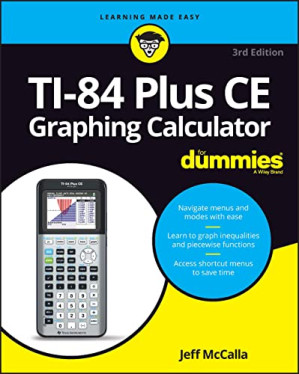
TI-84 Plus CE Graphing Calculator For Dummies (For Dummies (Computer/Tech)) 🔍
Jeff McCalla, Constance C. Edwards
For Dummies, --For dummies, 3rd edition, Hoboken, NJ, 2022
英语 [en] · PDF · 25.5MB · 2022 · 📘 非小说类图书 · 🚀/lgli/lgrs/nexusstc/upload/zlib · Save
描述
You and your trusty TI-84+ can ace math, together
Graphing calculators are an essential tool in many high school and college math courses. TI-84 Plus CE Graphing Calculator For Dummies teaches you how to use these handy little machines with confidence, for basic math and far, far beyond. Packed with insider tips, common mistakes to avoid, and updates on the newest products available, this is the must-have reference to get the most out of your graphing calculator. You’ll learn how to navigate the home screen, menus, and mode settings. And we’ll teach you how to use your calculator to, uh, do math—starting with basic arithmetic functions and stepping up through matrices, complex numbers, and beyond. You can even learn about probability and how to conduct statistical data analysis with your TI-84+. Get graphing!
Grasp the basics of using your TI-84+ graphing calculator Learn how to use shortcut menus to enter fractions, matrices and logarithms (with a change of base!) Figure out how to make charts, scatter plots, and more Get started programming in Python on the new TI-84 Plus CE Python Edition If you have the older TI-84+, look for tips that point out keystroke and functionality differences This edition of TI-84 Plus CE Graphing Calculator For Dummies lets you do everything there is to do with the very latest TI-84+ models. Whatever kind of math you’re doing, you’ll get some quality screen time in, thanks to Dummies.
Graphing calculators are an essential tool in many high school and college math courses. TI-84 Plus CE Graphing Calculator For Dummies teaches you how to use these handy little machines with confidence, for basic math and far, far beyond. Packed with insider tips, common mistakes to avoid, and updates on the newest products available, this is the must-have reference to get the most out of your graphing calculator. You’ll learn how to navigate the home screen, menus, and mode settings. And we’ll teach you how to use your calculator to, uh, do math—starting with basic arithmetic functions and stepping up through matrices, complex numbers, and beyond. You can even learn about probability and how to conduct statistical data analysis with your TI-84+. Get graphing!
Grasp the basics of using your TI-84+ graphing calculator Learn how to use shortcut menus to enter fractions, matrices and logarithms (with a change of base!) Figure out how to make charts, scatter plots, and more Get started programming in Python on the new TI-84 Plus CE Python Edition If you have the older TI-84+, look for tips that point out keystroke and functionality differences This edition of TI-84 Plus CE Graphing Calculator For Dummies lets you do everything there is to do with the very latest TI-84+ models. Whatever kind of math you’re doing, you’ll get some quality screen time in, thanks to Dummies.
备用文件名
nexusstc/TI-84 Plus CE Graphing Calculator For Dummies (For Dummies (Computer/Tech))/12c117e8ea74f7f8fb654867427ed4ad.pdf
备用文件名
lgli/1119887607.pdf
备用文件名
lgrsnf/1119887607.pdf
备用文件名
zlib/no-category/Jeff McCalla/TI-84 Plus CE Graphing Calculator For Dummies (For Dummies (Computer/Tech))_22666718.pdf
备选标题
TI-84 Plus CE Graphing Calculator For Dummies®, 3rd Edition
备选标题
TI-84 Plus CE graphing calculator for dummies 2022
备选作者
McCalla, Jeff;
备用出版商
John Wiley & Sons, Incorporated
备用出版商
Wiley & Sons, Limited, John
备用出版商
American Geophysical Union
备用出版商
Wiley-Blackwell
备用版本
John Wiley & Sons, Inc. (trade), [S.l.], 2022
备用版本
United States, United States of America
元数据中的注释
producers:
iTextSharpTM 5.5.0 ©2000-2013 iText Group NV (AGPL-version); modified using iTextSharpTM 5.5.0 ©2000-2013 iText Group NV (AGPL-version)
iTextSharpTM 5.5.0 ©2000-2013 iText Group NV (AGPL-version); modified using iTextSharpTM 5.5.0 ©2000-2013 iText Group NV (AGPL-version)
元数据中的注释
{"edition":"3","isbns":["1119887607","9781119887607"],"last_page":320,"publisher":"For Dummies"}
备用描述
Title Page
Copyright Page
Table of Contents
Introduction
About This Book
Foolish Assumptions
Icons Used in This Book
Beyond the Book
Where to Go from Here
Part 1 Making Friends with the Calculator
Chapter 1 Starting with the Basics
Why Didn’t I Think of That?
Charging the Battery
Turning the Calculator On and Off
Using the Keyboard
Accessing the functions in blue
Using the ƒ key to write words
Using the Í key
Using the „ key
Using the arrow keys
Keys to remember
What Is the Home Screen?
The Busy Indicator
Editing Entries
Copying and Pasting
Using Menus
Accessing a menu
Scrolling a menu
Selecting menu items
Setting the Mode
MathPrint mode versus Classic mode
Using the Catalog
Chapter 2 Doing Basic Arithmetic
Entering and Evaluating Expressions
Using Exponents and Roots
Working in Scientific Notation
Getting Familiar with Important Keys
Following the Order of Operations
Using the Previous Answer
Storing Variables
Combining Expressions
Chapter 3 Dealing with Fractions
Setting the Mode
Converting Fractions and Decimals
Accessing Shortcut Menus
Entering Fractions and Mixed Numbers
Entering Complex Numbers in Fractions
Entering Complex Fractions
Chapter 4 Solving Equations
Using the Numeric Solver
Step 1: Enter or edit the equation to be solved
Step 2: Guess a solution
Step 3: Solve the equation
Assigning Values to Variables
Finding Multiple Solutions
Making strategic guesses
Defining the solution bounds
Using the Solve Function
Discovering the PlySmlt2 App
Finding the roots of a polynomial
Solving systems of equations
Part 2 Taking Your Calculator Relationship to the Next Level
Chapter 5 Working with Complex Numbers
Setting the Mode
Entering Complex Numbers
Interpreting Strange-looking Results
Using the CMPLX menu
Finding the conjugate of a complex number
Finding the real and imaginary parts of a complex number
Finding the polar angle of a complex number
Finding the magnitude (modulus) of a complex number
Displaying a complex result in polar or rectangular form
Chapter 6 Understanding the Math Menu and Submenus
Getting to Know the Math Menu and Submenus
Accessing Catalog Help from the Math Menu
The Math MATH Submenu
Converting between decimals and fractions
Cubing and taking cube roots
Taking the x th root
Finding the location of maximum and minimum values
Using numerical differentiation and integration templates
Using summation and logarithm templates
The Math NUM Submenu
Finding the absolute value
Rounding numbers
Finding the integer and fractional parts of a value
Using the greatest-integer function
Finding minimum and maximum values in a list of numbers
Finding the least common multiple and greatest common divisor
Finding the remainder
Chapter 7 The Angle and Test Menus
The Angle Menu
Converting degrees to radians
Converting radians to degrees
Converting between degrees and DMS
Entering angles in DMS measure
Overriding the mode of the angle
Converting rectangular and polar coordinates
The Test Menu
Understanding Boolean logic
Comparing numbers
Testing equivalent expressions
Using Logic Commands
Using Conditions
Chapter 8 Creating and Editing Matrices
Entering Matrices
Storing a Matrix
Matrix Arithmetic
Evaluating the Determinant and Other Matrix Operations
Solving a System of Equations
A–1 * B method
Augmenting matrices method
Part 3 Graphing and Analyzing Functions
Chapter 9 Graphing Functions
Entering Functions
Formatting Your Graph
Graphing Functions
Turning off Stat Plots (if necessary)
Selecting and deselecting a function
Adjusting the graph window
Stopping or pausing your graph
Adjusting Your Color/Line Settings
Graphing Families of Functions
Introducing the Improved Transformation App
Using Preset Parent Functions
Quitting the Transformation App
Graphing Piecewise Functions Using the Template
Graphing Trig Functions
Viewing the Function and Graph on the Same Screen
Chapter 10 Exploring Functions
Tracing a Graph
Changing the TraceStep
Moving the Trace cursor to any x-value in the graphing window
Using Zoom Commands
Storing and recalling your favorite graphing window
Displaying Functions in a Table
Automatically generated table
User-generated table
Editing a function in a table
Clearing a Table
Viewing the Table and the Graph on the Same Screen
Chapter 11 Evaluating Functions
Finding the Value of a Function
Using your graph to find the value of a function
Using your calculator to find the value of a function
Composing Functions
Using your graph to compose functions
Using your calculator to compose functions
Finding the Zeros of a Function
Finding Min and Max
Finding Points of Intersection
Finding the Slope of a Curve
Evaluating a Definite Integral
Graphing Derivatives to Find Critical Points
Solving Equations by Graphing
Drawing the Inverse of a Function
Drawing the Tangent of a Function
Chapter 12 Graphing Inequalities
Graphing One-Variable Inequalities
Starting Inequality Graphing
Entering Functions and Inequalities
Entering inequalities in the Y= editor
Entering inequalities in the X= editor
Exploring a Graph
Shading unions and intersections
Finding the points of intersection
Other ways to explore a graph
Storing Data Points
Clearing the INEQX and INEQY lists
Viewing stored data
Quitting Inequality Graphing
Chapter 13 Graphing Parametric Equations
Changing the Mode
Selecting the Graph Style
Entering Parametric Equations
Setting the Window
Graphing Parametric Equations
Using Zoom to Change the Window
Using Trace to Evaluate a Parametric Equation
Viewing the Table of a Parametric Graph
Taking the Derivative of Parametric Equations
Chapter 14 Graphing Polar Equations
Changing the Mode
Selecting the Graph Style
Entering Polar Equations
Setting the Window
Graphing Polar Equations
Using Zoom to Change the Window
Using Trace to Evaluate a Polar Equation
Viewing the Table of a Polar Graph
Taking the Derivative of Polar Equations
Part 4 Working with Probability and Statistics
Chapter 15 Probability
Evaluating Factorials
Permutations and Combinations
Using the Binomial Theorem
Generating Random Numbers
Generating random integers
Generating random integers with no repetition
Generating random decimals
Seeding the random number generator
Chapter 16 Dealing with Statistical Data
Entering Data
Deleting and Editing Data
Inserting Data Lists
Using Formulas to Enter Data
Copying and Recalling Data Lists
Sorting Data Lists
Sorting data lists while keeping the rows intact
Chapter 17 Analyzing Statistical Data
Plotting One-Variable Data
Constructing a histogram
Adjusting the class size of a histogram
Constructing a box plot
Plotting Two-Variable Data
Tracing Statistical Data Plots
Analyzing Statistical Data
One-variable data analysis
Two-variable data analysis
Performing regressions
Graphing a regression model
Graphing a residual plot
Using Manual-Fit
Using statistics commands on the Home screen
Part 5 Doing More with Your Calculator
Chapter 18 Communicating with a PC Using TI Connect CE Software
Downloading TI Connect
Installing and Running TI Connect
Connecting Calculator and PC
Transferring Files
Using the Calculator Explorer Workspace to Transfer Files from Calculator to Computer
Upgrading the OS using a TI CE Bundle file
Chapter 19 Communicating Between Calculators
Linking Calculators
Transferring Files
Using Resend to Multiply Your Efforts
Chapter 20 Fun with Images
Inserting Photo Images as a Background of a Graph
Using TI Connect CE Software to Transfer Images
Using Quick Plot & Fit Equation
Chapter 21 Managing Memory
Checking Available Memory
Deleting and Archiving to Preserve Memory
Resetting the Calculator
Grouping and Ungrouping Programs
Garbage Collecting
Part 6 The Part of Tens
Chapter 22 Ten Essential Skills
Copying and Pasting
Converting a Decimal to a Fraction
Changing the Mode
Accessing Hidden Menus
Entering Imaginary Numbers
Storing a variable
Graphing a Function
Finding the Intersection Point
Graphing a Scatter Plot
Performing a Linear Regression
Chapter 23 Ten Common Errors
Using 1 Instead of Ì to Indicate That a Number Is Negative
Indicating the Order of Operations Incorrectly by Using Parentheses
Improperly Entering the Argument for Menu Functions
Accidentally Deleting a List
Entering an Angle in Degrees in Radian Mode
Graphing Trigonometric Functions in Degree Mode
Graphing Functions When Stat Plots Are Active
Inadequately Setting the Display Contrast
Setting the Window Inappropriately for Graphing
Accidentally Deactivating a Function
Chapter 24 Ten Common Error Messages
ARGUMENT
BAD GUESS
DIMENSION MISMATCH
DIVIDE BY ZERO
INVALID
INVALID DIMENSION
NO SIGN CHANGE
SINGULAR MATRIX
SYNTAX
WINDOW RANGE
Part 7 Appendices
Appendix A Creating Calculator Programs
Creating and Saving a Program on the Calculator
Editing a Program on the Calculator
Executing a Calculator Program
Deleting a Program from the Calculator
Appendix B Controlling Program Input and Output
Using Input Commands
Using the Input command
Using the Prompt command
Using Output Commands
Using a program to write text
Using the Disp command
Using the Output command
Using a Program to Display a Graph
Changing the Color and Graph Style of a Function
Changing the Color of Text on a Graph
Housekeeping Issues
Appendix C Controlling Program Flow
Entering Control Commands in a Program
Using Decision Commands
The If command
The If . . . Then . . . End Command
The If . . . Then . . . Else . . . End Command
Using Looping Commands
The While . . . End command
The Repeat . . . End Command
The For . . . End Command
Using Branching Commands
Using the Goto command
Creating a menu
Stopping a Program
Pausing a Program
Executing an External Program as a Subroutine
Appendix D Introducing Python Programming
Getting to Know the Workspaces
Creating a Python program on the calculator
Running a Python program on the calculator
Managing a Python Program in your Calculator
Appendix E Mastering the Basics of Python Programming
Using Input Commands in a Python Program
Using decision commands
Using the Tools menu to save time
Index
Supplemental Images
EULA
Copyright Page
Table of Contents
Introduction
About This Book
Foolish Assumptions
Icons Used in This Book
Beyond the Book
Where to Go from Here
Part 1 Making Friends with the Calculator
Chapter 1 Starting with the Basics
Why Didn’t I Think of That?
Charging the Battery
Turning the Calculator On and Off
Using the Keyboard
Accessing the functions in blue
Using the ƒ key to write words
Using the Í key
Using the „ key
Using the arrow keys
Keys to remember
What Is the Home Screen?
The Busy Indicator
Editing Entries
Copying and Pasting
Using Menus
Accessing a menu
Scrolling a menu
Selecting menu items
Setting the Mode
MathPrint mode versus Classic mode
Using the Catalog
Chapter 2 Doing Basic Arithmetic
Entering and Evaluating Expressions
Using Exponents and Roots
Working in Scientific Notation
Getting Familiar with Important Keys
Following the Order of Operations
Using the Previous Answer
Storing Variables
Combining Expressions
Chapter 3 Dealing with Fractions
Setting the Mode
Converting Fractions and Decimals
Accessing Shortcut Menus
Entering Fractions and Mixed Numbers
Entering Complex Numbers in Fractions
Entering Complex Fractions
Chapter 4 Solving Equations
Using the Numeric Solver
Step 1: Enter or edit the equation to be solved
Step 2: Guess a solution
Step 3: Solve the equation
Assigning Values to Variables
Finding Multiple Solutions
Making strategic guesses
Defining the solution bounds
Using the Solve Function
Discovering the PlySmlt2 App
Finding the roots of a polynomial
Solving systems of equations
Part 2 Taking Your Calculator Relationship to the Next Level
Chapter 5 Working with Complex Numbers
Setting the Mode
Entering Complex Numbers
Interpreting Strange-looking Results
Using the CMPLX menu
Finding the conjugate of a complex number
Finding the real and imaginary parts of a complex number
Finding the polar angle of a complex number
Finding the magnitude (modulus) of a complex number
Displaying a complex result in polar or rectangular form
Chapter 6 Understanding the Math Menu and Submenus
Getting to Know the Math Menu and Submenus
Accessing Catalog Help from the Math Menu
The Math MATH Submenu
Converting between decimals and fractions
Cubing and taking cube roots
Taking the x th root
Finding the location of maximum and minimum values
Using numerical differentiation and integration templates
Using summation and logarithm templates
The Math NUM Submenu
Finding the absolute value
Rounding numbers
Finding the integer and fractional parts of a value
Using the greatest-integer function
Finding minimum and maximum values in a list of numbers
Finding the least common multiple and greatest common divisor
Finding the remainder
Chapter 7 The Angle and Test Menus
The Angle Menu
Converting degrees to radians
Converting radians to degrees
Converting between degrees and DMS
Entering angles in DMS measure
Overriding the mode of the angle
Converting rectangular and polar coordinates
The Test Menu
Understanding Boolean logic
Comparing numbers
Testing equivalent expressions
Using Logic Commands
Using Conditions
Chapter 8 Creating and Editing Matrices
Entering Matrices
Storing a Matrix
Matrix Arithmetic
Evaluating the Determinant and Other Matrix Operations
Solving a System of Equations
A–1 * B method
Augmenting matrices method
Part 3 Graphing and Analyzing Functions
Chapter 9 Graphing Functions
Entering Functions
Formatting Your Graph
Graphing Functions
Turning off Stat Plots (if necessary)
Selecting and deselecting a function
Adjusting the graph window
Stopping or pausing your graph
Adjusting Your Color/Line Settings
Graphing Families of Functions
Introducing the Improved Transformation App
Using Preset Parent Functions
Quitting the Transformation App
Graphing Piecewise Functions Using the Template
Graphing Trig Functions
Viewing the Function and Graph on the Same Screen
Chapter 10 Exploring Functions
Tracing a Graph
Changing the TraceStep
Moving the Trace cursor to any x-value in the graphing window
Using Zoom Commands
Storing and recalling your favorite graphing window
Displaying Functions in a Table
Automatically generated table
User-generated table
Editing a function in a table
Clearing a Table
Viewing the Table and the Graph on the Same Screen
Chapter 11 Evaluating Functions
Finding the Value of a Function
Using your graph to find the value of a function
Using your calculator to find the value of a function
Composing Functions
Using your graph to compose functions
Using your calculator to compose functions
Finding the Zeros of a Function
Finding Min and Max
Finding Points of Intersection
Finding the Slope of a Curve
Evaluating a Definite Integral
Graphing Derivatives to Find Critical Points
Solving Equations by Graphing
Drawing the Inverse of a Function
Drawing the Tangent of a Function
Chapter 12 Graphing Inequalities
Graphing One-Variable Inequalities
Starting Inequality Graphing
Entering Functions and Inequalities
Entering inequalities in the Y= editor
Entering inequalities in the X= editor
Exploring a Graph
Shading unions and intersections
Finding the points of intersection
Other ways to explore a graph
Storing Data Points
Clearing the INEQX and INEQY lists
Viewing stored data
Quitting Inequality Graphing
Chapter 13 Graphing Parametric Equations
Changing the Mode
Selecting the Graph Style
Entering Parametric Equations
Setting the Window
Graphing Parametric Equations
Using Zoom to Change the Window
Using Trace to Evaluate a Parametric Equation
Viewing the Table of a Parametric Graph
Taking the Derivative of Parametric Equations
Chapter 14 Graphing Polar Equations
Changing the Mode
Selecting the Graph Style
Entering Polar Equations
Setting the Window
Graphing Polar Equations
Using Zoom to Change the Window
Using Trace to Evaluate a Polar Equation
Viewing the Table of a Polar Graph
Taking the Derivative of Polar Equations
Part 4 Working with Probability and Statistics
Chapter 15 Probability
Evaluating Factorials
Permutations and Combinations
Using the Binomial Theorem
Generating Random Numbers
Generating random integers
Generating random integers with no repetition
Generating random decimals
Seeding the random number generator
Chapter 16 Dealing with Statistical Data
Entering Data
Deleting and Editing Data
Inserting Data Lists
Using Formulas to Enter Data
Copying and Recalling Data Lists
Sorting Data Lists
Sorting data lists while keeping the rows intact
Chapter 17 Analyzing Statistical Data
Plotting One-Variable Data
Constructing a histogram
Adjusting the class size of a histogram
Constructing a box plot
Plotting Two-Variable Data
Tracing Statistical Data Plots
Analyzing Statistical Data
One-variable data analysis
Two-variable data analysis
Performing regressions
Graphing a regression model
Graphing a residual plot
Using Manual-Fit
Using statistics commands on the Home screen
Part 5 Doing More with Your Calculator
Chapter 18 Communicating with a PC Using TI Connect CE Software
Downloading TI Connect
Installing and Running TI Connect
Connecting Calculator and PC
Transferring Files
Using the Calculator Explorer Workspace to Transfer Files from Calculator to Computer
Upgrading the OS using a TI CE Bundle file
Chapter 19 Communicating Between Calculators
Linking Calculators
Transferring Files
Using Resend to Multiply Your Efforts
Chapter 20 Fun with Images
Inserting Photo Images as a Background of a Graph
Using TI Connect CE Software to Transfer Images
Using Quick Plot & Fit Equation
Chapter 21 Managing Memory
Checking Available Memory
Deleting and Archiving to Preserve Memory
Resetting the Calculator
Grouping and Ungrouping Programs
Garbage Collecting
Part 6 The Part of Tens
Chapter 22 Ten Essential Skills
Copying and Pasting
Converting a Decimal to a Fraction
Changing the Mode
Accessing Hidden Menus
Entering Imaginary Numbers
Storing a variable
Graphing a Function
Finding the Intersection Point
Graphing a Scatter Plot
Performing a Linear Regression
Chapter 23 Ten Common Errors
Using 1 Instead of Ì to Indicate That a Number Is Negative
Indicating the Order of Operations Incorrectly by Using Parentheses
Improperly Entering the Argument for Menu Functions
Accidentally Deleting a List
Entering an Angle in Degrees in Radian Mode
Graphing Trigonometric Functions in Degree Mode
Graphing Functions When Stat Plots Are Active
Inadequately Setting the Display Contrast
Setting the Window Inappropriately for Graphing
Accidentally Deactivating a Function
Chapter 24 Ten Common Error Messages
ARGUMENT
BAD GUESS
DIMENSION MISMATCH
DIVIDE BY ZERO
INVALID
INVALID DIMENSION
NO SIGN CHANGE
SINGULAR MATRIX
SYNTAX
WINDOW RANGE
Part 7 Appendices
Appendix A Creating Calculator Programs
Creating and Saving a Program on the Calculator
Editing a Program on the Calculator
Executing a Calculator Program
Deleting a Program from the Calculator
Appendix B Controlling Program Input and Output
Using Input Commands
Using the Input command
Using the Prompt command
Using Output Commands
Using a program to write text
Using the Disp command
Using the Output command
Using a Program to Display a Graph
Changing the Color and Graph Style of a Function
Changing the Color of Text on a Graph
Housekeeping Issues
Appendix C Controlling Program Flow
Entering Control Commands in a Program
Using Decision Commands
The If command
The If . . . Then . . . End Command
The If . . . Then . . . Else . . . End Command
Using Looping Commands
The While . . . End command
The Repeat . . . End Command
The For . . . End Command
Using Branching Commands
Using the Goto command
Creating a menu
Stopping a Program
Pausing a Program
Executing an External Program as a Subroutine
Appendix D Introducing Python Programming
Getting to Know the Workspaces
Creating a Python program on the calculator
Running a Python program on the calculator
Managing a Python Program in your Calculator
Appendix E Mastering the Basics of Python Programming
Using Input Commands in a Python Program
Using decision commands
Using the Tools menu to save time
Index
Supplemental Images
EULA
开源日期
2022-08-25
We strongly recommend that you support the author by buying or donating on their personal website, or borrowing in your local library.
🚀 快速下载
成为会员以支持书籍、论文等的长期保存。为了感谢您对我们的支持,您将获得高速下载权益。❤️
如果您在本月捐款,您将获得双倍的快速下载次数。
- 高速服务器(合作方提供) #1 (推荐)
- 高速服务器(合作方提供) #2 (推荐)
- 高速服务器(合作方提供) #3 (推荐)
- 高速服务器(合作方提供) #4 (推荐)
- 高速服务器(合作方提供) #5 (推荐)
- 高速服务器(合作方提供) #6 (推荐)
- 高速服务器(合作方提供) #7
- 高速服务器(合作方提供) #8
- 高速服务器(合作方提供) #9
- 高速服务器(合作方提供) #10
- 高速服务器(合作方提供) #11
- 高速服务器(合作方提供) #12
- 高速服务器(合作方提供) #13
- 高速服务器(合作方提供) #14
- 高速服务器(合作方提供) #15
- 高速服务器(合作方提供) #16
- 高速服务器(合作方提供) #17
- 高速服务器(合作方提供) #18
- 高速服务器(合作方提供) #19
- 高速服务器(合作方提供) #20
- 高速服务器(合作方提供) #21
- 高速服务器(合作方提供) #22
🐢 低速下载
由可信的合作方提供。 更多信息请参见常见问题解答。 (可能需要验证浏览器——无限次下载!)
- 低速服务器(合作方提供) #1 (稍快但需要排队)
- 低速服务器(合作方提供) #2 (稍快但需要排队)
- 低速服务器(合作方提供) #3 (稍快但需要排队)
- 低速服务器(合作方提供) #4 (稍快但需要排队)
- 低速服务器(合作方提供) #5 (无需排队,但可能非常慢)
- 低速服务器(合作方提供) #6 (无需排队,但可能非常慢)
- 低速服务器(合作方提供) #7 (无需排队,但可能非常慢)
- 低速服务器(合作方提供) #8 (无需排队,但可能非常慢)
- 低速服务器(合作方提供) #9 (无需排队,但可能非常慢)
- 低速服务器(合作方提供) #10 (稍快但需要排队)
- 低速服务器(合作方提供) #11 (稍快但需要排队)
- 低速服务器(合作方提供) #12 (稍快但需要排队)
- 低速服务器(合作方提供) #13 (稍快但需要排队)
- 低速服务器(合作方提供) #14 (无需排队,但可能非常慢)
- 低速服务器(合作方提供) #15 (无需排队,但可能非常慢)
- 低速服务器(合作方提供) #16 (无需排队,但可能非常慢)
- 低速服务器(合作方提供) #17 (无需排队,但可能非常慢)
- 低速服务器(合作方提供) #18 (无需排队,但可能非常慢)
- 下载后: 在我们的查看器中打开
所有选项下载的文件都相同,应该可以安全使用。即使这样,从互联网下载文件时始终要小心。例如,确保您的设备更新及时。
外部下载
-
对于大文件,我们建议使用下载管理器以防止中断。
推荐的下载管理器:JDownloader -
您将需要一个电子书或 PDF 阅读器来打开文件,具体取决于文件格式。
推荐的电子书阅读器:Anna的档案在线查看器、ReadEra和Calibre -
使用在线工具进行格式转换。
推荐的转换工具:CloudConvert和PrintFriendly -
您可以将 PDF 和 EPUB 文件发送到您的 Kindle 或 Kobo 电子阅读器。
推荐的工具:亚马逊的“发送到 Kindle”和djazz 的“发送到 Kobo/Kindle” -
支持作者和图书馆
✍️ 如果您喜欢这个并且能够负担得起,请考虑购买原版,或直接支持作者。
📚 如果您当地的图书馆有这本书,请考虑在那里免费借阅。
下面的文字仅以英文继续。
总下载量:
“文件的MD5”是根据文件内容计算出的哈希值,并且基于该内容具有相当的唯一性。我们这里索引的所有影子图书馆都主要使用MD5来标识文件。
一个文件可能会出现在多个影子图书馆中。有关我们编译的各种数据集的信息,请参见数据集页面。
有关此文件的详细信息,请查看其JSON 文件。 Live/debug JSON version. Live/debug page.